
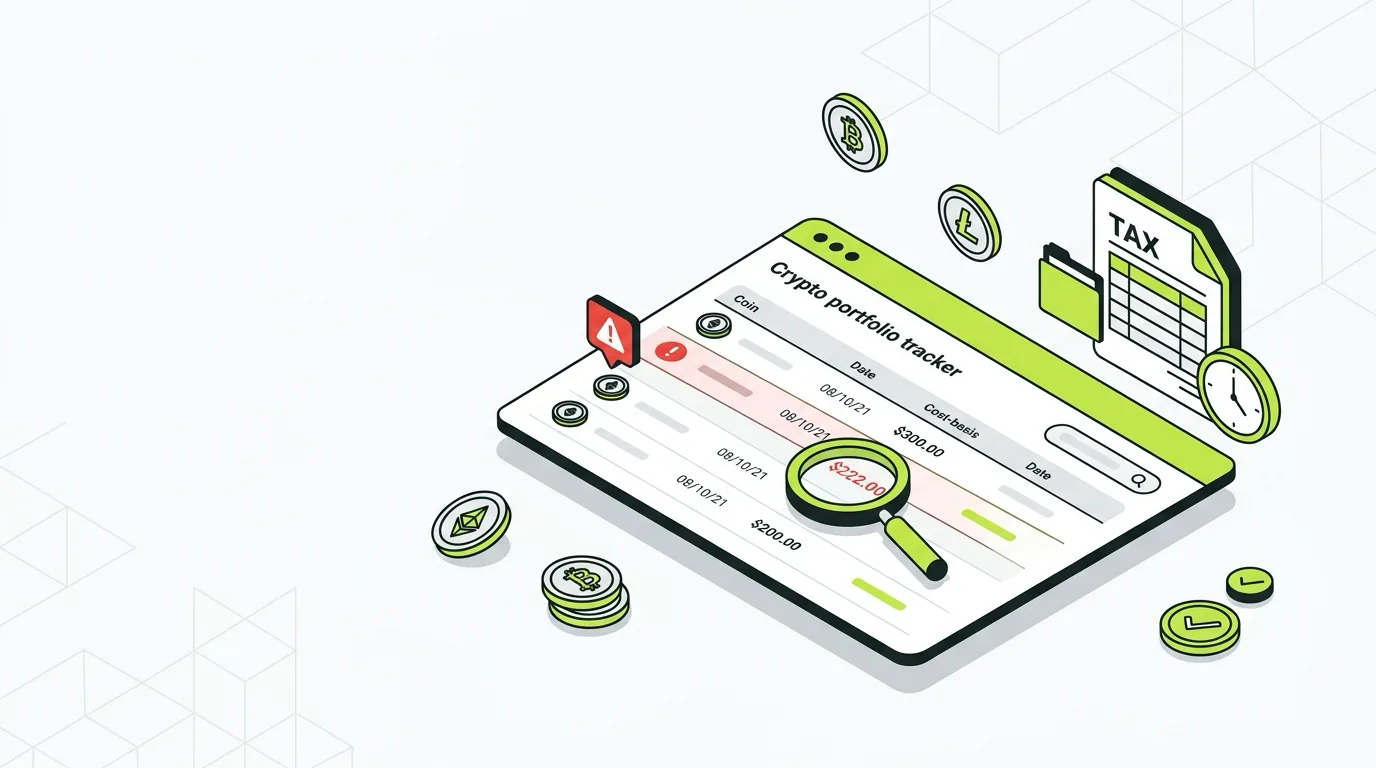
If CoinTracker is showing a wrong cost basis, you are almost certainly about to overpay your crypto taxes. A missing or $0 cost basis turns part of a sale that should have been break-even into pure taxable profit, and that gap can run into thousands of dollars.
There is an added wrinkle for 2025 and beyond: the IRS now requires per-wallet cost basis tracking, which changed how basis is calculated and surfaced some surprises in accounts set up under the old rules. The good news is the same as always: nearly every cost basis error is fixable, in order, without rebuilding your account.
Disclaimer: This guide is for informational purposes only. Always consult a qualified CPA regarding your specific situation.
What Cost Basis Means in CoinTracker (Quick Answer)
Cost basis is what you originally paid for a coin, including fees. When you sell or trade it, CoinTracker subtracts the basis from your proceeds to compute your capital gain. Wrong basis means a wrong gain, and a wrong tax bill. When CoinTracker cannot trace a coin to a purchase, it does not leave the field blank: it assumes $0, which maximizes the gain.
The 2025 Per-Wallet Rule Changed the Math
This is the biggest cost basis change in years, and it catches people off guard.
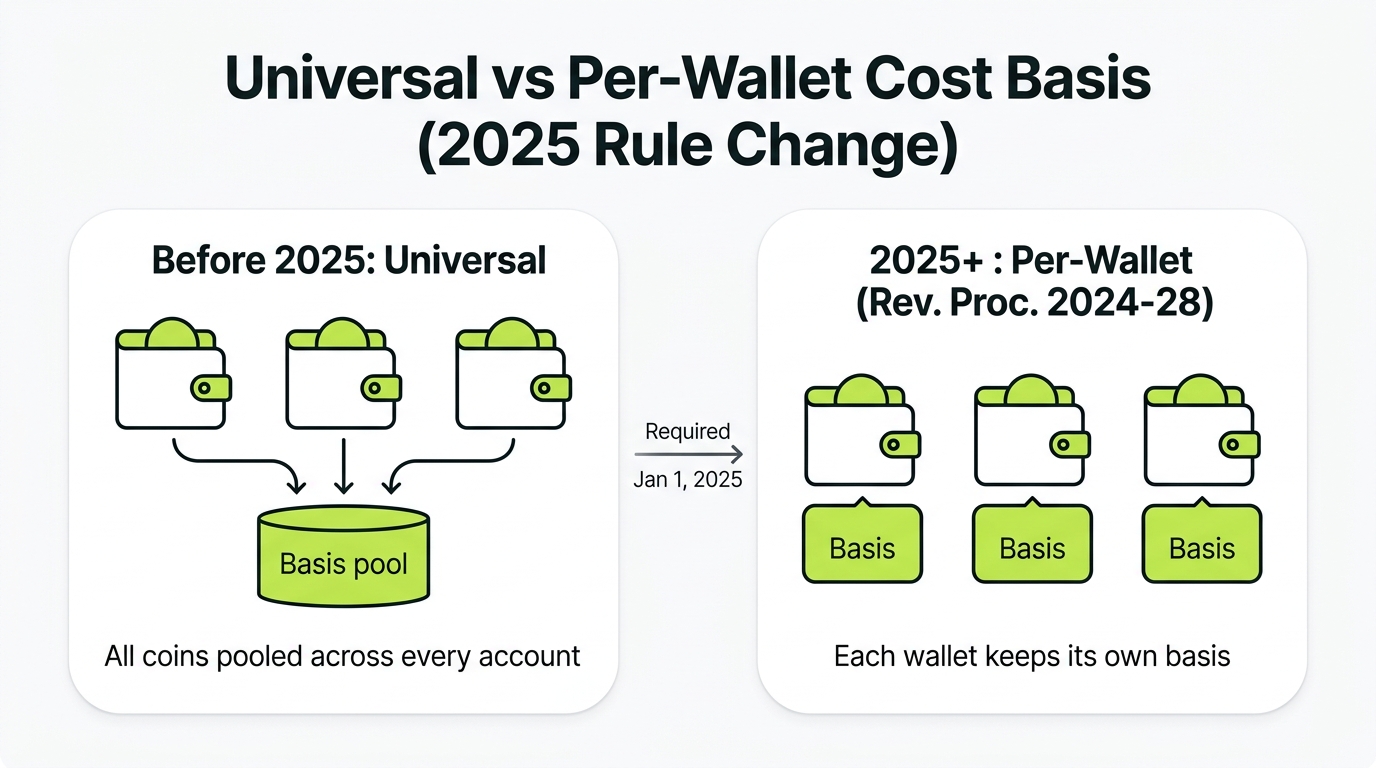
Before 2025, many investors tracked cost basis universally, pooling all their holdings of a coin across every account. Starting January 1, 2025, under Rev. Proc. 2024-28, basis must be tracked per wallet: each wallet or account keeps its own basis for the coins it holds.
If your CoinTracker account was configured under the old universal method, your 2025 figures may look different than you expect. Confirm your settings reflect per-wallet tracking for 2025 and later.
How to Find Cost Basis Errors in CoinTracker
- Check for missing cost basis warnings. CoinTracker flags transactions it cannot fully price. If those warnings come with sync or balance glitches, run the CoinTracker not working fixes first.
- Sort disposals by gain. A sale showing a gain roughly equal to its full proceeds is the classic $0 basis signature.
- Compare balances to reality. If a wallet’s holdings do not match what you actually own, a source is missing.
The Fix: Do These Steps in Order
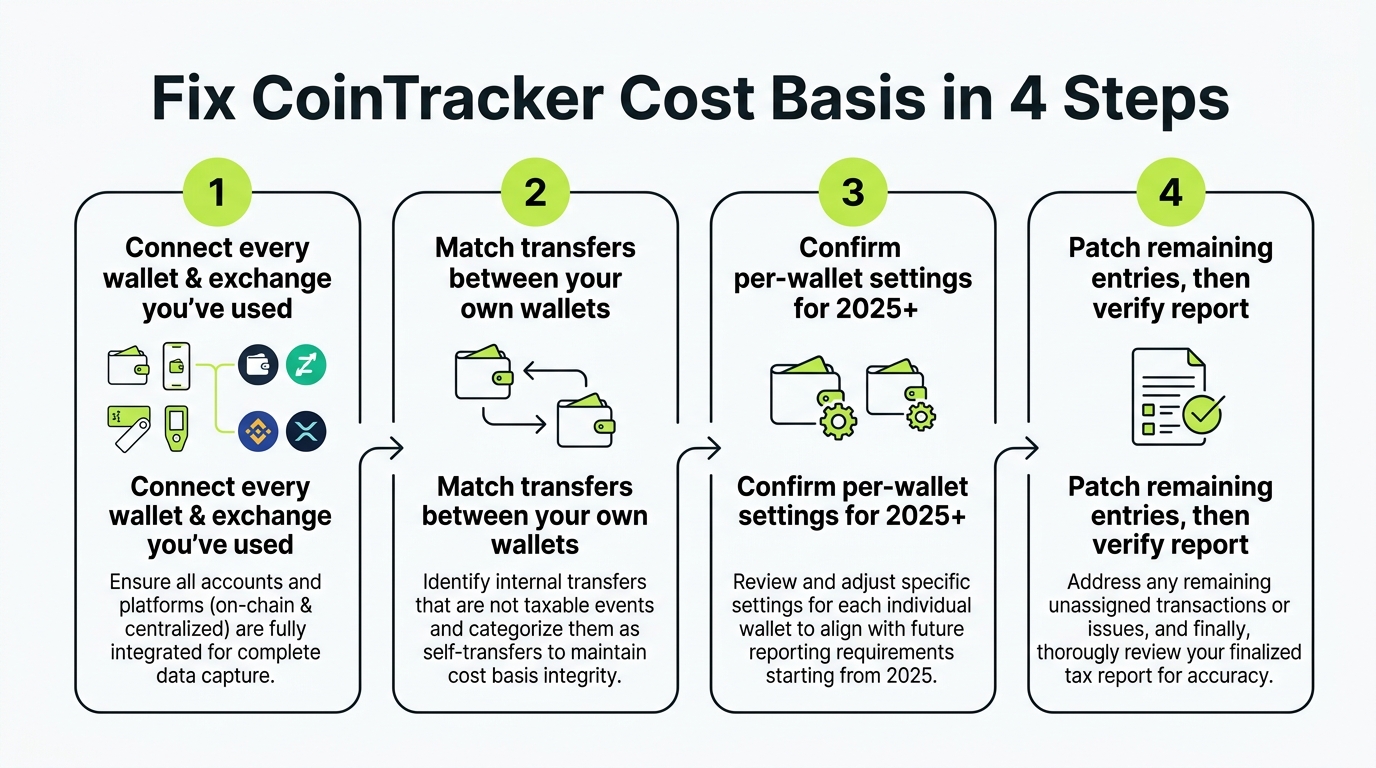
Step 1: Connect Every Wallet and Exchange You Have Used
Go through your entire history, including closed accounts. Every exchange, every wallet, every chain. This single step resolves most $0 basis cases because it gives CoinTracker the missing purchases.
Step 2: Match Transfers Between Your Own Wallets
Moving coins between your accounts is not a sale. If CoinTracker did not match a withdrawal to its deposit, it can treat the deposit as a fresh acquisition with no basis. Link them so basis carries across the move.
Step 3: Confirm Per-Wallet Settings for 2025+
Make sure your account is applying per-wallet basis for 2025 and later, consistent with Rev. Proc. 2024-28. This is the step most people miss this year.
Step 4: Patch the Last Few, Then Verify
For transactions that still lack basis (a coin from a defunct exchange, an old trade), set the acquisition cost from your real records: purchase confirmation, bank statement, or the historical price on the acquisition date. Then regenerate and confirm the warnings are gone and gains look reasonable.
A client’s CoinTracker showed a $58,000 gain that did not match his own sense of his trading. Two causes stacked: a Binance.US account he had closed was never connected, so several disposals used a $0 basis, and his account was still tracking basis universally into 2025. After we connected the old exchange, matched the transfers, and corrected the account to per-wallet tracking, his real gain came in around $21,000. Two settings and one missing source, roughly $37,000 of phantom gain removed.
Keep It Fixed
- Reconnect APIs at the start of each tax season
- Add new wallets to CoinTracker the week you start using them
- Never track the same account by two import methods
- Re-confirm per-wallet settings each year going forward
When to Bring in a Crypto CPA
The steps above handle clean accounts. But high transaction volume, DeFi activity, many wallets across chains, years of unreconciled history, or a 1099-DA that conflicts with your records are all signs that doing it by hand will cost you more in time and risk than it saves. A crypto tax CPA can reconcile the account, apply the per-wallet rules correctly, and stand behind the numbers. A defensible report is worth more than a fast one, especially in the first full year of per-wallet tracking. See when to bring in a CoinTracker expert, or hand it to a done-for-you CoinTracker tax filing service. For a portfolio-wide cleanup across tools and wallets, see the crypto reconciliation service. Deciding between tools? Compare Koinly vs CoinTracker comparison.
Key Takeaways
- Bottom line: a wrong basis is almost never a CoinTracker bug, it is a hole in your data that you can close in a set order
- Work the fix top down (connect sources, match transfers, then manual edits) and resist the urge to hand-correct numbers before the upstream gaps are filled
- Before you “fix” a surprising 2025 figure, confirm it is not just the new per-wallet rule (Rev. Proc. 2024-28) doing its job
- Always reconcile basis before you file. The corrected number is usually lower, which means real money back in your pocket
- Decision point: if the mess is high volume, DeFi, or spread across many wallets and years, stop grinding and let a crypto CPA reconcile it for you
Frequently Asked Questions
Why is CoinTracker showing $0 cost basis?
A $0 cost basis in CoinTracker means it cannot trace where a coin came from. This happens when a wallet or exchange is missing, an API sync is incomplete, or a transfer between your own wallets was not matched. CoinTracker then assumes you paid nothing, which inflates your taxable gain. Connect the missing source or match the transfer to fix it.
How did the 2025 per-wallet rule affect CoinTracker cost basis?
Under Rev. Proc. 2024-28, effective January 1, 2025, cost basis must be tracked per wallet rather than universally across all your accounts. This changed how basis is allocated, and accounts that were set up under the old universal method may show different or unexpected basis figures. Make sure your CoinTracker settings reflect the per-wallet approach for 2025 and later.
Does wrong cost basis in CoinTracker make me overpay?
Yes. When cost basis is missing or too low, CoinTracker treats more of your sale proceeds as profit, so your reported gain is higher than reality. Investors routinely overstate gains by thousands of dollars from unresolved $0 cost basis entries. Fixing the basis before filing lowers your gain to the correct number.
How do I find cost basis errors in CoinTracker?
Check CoinTracker for missing cost basis warnings and review transactions with unusually large gains, which often signal a $0 basis. Sort your disposals by gain and investigate any sale where the gain roughly equals the full proceeds. Each flagged transaction can then be traced to its missing source or corrected.
Can I fix CoinTracker cost basis without starting over?
Usually yes. Most fixes are targeted: add the missing wallet, re-sync a broken connection, match an internal transfer, or correct a single transaction's basis from your records. You rarely need to rebuild the account. Fix in order: connect all sources, match transfers, then patch the few manual cases.
Should I hire a CPA to fix my CoinTracker report?
If you have high volume, DeFi activity, multiple wallets across chains, or years of unreconciled history, a crypto CPA can fix it faster, apply the per-wallet rules correctly, and defend the numbers if the IRS asks. For a clean account with a few flagged transactions, the steps in this guide are usually enough to do it yourself.