

When CoinTracker is not working, the right fix depends on the symptom. A stalled exchange sync, a wrong balance, and a report that will not generate are three separate problems. This guide sorts them so you can fix the actual issue instead of guessing.
The reassuring part: most CoinTracker problems are connection and data issues on your own account, not bugs or outages. That means you can usually resolve them yourself in a few minutes.
Disclaimer: This guide is for informational purposes only. Always consult a qualified CPA regarding your specific situation.
First: Rule Out an Actual Outage
Before changing anything, confirm the problem is your account and not CoinTracker itself.
- Check CoinTracker’s status page and support channels for incident notices
- Try a different browser or an incognito window to rule out a local cache issue
- If only your data looks wrong but the app loads fine, the problem is on your account
Problem 1: CoinTracker Won’t Sync an Exchange or Wallet
This is the most common complaint, and it nearly always traces to a broken connection.
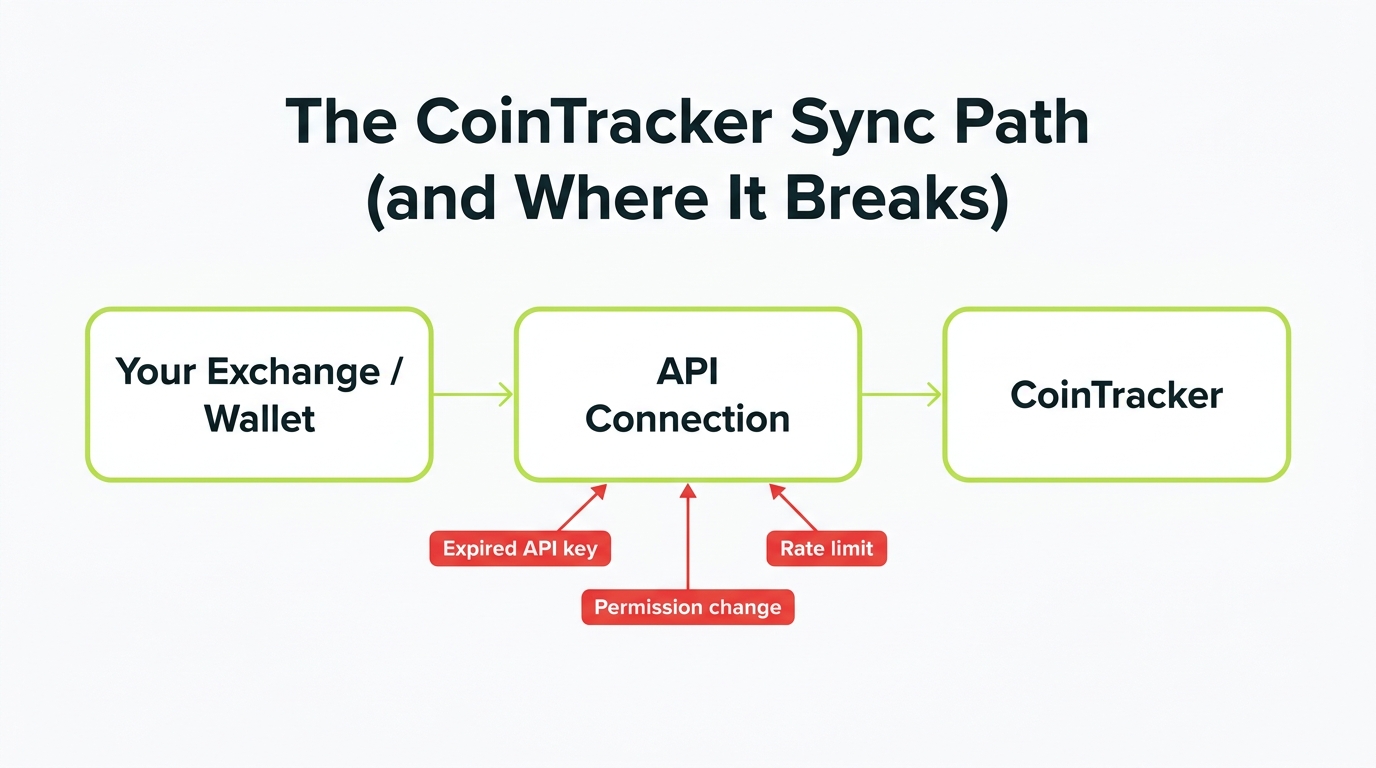
Fix it in order:
- Re-add the connection. Remove the old exchange link, generate a fresh read-only API key on the exchange, and reconnect. Expired keys are the number one cause.
- Check permissions. The key needs read access only. It should never have trade or withdrawal permissions.
- Fall back to CSV. If the API keeps failing, export your full history from the exchange and upload it as CSV.
- Wait out throttling. Repeated sync attempts can trigger rate limits. Wait an hour, then try once.
Problem 2: Wrong or Negative Balances
A negative balance is CoinTracker telling you it sees more of a coin leaving than it ever saw arrive.
The usual causes:
- A wallet or exchange is not connected, so the original deposit is invisible
- A transfer between your own wallets was not matched
- A sync pulled only part of the history
Add the missing source or match the transfer. Once CoinTracker can see where the coins came from, the balance and the cost basis both correct themselves.
Problem 3: The Tax Report Won’t Generate or Looks Wrong
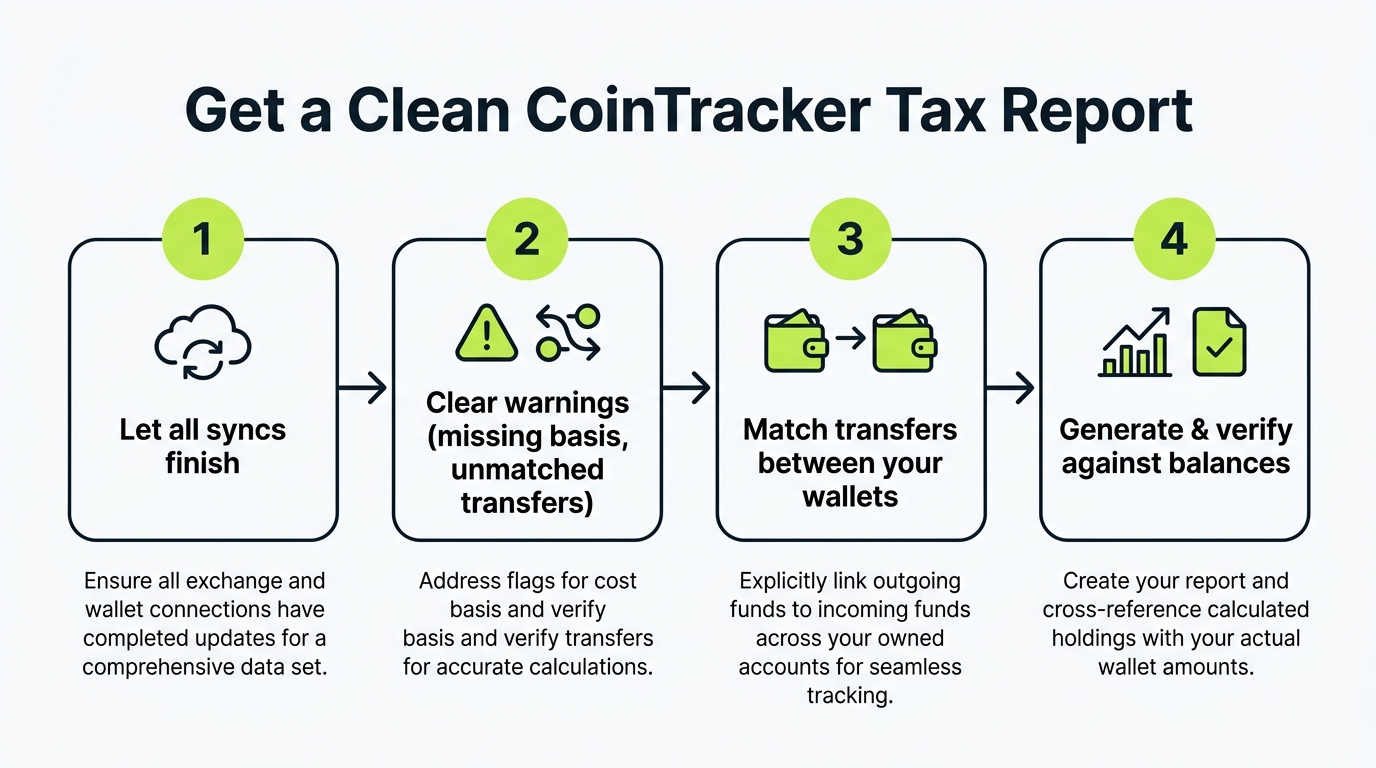
Work this checklist:
- Let syncs finish. A report built mid-sync is incomplete.
- Clear warnings first. Missing cost basis and unmatched transfers block a clean report.
- Allow time for big accounts. Tens of thousands of transactions take a few minutes to compile.
- Confirm settings. Check the tax year and cost basis method before generating.
If the report generates but the cost basis looks off, that is a separate common issue worth fixing before you file. See CoinTracker cost basis wrong? Fix it before you file. The same root causes apply across crypto tax tools: missing sources and unmatched transfers.
Problem 4: Your Report Doesn’t Match Your 1099-DA
This is new and widespread in 2026. Exchanges now issue Form 1099-DA, but they report proceeds without always knowing your full cost basis, especially for coins you transferred in from elsewhere.
A client panicked because his CoinTracker gains were far lower than the proceeds on his exchange 1099-DA. The exchange only saw the sale, not the original purchase he had made years earlier on a different platform, so its implied basis was near zero. CoinTracker, with his full history connected, had the real basis. His CoinTracker number was the accurate one, but we documented the reconciliation carefully so the difference was explainable if the IRS asked.
Your complete records are usually more accurate than a single exchange’s 1099. But mismatches need to be reconciled and documented, not ignored. Large gaps are worth a professional review before filing.
Problem 5: Duplicate Transactions
Inflated gains plus the same trade appearing twice means a double import. Remove one source (keep API or CSV, not both) and track each account a single way going forward.
When the Software Isn’t the Problem
If you have re-synced, cleared warnings, removed duplicates, and the numbers still do not reconcile, the issue is the shape of your transaction history, not CoinTracker. Our CoinTracker review covers where the tool’s real limits sit. DeFi activity, coins from defunct exchanges, years of stacked history, and 1099-DA conflicts are all signs it is time for help. A crypto tax CPA can reconcile the account and produce a report you can file and defend, which is the faster path when a deadline is near. Here is when to bring in a CoinTracker expert, or you can hand it to a done-for-you CoinTracker tax filing service.
Key Takeaways
- Bottom line: nearly every “CoinTracker not working” complaint traces back to your own data, not an outage, so troubleshoot in that order
- Work the quick wins first: re-add expired API connections with a fresh read-only key, then hunt the missing source behind any wrong or negative balance
- Treat a 1099-DA mismatch as expected, not alarming. In 2026 exchanges report proceeds with basis often blank, and reconciling against your real history is the fix
- Most duplicate problems are self-inflicted from importing one account two ways. Pick a single method per account and stick to it
- Decision point: if your data is clean and the numbers are still wrong, stop debugging and let a crypto CPA close it out fast
Frequently Asked Questions
Why is CoinTracker not syncing my exchange?
Most CoinTracker sync failures come from an expired or revoked API connection, a permission change on the exchange, rate limiting during busy periods, or the exchange temporarily disabling API access. The fix is to remove the old connection and re-add the exchange with a fresh read-only API key, then re-sync. If the API keeps failing, fall back to a CSV upload.
Why is my CoinTracker balance wrong?
A wrong or negative CoinTracker balance usually means a transaction source is missing or a transfer between your own wallets was not matched. CoinTracker sees coins leaving an account but never saw them arrive, so the math breaks. Add every wallet and exchange you have used and match internal transfers to correct it.
Why won't my CoinTracker tax report generate?
Reports stall or error when there are unresolved issues in the data, such as missing cost basis, unmatched transfers, or a sync still in progress. Resolve the flagged transactions, let all syncs finish, then regenerate. Large accounts can also take a few minutes to compile, so allow time before assuming it failed.
Why does my CoinTracker tax report not match my 1099-DA?
Differences between CoinTracker and a 1099-DA are common in 2026 because exchanges report proceeds but may not have your full cost basis, especially for coins you transferred in. Your own complete records are usually more accurate than a single exchange 1099, but mismatches should be reconciled carefully before filing, and large gaps are worth a professional review.
How do I fix duplicate transactions in CoinTracker?
Duplicates typically come from connecting the same exchange by both API and CSV, or importing the same file twice. Remove one of the duplicate sources so each account is tracked a single way. Inflated gains are the usual symptom of a double import.
When should I get professional help with CoinTracker?
If you have re-synced, cleared warnings, and the numbers still look wrong, the issue is usually complex transaction history rather than a software fault. A crypto CPA can reconcile the account and produce a report you can file and defend, which matters most when a deadline is close or the dollar amounts are large.