
Koinly and CoinTracking sit at opposite ends of the crypto tax software spectrum. One is built for speed and simplicity. The other is built for control and depth. Pick the wrong one for your situation and you will either pay for features you never touch or fight an interface that hides the settings you need.
Our team reconciles accounts in both tools for clients, so this comparison comes from actual cleanup work, not marketing pages. Here is the short version: Koinly wins for most US investors who want a finished Form 8949 with minimal fuss. CoinTracking wins for high-volume traders, multi-year filers, and anyone outside the US who needs country-specific reports and accounting methods.
One thing before we start. CoinTracking is not CoinTracker. They are completely different companies, and mixing them up is the single most common mistake we see in this niche. If you actually meant CoinTracker, the US app tied to Coinbase, you want our Koinly vs CoinTracker comparison instead. More on the name mix-up below.
Disclaimer: This guide is for informational purposes only. We review both platforms independently and verified pricing on each vendor’s site in July 2026. Always consult a qualified tax professional about your specific situation.
Quick Answer: Which Should You Pick?
Pick Koinly if you are a US investor with a few exchanges and wallets, you want Form 8949 and Schedule D done quickly, and you value a clean interface over deep customization. Pick CoinTracking if you trade heavily, need reports for multiple back years, file outside the US, or want granular control over accounting methods and report formats. If you are still surveying the whole field, our best crypto tax software guide compares every major option.
CoinTracking Is Not CoinTracker (Read This First)
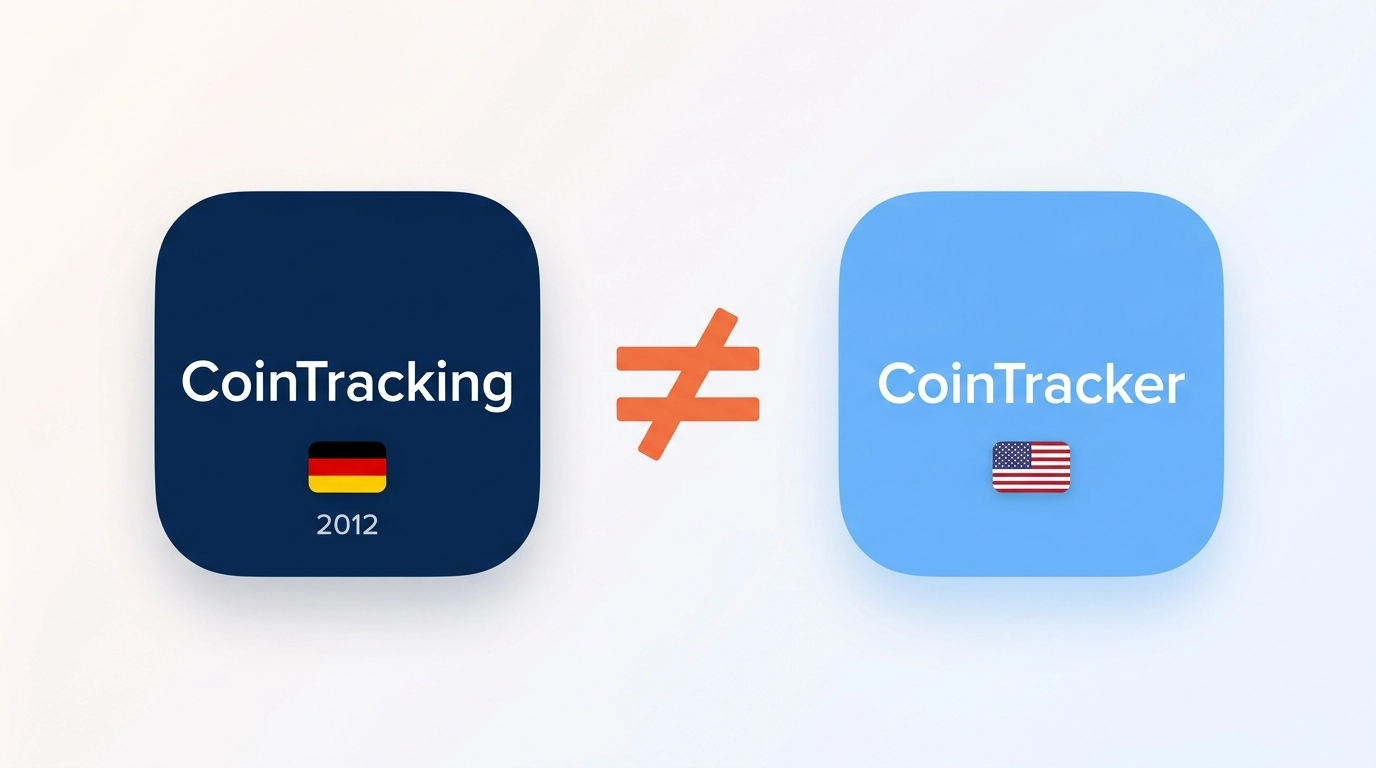
The names are one letter apart, and half the comparison articles online quietly confuse them. Let’s fix that in ten seconds.
CoinTracking (cointracking.info) is the German platform this article covers. It was founded in 2012, runs out of Munich, and is one of the oldest crypto tax tools in existence, with over 2.2 million users and tax reports for 100+ countries.
CoinTracker (cointracker.io) is a San Francisco company known for its clean portfolio app and tight Coinbase and TurboTax integrations. If that is the tool you meant, you want our Koinly vs CoinTracker comparison instead.
Everything below is about CoinTracking, the German one. Onward.
Side-by-Side Comparison
| Factor | Koinly | CoinTracking |
|---|---|---|
| Founded | 2018 | 2012 |
| Pricing model | Per tax year ($49 to $199+) | Annual subscription, covers all tax years ($49 to $899) |
| Free tier | Import up to 10,000 transactions, preview gains, no report download | Portfolio view only after a 7-day full trial, no tax reports |
| Transaction counting | Sized per tax year | Total lifetime transactions across all years |
| Integrations | 1,000+ direct, 7,200+ DeFi protocols | 400+ exchanges and wallets |
| Cost basis methods | FIFO, LIFO, HIFO, Average Cost, wallet-based Spec ID | 11 accounting methods |
| Reports | Form 8949, Schedule D, international reports, audit report | 25+ report types, 100+ country formats |
| TurboTax export | Yes, plus TaxAct | Yes, via TXF file |
| Interface | Clean, beginner-friendly | Data-dense, steep learning curve |
| Done-for-you option | No (third parties only) | In-house Full-Service team |
| Best for | US filers who want speed | Power users, multi-year and international filers |
Pricing: Two Completely Different Models
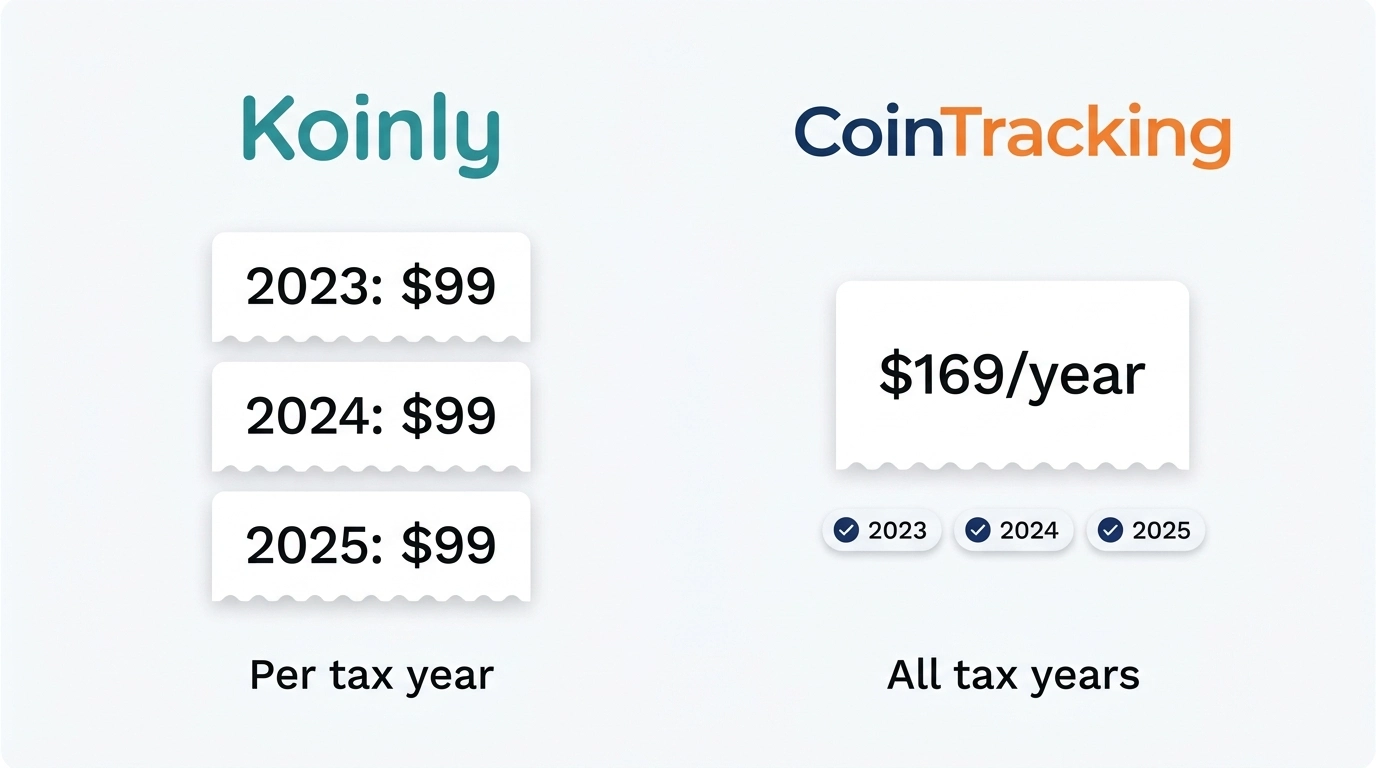
This is the part most comparisons get wrong, so let’s be precise. The two tools do not just charge different amounts. They charge in fundamentally different ways.
Koinly charges per tax year. Each plan unlocks report downloads for one tax year: Newbie at $49 (100 transactions), Hodler at $99 (1,000), and Trader from $199 (3,000, with higher-volume tiers above that and add-on transaction packs up to 100,000 total). Need reports for 2023, 2024, and 2025? That is three separate purchases.
CoinTracking charges a yearly subscription that covers every tax year at once. Starter runs $49 per year (200 transactions), Pro $169 (3,500), Expert $259 (20,000 to 100,000), and Unlimited $899. One active subscription generates reports for any year, past or future. The catch: the transaction limit counts your total lifetime imports across all years, not one year’s activity. There are also 2-year and lifetime plans at reduced rates.
That difference flips the winner depending on your situation. Watch:
Scenario 1: Maya, one year, 150 transactions. Maya only needs a 2025 report. On Koinly, 150 transactions pushes her past the Newbie cap of 100, so she pays $99 for Hodler. On CoinTracking, 150 fits inside Starter’s 200-transaction limit at $49. CoinTracking wins, $49 vs $99.
Scenario 2: Dev, three back years, 900 transactions per year. Dev never filed his crypto and needs 2023, 2024, and 2025 reports (a common cleanup job for us). On Koinly, each year needs its own Hodler plan: 3 x $99 = $297. On CoinTracking, his 2,700 lifetime transactions fit the Pro plan, and one subscription generates all three years of reports: $169. CoinTracking wins by $128.
Scenario 3: Priya, low volume, every year, forever. Priya makes about 80 trades a year and files annually. Koinly’s Newbie plan costs her $49 in each year she buys a report. CoinTracking’s Starter is also $49 per year, but her lifetime count crosses the 200-transaction cap during year three, forcing an upgrade to Pro at $169 per year. Koinly wins long-term, because per-year sizing resets while CoinTracking’s lifetime counter only goes up.
See the pattern? Multi-year catch-up filing favors CoinTracking. Steady low-volume annual filing favors Koinly. Run your own numbers before assuming either is cheaper.
Ease of Use: Koinly by a Mile
Koinly feels like software built in the last five years. Onboarding walks you through connecting wallets, the dashboard surfaces errors plainly (missing purchase history, negative balances), and most US investors can get from signup to a draft Form 8949 in an afternoon. Our Koinly review covers the full workflow.
CoinTracking feels like a professional terminal. The interface exposes dozens of menus, reports, and settings on nearly every screen. That density is the point: power users get control that Koinly simply does not offer. But new users routinely get lost, and the learning curve is real. Expect to spend your first session just figuring out where things live. Our CoinTracking review digs into the details.
Here is the honest framing. If you find spreadsheets soothing and want to audit every number yourself, CoinTracking’s depth becomes an asset. If you want the software to make decisions for you and flag only what needs attention, Koinly is the better fit.
Exchange, Wallet, and DeFi Coverage
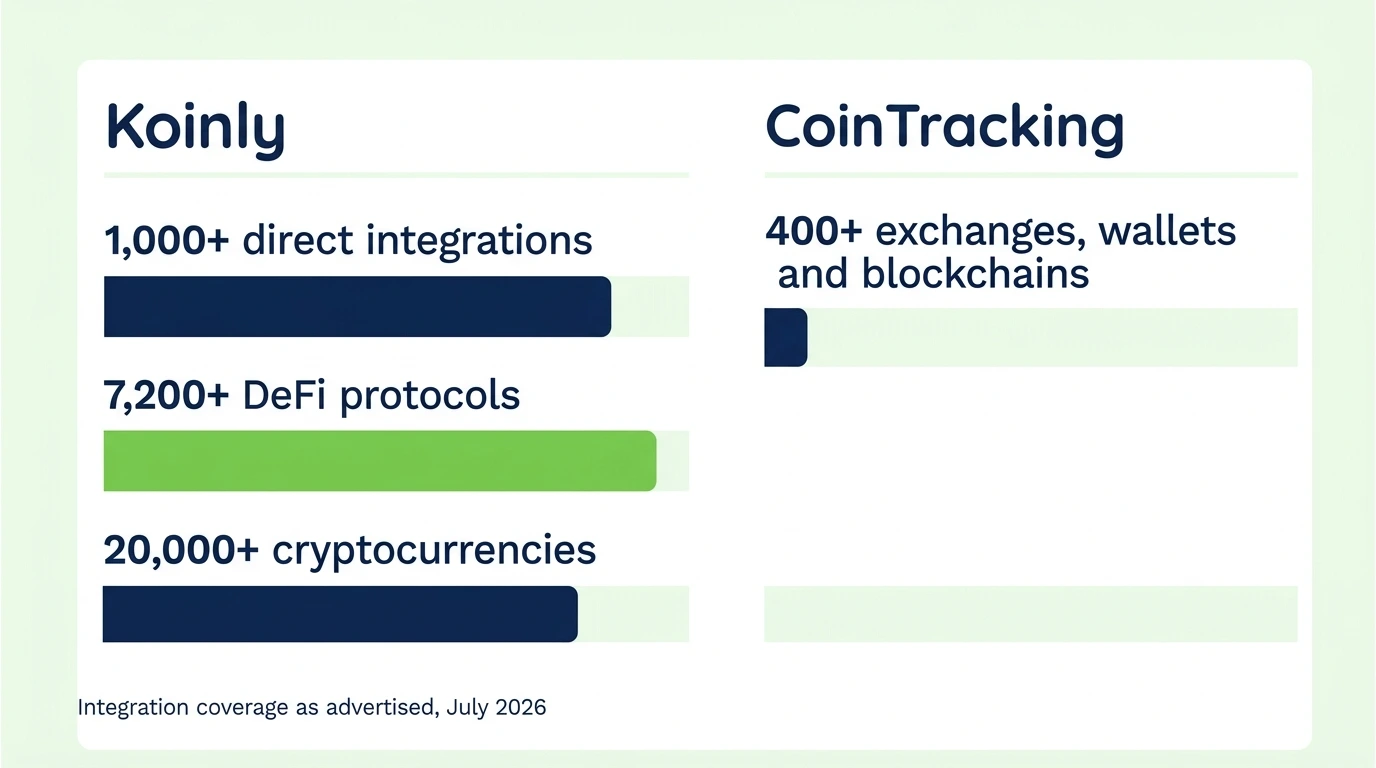
On raw numbers, Koinly advertises 1,000+ direct integrations, 7,200+ DeFi protocols, and 20,000+ cryptocurrencies with roughly 8 years of historical spot prices. CoinTracking advertises 400+ exchanges, wallets, and blockchains via API or CSV.
Numbers are marketing, though. What matters is whether your sources import cleanly. Both tools cover every major exchange (Coinbase, Binance, Kraken, and the rest) without breaking a sweat. The differences show up at the edges:
- Deep DeFi across many chains: Koinly’s protocol coverage is broader, and its auto-sync for EVM chains, Solana, and Cardano tends to label more activity correctly out of the box.
- Obscure or dead exchanges: CoinTracking’s age is an advantage. It has import templates for exchanges that shut down years ago, which matters when you are rebuilding a decade of history.
- CSV flexibility: both accept custom CSV imports, and CoinTracking adds a file converter tool on higher tiers for mangled exports.
Both platforms auto-categorize staking rewards, NFT trades, and swaps. And both get some of it wrong. Liquidity pool entries and exits, bridging, and wrapped tokens are where automated labeling breaks down on either tool, so budget review time regardless of which you choose.
Tax Reports and Cost Basis Methods
For US filers, both produce what the IRS wants: Form 8949 detail and Schedule D totals, generated from your full transaction history.
Koinly’s paid plans include Form 8949 and Schedule D, international report formats, a comprehensive audit report, and direct export files for TurboTax and TaxAct. Cost basis options cover FIFO, LIFO, HIFO, and Average Cost, plus wallet-based cost tracking for the Spec ID treatment that per-wallet reporting now requires.
CoinTracking goes wider: 25+ report types, tax report formats for over 100 countries, and 11 accounting methods. For TurboTax, it generates a TXF file from the capital gains report, which imports into TurboTax Desktop. That TXF path became more important in 2026, after a TurboTax Desktop update removed direct crypto CSV import.
Which accounting method should you even use? That choice can swing your tax bill by thousands, and it deserves more than a dropdown selection. Our FIFO vs HIFO vs Spec ID guide walks through the math and the IRS rules for each.
Support and Extras
Koinly offers email support on all plans and live chat on paid tiers. Beyond that, you are on your own or working with an outside professional.
CoinTracking offers priority support on Expert and Unlimited, plus something Koinly does not have: an in-house Full-Service team that handles imports, validation, and report preparation for you, with over 15,000 clients served. It is a genuine option for hands-off filers, though it is priced as a premium service and their team works inside their own platform, with your data structured their way.
CoinTracking also layers on extras at higher tiers: a Source of Funds compliance report that traces withdrawals back to their origin (useful for banks and audits), API access, and an AI-based tax optimization tool in supported countries.
The Verdict
Choose Koinly if: you file in the US, your activity fits within a few thousand transactions per year, and you want the shortest path from “connected my wallets” to “downloaded my 8949.” It is the tool we point most everyday investors toward first.
Choose CoinTracking if: you need multiple back years of reports on one subscription, you file outside the US, you run high volume, or you want the deepest report and accounting-method toolbox in the industry and are willing to climb the learning curve for it.
Both are legitimate, mature platforms. Neither will silently produce a wrong report if you connect everything and review the flags. Both absolutely will produce a wrong report if you skip wallets or trust DeFi auto-labels blindly.
Whichever Tool You Pick, the Data Still Has to Be Right
Here is what a decade of cleanup work has taught us: the software you choose matters less than the state of the data you feed it. A missing wallet creates phantom gains in Koinly and in CoinTracking. A mislabeled bridge transaction inflates income in both. The tool calculates; it does not reconcile.
That reconciliation is what Count On Sheep does. We are a done-for-you crypto tax reconciliation service: we take your exchanges, wallets, and chains, rebuild the full history inside the software, fix the cost basis gaps and DeFi mislabels, and hand you (or your tax preparer) reports you can actually defend. Clients come to us with Koinly accounts, CoinTracking accounts, or shoeboxes of CSVs. The tool is the easy part. The clean data is the product.
Key Takeaways
- CoinTracking is the German platform from 2012; CoinTracker is a different company entirely. Verify which one you are actually comparing
- Pricing models differ at the root: Koinly sells reports per tax year, CoinTracking sells one subscription covering all years with lifetime transaction caps
- Multi-year catch-up filers usually save with CoinTracking ($169 for three years in our example vs $297 on Koinly); steady low-volume filers usually save with Koinly
- Koinly is the easier tool and the safer default for US filers; CoinTracking rewards power users with 25+ reports, 11 accounting methods, and 100+ country formats
- Decision point: both tools calculate correctly only when every wallet is connected and every DeFi label is reviewed. If your history is messy, fix the data first. That is the part we handle
Frequently Asked Questions
Is CoinTracking better than Koinly?
CoinTracking is better if you want maximum control: 25+ report types, 11 accounting methods, tax reports for 100+ countries, and one subscription that covers every tax year. Koinly is better if you want the fastest, cleanest path from imports to a finished Form 8949. Most US investors with straightforward activity find Koinly easier. Heavy traders and international filers often prefer CoinTracking.
Which is cheaper, Koinly or CoinTracking?
It depends on how many years of reports you need. Koinly charges per tax year ($49 to $199+ per year of reports), while CoinTracking is a subscription that covers all tax years at once ($49 to $899 per year based on total lifetime transactions). For one year of reports, they are close. For multiple back years, CoinTracking is usually cheaper because a single plan generates reports for every year.
Does Koinly work with TurboTax?
Yes. Every paid Koinly plan exports files formatted for TurboTax and TaxAct, along with Form 8949, Schedule D, and international reports. You generate the export in Koinly and import it into TurboTax when you file.
Does CoinTracking work with TurboTax?
Yes. CoinTracking generates a TXF file from its capital gains report that imports into TurboTax, plus Form 8949 data you can attach or enter. The TXF route matters for TurboTax Desktop users, since a 2026 update removed direct crypto CSV import from the desktop version.
Can I switch from CoinTracking to Koinly?
Yes. Koinly has a built-in migration path for CoinTracking (and CoinTracker) users, and you can always rebuild by reconnecting your exchanges and wallets directly. After migrating, verify your balances and cost basis against your old reports, because a fresh import often exposes gaps the previous setup papered over.
Is CoinTracking or Koinly better for DeFi?
Koinly advertises broader automated DeFi coverage, with over 7,200 protocols recognized. CoinTracking supports DeFi and NFT activity too, with automatic categorization of swaps, staking, and NFT trades. Either way, plan on manually reviewing DeFi labels. No software gets liquidity pools, bridging, and wrapped tokens right without human review.