
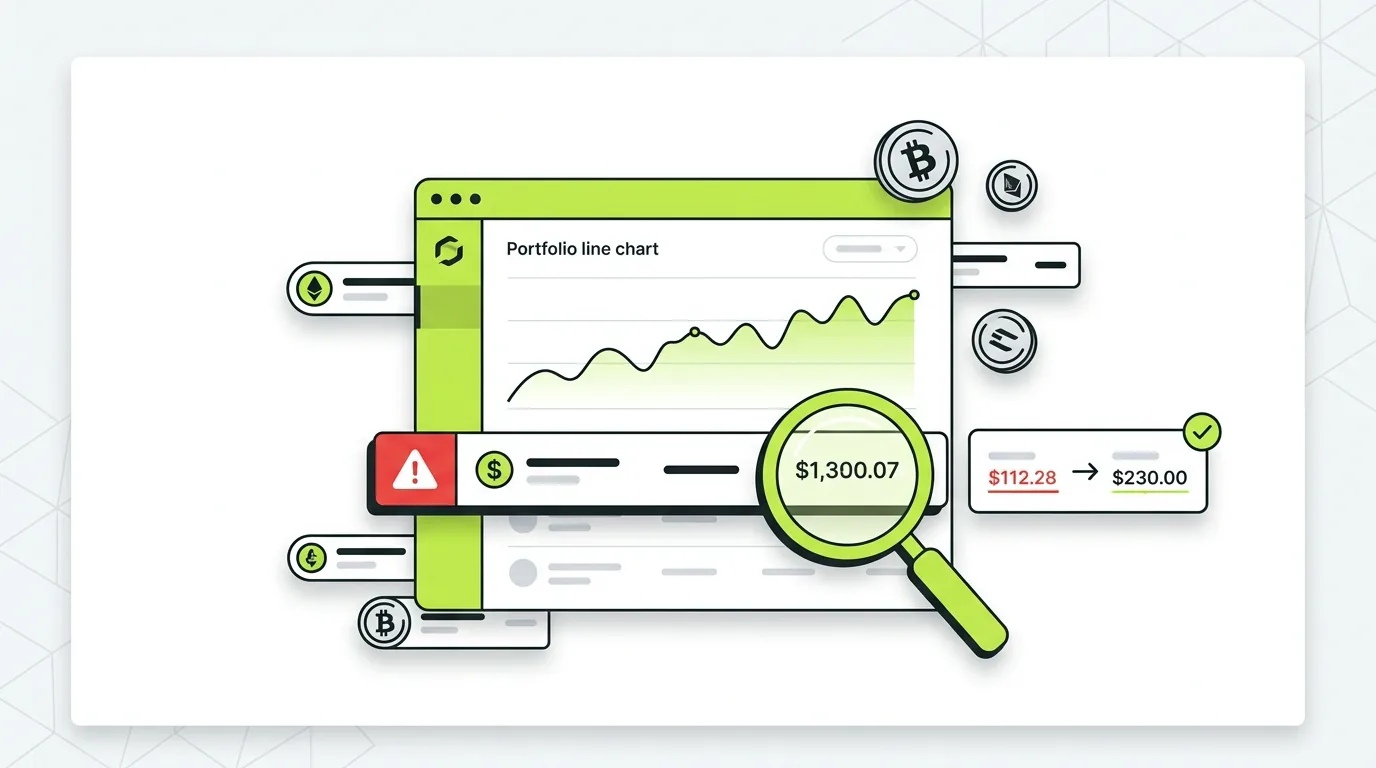
If Koinly is showing a wrong cost basis, you are not looking at a bug. You are looking at a gap in the data Koinly was given. And here is why that matters: a wrong cost basis almost always means you are about to overpay your crypto taxes, sometimes by thousands of dollars.
The good news is that nearly every cost basis error in Koinly is fixable, usually in a specific order, and usually without redoing your entire account. This guide shows you exactly how to find the errors, why they happen, and the precise steps to fix each one before you file.
Disclaimer: This guide is for informational purposes only. Always consult a qualified CPA regarding your specific situation.
What “Cost Basis” Means in Koinly (Quick Answer)
Cost basis is what you originally paid for a coin, including fees. When you sell or trade it, Koinly subtracts your cost basis from your proceeds to calculate your capital gain. If the cost basis is wrong or missing, the gain is wrong, and so is your tax bill.
When Koinly cannot trace a coin back to a purchase, it does not leave the field blank. It assumes a purchase price of $0. That turns the entire sale into taxable profit. So a single unresolved deposit can quietly inflate your gains by the full value of the coin.
How to Find Every Cost Basis Error in Koinly
Before you fix anything, you need to see everything that is broken. Koinly gives you three places to look.
1. The Tax Reports page warnings. Open your Tax Reports and look for the warning banner. Koinly counts how many transactions are missing cost basis and how many wallets show negative balances. This number is your to-do list.
2. The review queue. Koinly flags every transaction it is unsure about: missing purchase history, unmatched transfers, and negative balances. Each flag links straight to the transaction so you can fix it in place.
3. Sort by gain. On the transactions page, sort by largest gain. A sale showing a gain equal to the full sale value is the classic signature of a $0 cost basis. These jump out immediately.
Why Your Koinly Cost Basis Is Wrong: The 5 Real Causes
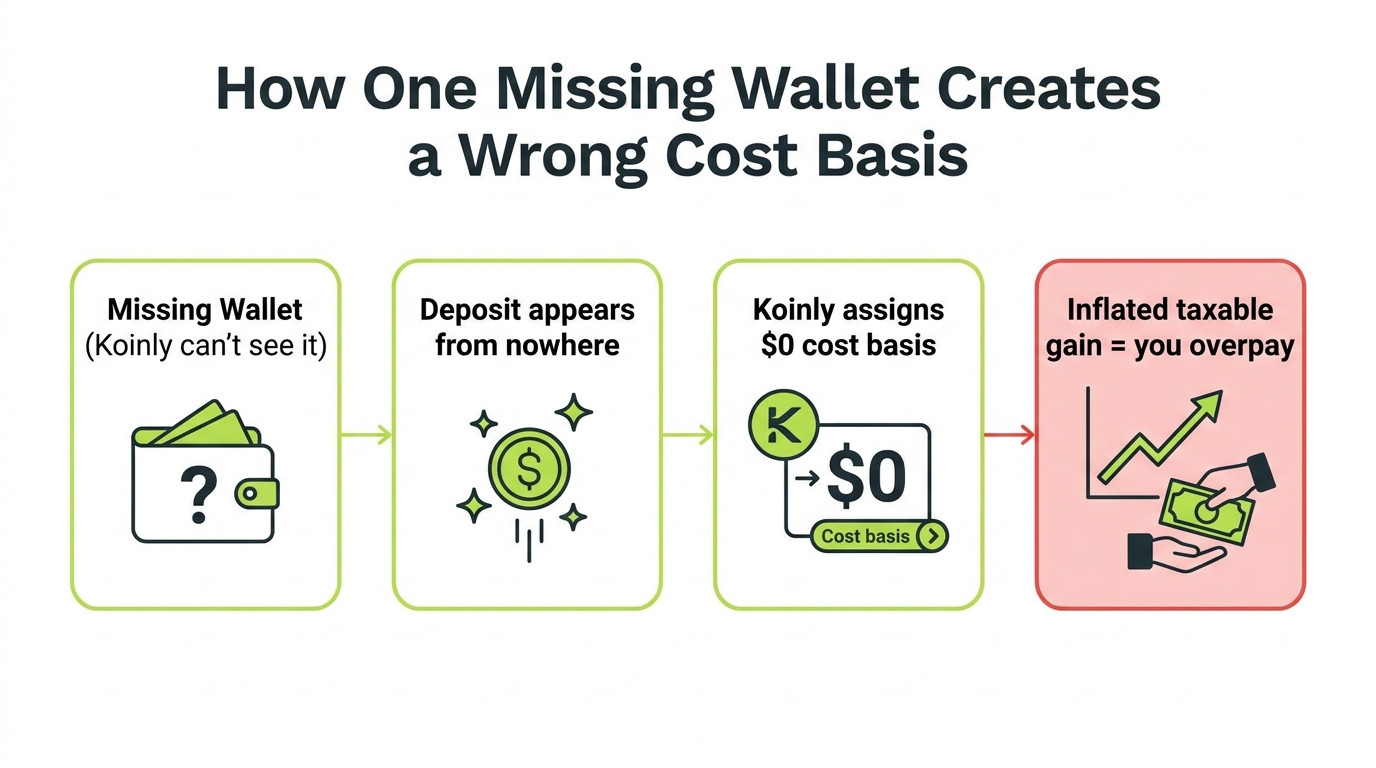
Almost every wrong cost basis traces back to one of these five root causes. This diagram shows how a single missing source ripples downstream into a wrong gain.
1. A Missing Wallet or Exchange
This is the most common cause by far. If you moved coins in from an account Koinly does not know about, the deposit looks like it came from nowhere. Koinly has no purchase to point to, so the basis is $0.
2. A Broken or Incomplete API Sync
An API connection that timed out, lost authorization, or only pulled part of your history leaves gaps. The coins are there, but the purchases that explain them are not. If your sync keeps failing, work through the Koinly not working fixes first, since a clean sync resolves many basis errors on its own.
3. Unmatched Transfers Between Your Own Wallets
When you move BTC from Coinbase to a Ledger, that is not a sale, it is a transfer. If Koinly fails to match the withdrawal to the deposit, it can treat the deposit as a brand new acquisition with no cost, and sometimes treat the withdrawal as a taxable disposal.
4. Duplicate Wallets or Double Imports
Importing the same exchange by both API and CSV, or adding the same wallet twice, creates phantom transactions and balance mismatches that corrupt cost basis math.
5. Wrong Cost Basis Method or Settings
Your chosen method (FIFO, HIFO, and so on) and your home currency settings change how basis is calculated. A method mismatch will not create $0 basis, but it can make your numbers look wrong compared to what you expected.
The Fix: Do These Steps in Order
Order matters here. Fixing transfers before you connect all your wallets just creates more work. Follow this sequence.
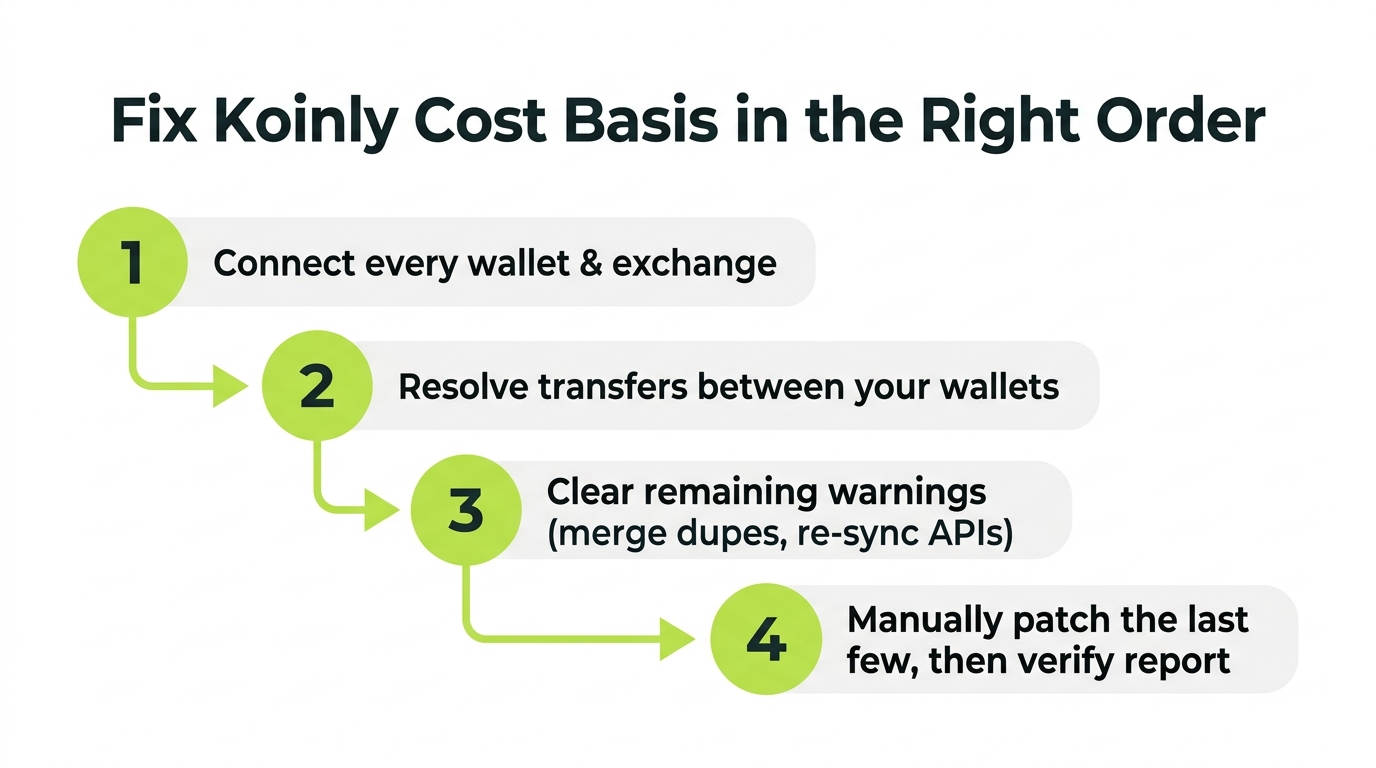
Step 1: Connect Every Wallet and Exchange You Have Ever Used
Go account by account through your entire crypto history, even accounts you closed. Every exchange, every hardware wallet, every hot wallet, every chain. Use API or public wallet address where possible, CSV where not. This single step resolves the majority of $0 cost basis cases because it gives Koinly the missing purchases.
Step 2: Resolve Transfers Between Your Own Wallets
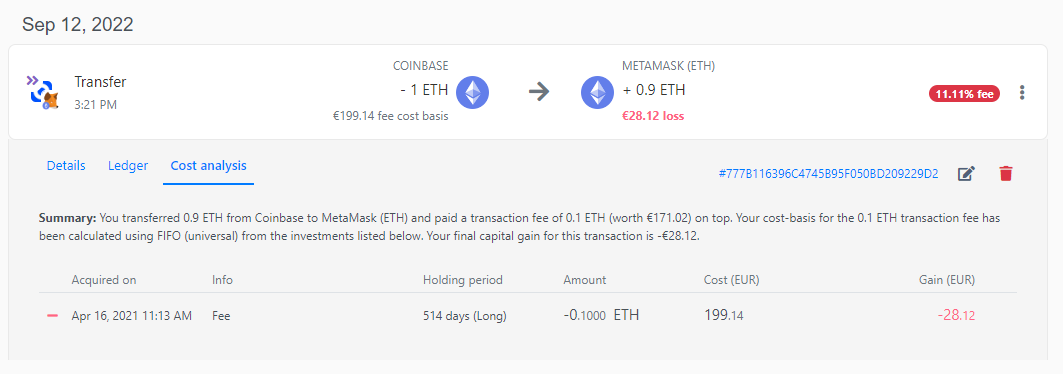
Once everything is connected, open the transfers Koinly could not match. Manually link each withdrawal to its matching deposit so Koinly knows the coins moved rather than being sold. This stops phantom disposals and carries your original cost basis across the move.
Step 3: Clear the Remaining Warnings
With sources connected and transfers matched, work the review queue. Merge any duplicate wallets. Re-sync any API that failed. The warning count should drop sharply. What remains is a small set of genuinely manual cases.
Step 4: Manually Patch the Last Few, Then Verify
For the handful of transactions that still lack basis (a coin from a defunct exchange, an old peer to peer trade), set the acquisition cost using your real records: the purchase confirmation, bank statement, or historical price on the date you acquired it. Then regenerate the report and confirm the warnings are gone and your gains look reasonable.
A trader came to us with a Koinly report showing a $42,000 gain on a single ETH sale. The cause: ETH he had bought on an exchange that shut down, then moved to MetaMask. Koinly never saw the purchase, so it used a $0 basis. After we imported the old exchange records and matched the transfer, the real basis was about $31,000 and the actual gain was roughly $11,000. That one fix cut his reported gain by 74 percent.
How to Make Sure It Stays Fixed
- Reconnect APIs at the start of every tax season so nothing is stale
- Add new wallets to Koinly the same week you start using them
- Never import the same exchange twice by two methods
- Re-check the warning count any time you add a source
When to Bring in a Crypto CPA
The steps above handle most clean portfolios. But if any of these describe you, doing it by hand can cost you more in time and risk than it saves:
- Thousands of transactions across many exchanges and chains
- Heavy DeFi, LP, or staking activity that Koinly classifies inconsistently (our Koinly DeFi import guide covers the manual fixes)
- Years of unreconciled history stacked on top of each other
- A 1099-DA that does not match your Koinly numbers
- An IRS notice already in hand
A crypto tax CPA can reconcile the account faster, choose the right cost basis method for your situation, and stand behind the numbers if the IRS asks questions. That last part matters: a defensible report is worth more than a fast one. If that sounds like you, here is when to bring in a Koinly expert, or you can hand the whole thing to a done-for-you Koinly tax filing service. For a portfolio-wide cleanup across tools and wallets, see the crypto reconciliation service.
Key Takeaways
- Bottom line: a wrong basis in Koinly is a missing-data problem you can solve, not a defect to fight. Koinly assumes zero when it cannot trace a coin, and that overstates your gain
- Fix in the right sequence and most errors resolve themselves: connect all sources, match transfers, clear duplicates, then make the few manual edits that remain
- Resist hand-patching individual lots before the upstream gaps are closed, or you will be correcting symptoms instead of the cause
- Reconcile before you file every time. The corrected basis lowers your taxable gain to the real number, which is money back
- Decision point: if the mess spans high volume, DeFi, or several years, a crypto CPA usually pays for itself against the tax you would otherwise overpay
Frequently Asked Questions
Why is my Koinly cost basis showing as $0?
A $0 cost basis in Koinly almost always means Koinly cannot see where the coin came from. This happens when a deposit has no matching purchase, a wallet or exchange is missing, an API sync is incomplete, or a transfer between your own wallets was not matched. Koinly assumes a $0 purchase price, which inflates your taxable gain. You fix it by importing the missing source data or manually setting the acquisition cost.
Does wrong cost basis in Koinly mean I overpay taxes?
Yes, almost always. When cost basis is missing or too low, Koinly treats more of your proceeds as profit, so your reported capital gain is higher than reality. Investors routinely overstate gains by thousands of dollars because of unresolved $0 cost basis entries. Fixing the basis before you file lowers your taxable gain to the correct amount.
How do I find cost basis errors in Koinly?
Open the Koinly Tax Reports page and check for warnings, then sort your transactions by gain to spot suspiciously large gains. The fastest path is the dedicated review queue: Koinly flags missing purchase history, negative balances, and unmatched transfers. Each warning links to the specific transaction so you can correct it.
Can I fix Koinly cost basis without redoing everything?
Usually yes. Most fixes are targeted: add the missing wallet, re-sync a broken API connection, merge a duplicated wallet, or manually edit a single transaction's cost basis. You rarely need to start over. The key is fixing errors in the right order: connect all sources first, then resolve transfers, then patch the few remaining manual entries.
What is the most common cause of wrong cost basis in Koinly?
Missing wallets and exchanges. If you moved crypto from an account Koinly does not know about, the deposit looks like it appeared from nowhere, so Koinly cannot calculate what you originally paid. Adding every wallet and exchange you have ever used resolves the majority of cost basis problems.
Should I hire a CPA to fix my Koinly report?
If you have high transaction volume, DeFi activity, multiple chains, or years of unreconciled history, a crypto CPA can fix it faster and defend the numbers if the IRS asks. For a clean portfolio with a few flagged transactions, the steps in this guide are usually enough to do it yourself.