
If you received a Kraken 1099-DA, do not treat the proceeds total as your taxable profit. For 2025 transactions, Kraken reported gross proceeds to the IRS, but it did not report your cost basis or gain and loss calculations. That is why a form can show a big proceeds number and still leave you with a much smaller taxable gain.
The first move is simple: compare the form with your full Kraken history and every wallet or exchange that sent assets into Kraken. Then calculate the real basis before you file. Here is the workflow.
For the broader IRS rules behind the form, start with our Form 1099-DA guide. For a complete review of Kraken activity beyond this form, use our Kraken tax guide.
What is a Kraken 1099-DA?
A Kraken 1099-DA is an information return that reports certain digital asset sales and dispositions to you and the IRS. The IRS describes Form 1099-DA as the form for digital asset proceeds from broker transactions. Kraken began this reporting with the 2025 tax year for eligible U.S. clients who had reportable activity on Kraken, Kraken Pro, or Krak.
Kraken calls it Form 1099-DA, though plenty of account holders search for it as “Kraken 1099 DA” without the hyphen. Both names refer to the same IRS form.
Kraken says the form applies when a qualifying client sold crypto on its exchange applications or sites, or sent crypto to another party through Krak. Selling crypto for dollars is reportable. Trading one digital asset for another can also be reportable even if you never cashed out. Buying and holding alone does not trigger the form, and a transfer between your own wallets is generally not a sale.
According to Kraken’s official guide to its 2025 combined Form 1099, a recipient generally had to be a U.S. tax resident, hold an account with Kraken’s U.S. exchange entity, not be exempt from reporting, and have a reportable sale or disposition. Kraken also states that there was no minimum threshold for ordinary exchange sales or sends in its 2025 reporting.
That last point catches people off guard. A small trade can create a reportable line, and fees paid in crypto can produce tiny disposals. You may also have a 1099-DA even if the assets never touched a bank account.
What does Kraken report to the IRS?
For 2025 transactions, Kraken reported gross proceeds and required transaction information to the IRS. It did not report the cost basis, acquisition date, holding period, or estimated gain and loss figures that appeared on the customer-facing statement.
Here is the practical split, based on Kraken’s 2025 reporting guide and tax form FAQ:
| Item | Shown to you for 2025 | Reported to the IRS for 2025 |
|---|---|---|
| Gross proceeds from reportable dispositions | Yes | Yes |
| Digital asset and units disposed | Yes | Yes |
| Sale or disposition date | Yes | Yes |
| Transfer-in information, when applicable | Yes | Yes |
| FIFO cost basis estimate | May be shown | No |
| Estimated gain or loss | May be shown | No |
| Acquisition date and holding period | May be shown | No |
Kraken used FIFO to calculate customer-facing estimates for 2025. That estimate does not automatically control what you file. Kraken says you may use your own records and an IRS-permitted identification method, subject to the identification and recordkeeping rules that apply to your transactions.
The IRS instructions for 2025 Form 1099-DA match Kraken’s explanation: brokers had to report gross proceeds for 2025 sales, but basis reporting was voluntary. The IRS also tells taxpayers to use the form with their other records and calculate basis before filing.
Why is my Kraken 1099-DA cost basis wrong or missing?
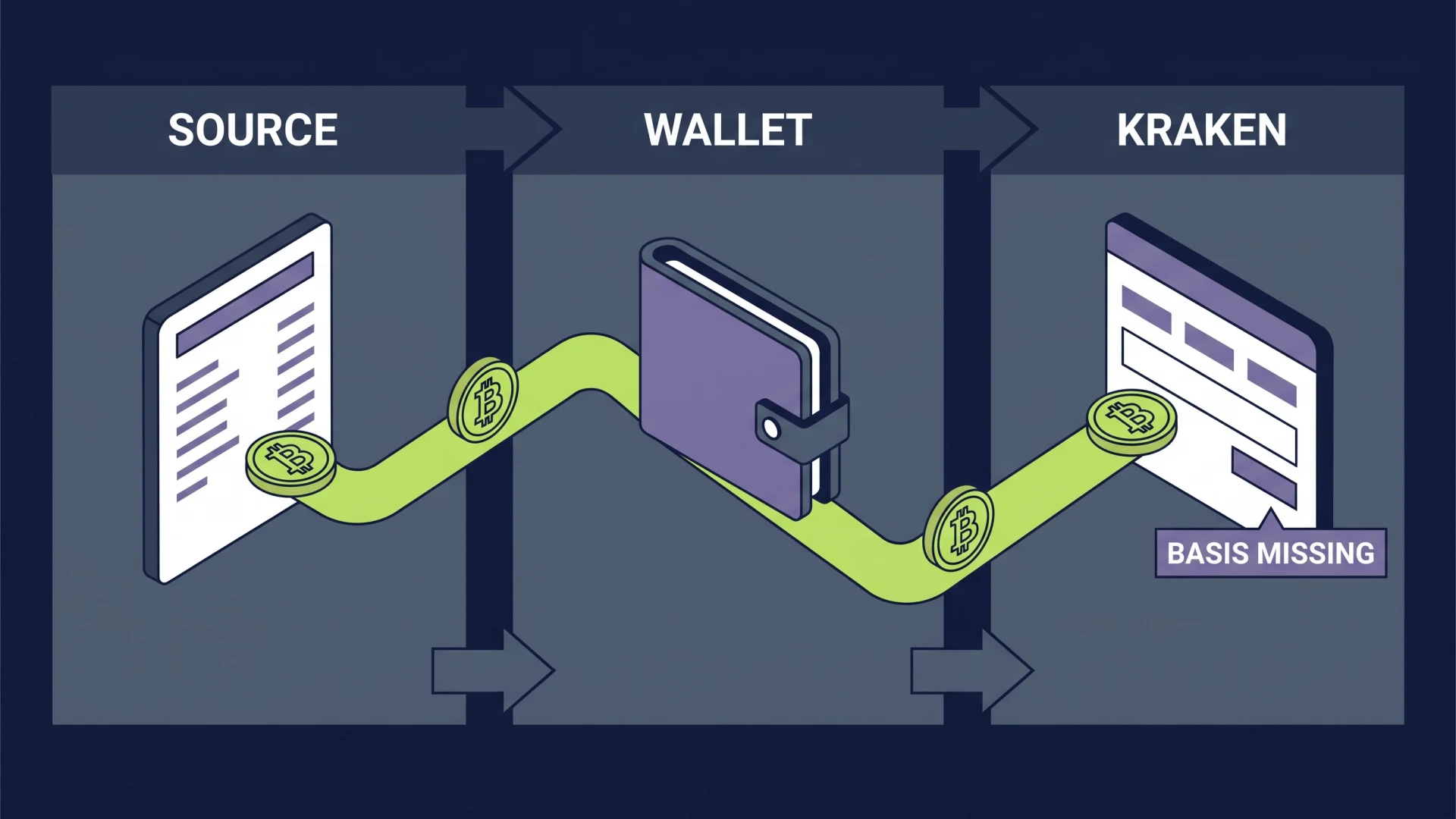
The basis is usually missing because Kraken did not see the original purchase. If you bought Bitcoin on another exchange, moved it through a hardware wallet, and later deposited it into Kraken, Kraken can see the deposit and the eventual sale. It cannot see what you paid before the coins arrived.
The same problem can happen if you bought on Kraken, moved the asset out, used it elsewhere, and later sent it back. Kraken’s guide says it treats the return as a new inbound deposit and does not automatically restore the old basis. That is reasonable from a data standpoint, but it leaves the reconciliation with you.
This is the issue behind many Kraken 1099-DA Reddit complaints. In one Kraken Support thread, a user reported $802,000 of stablecoin proceeds with no basis, and their tax software treated the blank as zero. The software result looked catastrophic, but the missing field did not mean the stablecoins were acquired for free.
Example: transferred-in Bitcoin with a blank basis
You paid $42,300 in total to acquire 1 BTC on another exchange. You later moved the BTC to Kraken and sold it for $68,000.
Kraken may show $68,000 of proceeds with missing basis because it never saw the purchase. Your gain is not $68,000. Before other applicable adjustments, it is $25,700: $68,000 of proceeds minus $42,300 of basis.
The missing basis overstates the gain by $42,300 if tax software substitutes zero. This is not a rounding issue. It can change the return by tens of thousands of dollars.
Transferred-in assets are also important after 2025. Under the IRS 2026 Form 1099-DA instructions, a transferred-in digital asset is generally a noncovered security. A broker is not required to report basis for a noncovered asset, even as mandatory basis reporting phases in for covered assets acquired after 2025.
For the operational change to wallet-level accounting, see our guide to per-wallet crypto cost basis under Rev. Proc. 2024-28.
What should I do before filing a Kraken 1099-DA?
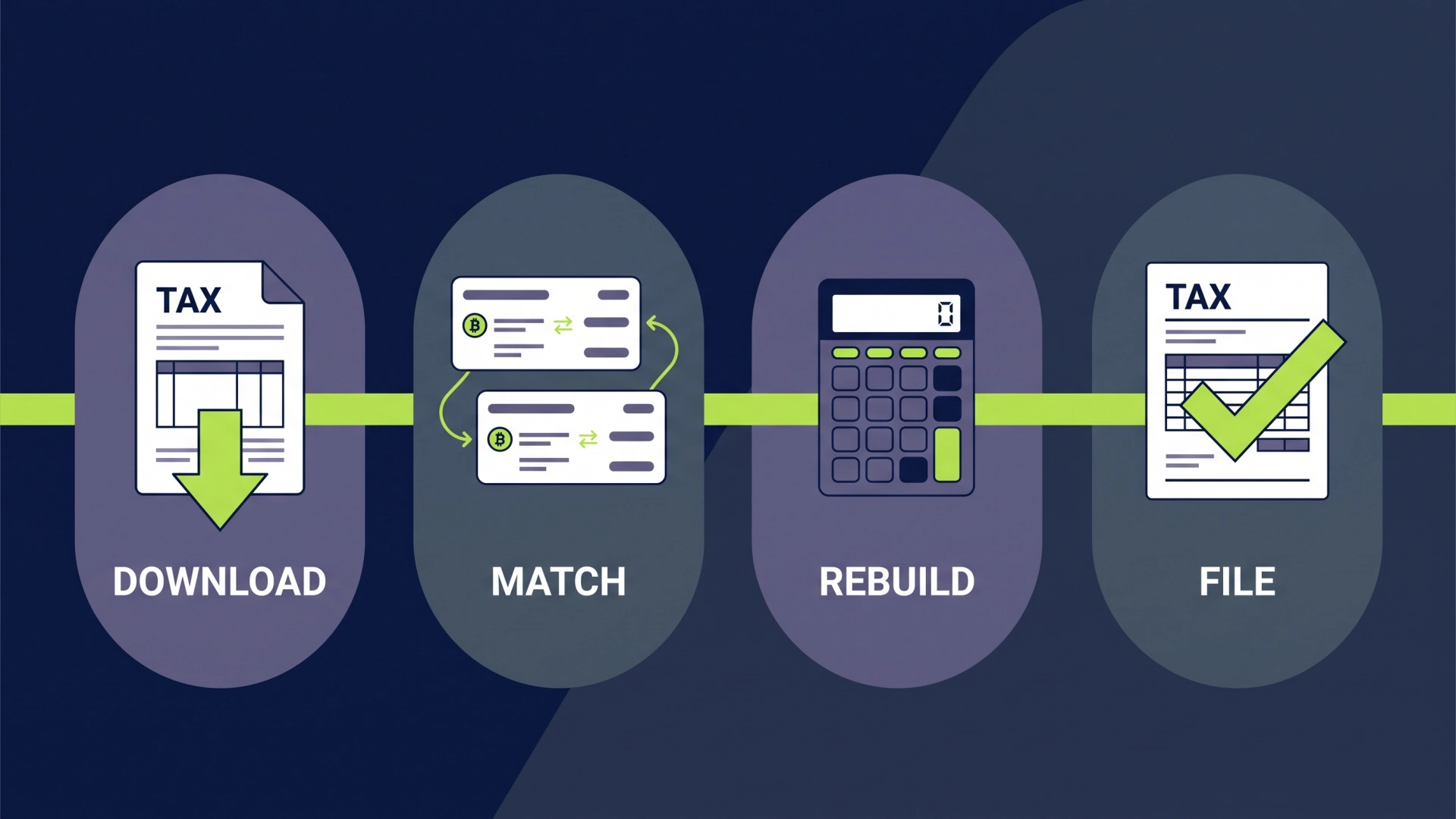
Reconcile the form before you import it into tax software or hand it to a preparer. The goal is to prove the proceeds, basis, acquisition date, holding period, and transfer trail for every reported disposition.
Use this order:
-
Download the Kraken form and tax reports. Save the combined 1099 package, gain and loss report, transaction history report, and income report if available.
-
Export the complete account history. Pull both Trades and Ledgers for the full period you need. Trades show executions. Ledgers capture deposits, withdrawals, fees, and other balance changes.
-
Collect every source account. Add CSV files, API data, and wallet addresses from any exchange or wallet that sent assets into Kraken. Do not start with the sale year if the acquisition happened earlier.
-
Match transfers. Pair each Kraken deposit with the withdrawal or on-chain transaction from the source. Check asset, units, timestamp, transaction hash, and fees.
-
Rebuild missing tax lots. Recover the purchase date, purchase amount, and eligible acquisition costs for the units later sold on Kraken.
-
Compare proceeds and identity data. Make sure your name, taxpayer information, address, assets, units, sale dates, and gross proceeds agree with your records.
-
Calculate gains and losses. Apply your supported lot identification method, separate short-term from long-term results, and prepare Form 8949.
If you also received a form from another exchange, reconcile it separately before combining the tax lots. Our Coinbase 1099-DA guide covers the same process for Coinbase, and our multiple 1099-DAs guide shows how to join the records without counting transfers as sales.
How do I fix missing cost basis in Kraken?
Kraken lets you address missing basis in the Tax Center, but updating the Tax Center does not rewrite what Kraken reported to the IRS for 2025. The update helps correct your calculations and reports.
Kraken’s U.S. Tax Center FAQ gives two paths:
- Use the optional CoinTracker workflow to connect outside wallets and exchanges.
- Fix transactions manually without the paid automated workflow.
For the manual route, open the Transactions page in the Tax Center, filter the Status to “Missing Cost Basis,” and select the Edit icon. Kraken says you can enter the original purchase price, update the acquisition date, and split a lot when only part of a transaction belongs to a specific acquisition. Submit the change and wait for the updated calculations to process.
That works when you know the source data. It does not create proof on its own. Keep the original exchange CSV, wallet history, trade confirmation, and transfer evidence that support each entry.
If the missing lots span several wallets or years, fix the full history as one connected ledger. Plugging a number into one sale while leaving earlier transfers unmatched can solve the visible warning and still produce the wrong tax result.
For a deeper repair checklist, use our guide to fixing wrong or missing 1099-DA cost basis.
What if the Kraken 1099-DA is actually wrong?
Use your records for missing informational basis, but contact Kraken when the reported identity or proceeds data is wrong. These are different problems.
| Problem | First action | Filing impact |
|---|---|---|
| Basis is blank for a transferred-in asset | Reconstruct basis from source records | Use the correct basis when preparing Form 8949 |
| FIFO estimate differs from your supported tax-lot method | Recalculate from complete records | File using the permitted method your records support |
| Name, taxpayer ID, or address is wrong | Contact Kraken Support | Request a review and corrected statement if appropriate |
| Gross proceeds, asset, units, or sale date are wrong | Contact Kraken Support | Document the error and request a review |
| A transaction appears twice or never happened | Contact Kraken Support | Keep screenshots, exports, and support correspondence |
Kraken tells clients to request a review when their personal information or gross proceeds are incorrect. The IRS guidance for an incorrect Form 1099-DA also says to contact the issuer, keep the original form and all correspondence, and not ignore the filing deadline.
Do not try to fix a proceeds error by inventing extra basis. That may force the final gain to the number you expect, but it leaves the reported proceeds mismatch untouched and creates bad records.
How do I report the Kraken 1099-DA on my tax return?
Use Form 8949 to reconcile Kraken’s reported proceeds with your correct basis, then carry the results to Schedule D. The 1099-DA is an input, not a completed gain and loss report.
The IRS instructions for Form 8949 make the mechanics clear:
- Report the proceeds shown on Form 1099-DA in Form 8949 column (d).
- If basis was not reported to the IRS, enter the correct basis in column (e). No basis adjustment is needed in column (g) unless another adjustment applies.
- If basis was reported to the IRS and it is wrong, enter the reported basis in column (e) and use the IRS basis-adjustment worksheet to calculate the amount for column (g).
For Kraken’s 2025 form, Kraken says basis was not reported to the IRS. That means a blank or wrong customer-facing FIFO estimate is usually handled by entering your supported basis on Form 8949, not by pretending the basis is zero.
Our step-by-step guide on how to report 1099-DA on your tax return walks through Form 8949 and Schedule D in more detail.
Example: stablecoin proceeds are not stablecoin profit
Suppose you paid $199,700 in total to acquire 200,000 USDC and later disposed of it on Kraken for $200,000. The proceeds are $200,000, but the gain is $300 before any other applicable adjustments.
If the basis is blank and software reads it as zero, the software may show a $200,000 gain. The fix is to enter and document the $199,700 basis, not to pay tax as if the stablecoins cost nothing.
You must also report taxable crypto activity that is not on the Kraken form. Kraken Wallet and other separate DeFi application activity may not be included. A missing 1099-DA does not remove the reporting obligation.
How do I download Kraken tax documents and transaction history?
Use the Kraken Tax Center for tax forms and tax-year reports, then use the Documents Center for complete account exports.
In the Tax Center Summary tab, Kraken provides links to official tax forms and, when available, three CSV files: an Income Report, Gain/Loss Report, and Transaction History Report. The transaction report includes trades, deposits, withdrawals, and earnings for the selected tax year.
For a broader export, sign in to Kraken on the web, select your profile icon, choose Documents, and create an export. Kraken’s account history export instructions offer Account Statement, Trades, Ledgers, and Balances exports. Choose the date range and format, generate the request, and return to the Documents page to download it when ready.
Download both Trades and Ledgers. A Trades file alone may show the sale but miss the deposit, withdrawal, or fee needed to trace its basis.
Save the original files before cleaning or importing them. They are your audit trail if a later software sync changes a label or drops a transaction.
What changes for Kraken 1099-DA reporting after 2025?
Mandatory cost basis reporting starts to matter for covered digital assets acquired on or after January 1, 2026. In plain English, an asset generally becomes covered when you acquire it in a custodial Kraken account after 2025 and keep it there until Kraken handles the disposition.
Assets acquired before 2026 and assets transferred into Kraken are generally noncovered. Kraken may not be required to report their basis, even when the sale happens in 2026 or later.
That creates two lanes:
- Covered asset: acquired through Kraken after 2025, held in the Kraken account, and later disposed of there. Required basis reporting can apply.
- Noncovered asset: acquired before 2026, transferred in, or otherwise outside the covered-security definition. You remain responsible for the basis record.
This phase-in does not eliminate reconciliation. It makes clean transfer records more important because covered and noncovered lots can sit in the same account and be sold in the same year.
Get the Kraken numbers right before you file
A Kraken 1099-DA is useful, but it cannot see through every wallet, exchange, bridge, and transfer in your history. If the form has missing basis, the answer is not to accept a zero. It is to rebuild the path from acquisition to sale and support the result with records.
Count On Sheep’s 1099-DA help service handles complex exchange and wallet histories. We trace transfers, rebuild missing basis, reconcile 1099-DA proceeds, and prepare clean gain and loss reports that your tax preparer can use.
Frequently Asked Questions
What is a 1099-DA from Kraken?
A Kraken 1099-DA is an IRS information form for digital asset sales and dispositions handled through Kraken's U.S. exchange. For 2025 transactions, Kraken reported gross proceeds to the IRS. Any FIFO cost basis and estimated gain or loss shown to you was informational and was not reported to the IRS.
Does Kraken report to the IRS?
Yes. Kraken reports required Form 1099-DA information for eligible U.S. clients to the IRS. For 2025, that generally meant gross proceeds and transaction details from reportable sales or dispositions on Kraken, Kraken Pro, and Krak, while cost basis and gains or losses were not reported.
Why is the cost basis on my Kraken 1099-DA wrong or missing?
Kraken may not know what you paid for crypto that arrived from another exchange, a self-custody wallet, or an account that left Kraken and later returned. A blank basis does not mean the asset cost zero. Reconstruct the purchase price, acquisition date, and eligible fees from the source records before filing.
Do I have to pay taxes on my Kraken 1099-DA?
You do not pay tax on gross proceeds alone. Your taxable gain or loss generally depends on proceeds minus adjusted cost basis, along with the character and holding period of the transaction. You must still report taxable crypto activity even if you do not receive a 1099-DA.
How do I report a Kraken 1099-DA on my tax return?
Use the Kraken form and your complete records to prepare Form 8949 and Schedule D. For 2025 Kraken transactions, report the proceeds shown on the 1099-DA and enter your correct cost basis from your records because Kraken says basis was not reported to the IRS for that year.
What if I transferred crypto into Kraken?
A transfer between accounts you own is generally not a sale, but Kraken may not receive the asset's purchase history with the transfer. Match the inbound deposit to the source withdrawal, preserve the original basis and acquisition date, and use those records when you later report a sale on Kraken.