
Does SafePal report to the IRS? No. SafePal is a self-custody wallet, so it files nothing with the IRS, issues no 1099s, and cannot even export a CSV of your history. But every swap, sale, bridge conversion, and Earn reward that runs through SafePal is still taxable, and the KYC on-ramps inside the app plus the exchanges you withdraw from leave a paper trail that leads straight to your addresses. The distance between “no tax documents” and “fully taxable” is where SafePal users get hurt.
This guide covers SafePal taxes end to end for 2026: what the IRS can actually see, which actions in the SafePal app are taxable and which are not, how SafePal Earn and SFP token rewards are taxed, how the per-wallet cost basis rules treat a hardware-plus-app-plus-extension setup, and exactly how to turn a wallet with no export button into a finished tax report.
One scope note before we start: SafePal is one brand with several products, and they matter differently for taxes. The S1 and S1 Pro are air-gapped hardware wallets, the X1 is a Bluetooth hardware wallet, the SafePal app (iOS and Android) is a software wallet and control center, and the browser extension brings the same keys to Chrome, Edge, and Firefox. This guide covers all of them, with US federal tax rules for the 2026 filing season.
Disclaimer: This guide is for informational purposes only and is not tax or legal advice. Cryptocurrency rules change quickly. Always consult a qualified CPA about your specific situation.
What Is SafePal?
SafePal is a self-custody wallet company founded in 2018 and incubated by Binance Labs. It is best known for cheap, capable hardware: the SafePal S1 and S1 Pro are fully air-gapped devices that sign transactions by QR code with no USB, Bluetooth, or WiFi, and the SafePal X1 is a Bluetooth hardware wallet with open-source firmware. Around the hardware sits a full software stack: the SafePal app on iOS and Android, a browser extension for Chrome, Edge, and Firefox, the Cypher steel seed board for backup, and even SafePal Mini inside Telegram. The company also runs SafePal Bank with a crypto-linked Mastercard, and it issues its own token, SFP, which launched as Binance Launchpad project number 18 in February 2021.
The key tax concept: everything SafePal makes is self-custody. Your private keys live on your device or phone, not on SafePal’s servers. The company cannot see your balances tied to your identity, cannot freeze funds, and has no broker relationship with you that would obligate it to send tax documents to you or to the IRS.
One Brand, Several Wallet Surfaces
A typical SafePal user does not run one wallet. They run a hybrid: an S1 or X1 holding long-term funds, the SafePal app pairing with the hardware and holding a software wallet of its own, the browser extension for DApps, and sub-accounts spread across dozens of chains. Each of those surfaces has its own addresses and its own transaction history. When the IRS talks about wallet-level tax rules, every one of those addresses counts. Hold that thought, because the per-wallet cost basis section below is where it bites.
Why SafePal Taxes Confuse People
Exchange users get an annual tax summary. SafePal users get silence, and the silence is misleading. Four things make SafePal taxes uniquely confusing:
- No tax documents at all. No 1099, no gain and loss report, no basis statement. People wrongly read that as “nothing to report.”
- No CSV export. The app cannot export transaction history, so users assume the data is unreachable. It is not; it is on-chain.
- In-app features feel internal but are not. SafePal Swap, the fiat on-ramp, and the cross-chain bridge all execute through third-party liquidity and KYC providers.
- The Binance connection breeds myths. Binance Labs backing makes some users think Binance reports their wallet (it does not) and makes others think the wallet is an exchange (it is not).
SafePal secures your keys, not your tax position. No export button does not mean no obligation.
Does SafePal Report to the IRS?
This is the most searched SafePal tax question, so here is the precise answer. SafePal does not report to the IRS. It is not a broker, not an exchange, and not a money services business with respect to your self-custodied funds. It files no forms with US tax authorities about your wallet activity, and nothing in the 1099-DA broker rules changed that for pure self-custody wallet software and hardware.
That answer needs four caveats before you relax.
Does SafePal Send Tax Documents?
No. SafePal sends no tax documents of any kind: no Form 1099-DA, no 1099-MISC, no annual statement, and unlike most wallets, not even a CSV. SafePal’s own support documentation confirms the app has no native transaction history export. If you searched “safepal tax documents” hoping for a download, what actually exists is a tax software integration (Kryptos is the official partner) and the public blockchain record itself. The forms that matter for filing (Form 8949, Schedule D, Schedule 1) are ones you or your software prepare. The tax report section below has the exact workflow.
The Blockchain Is the Report
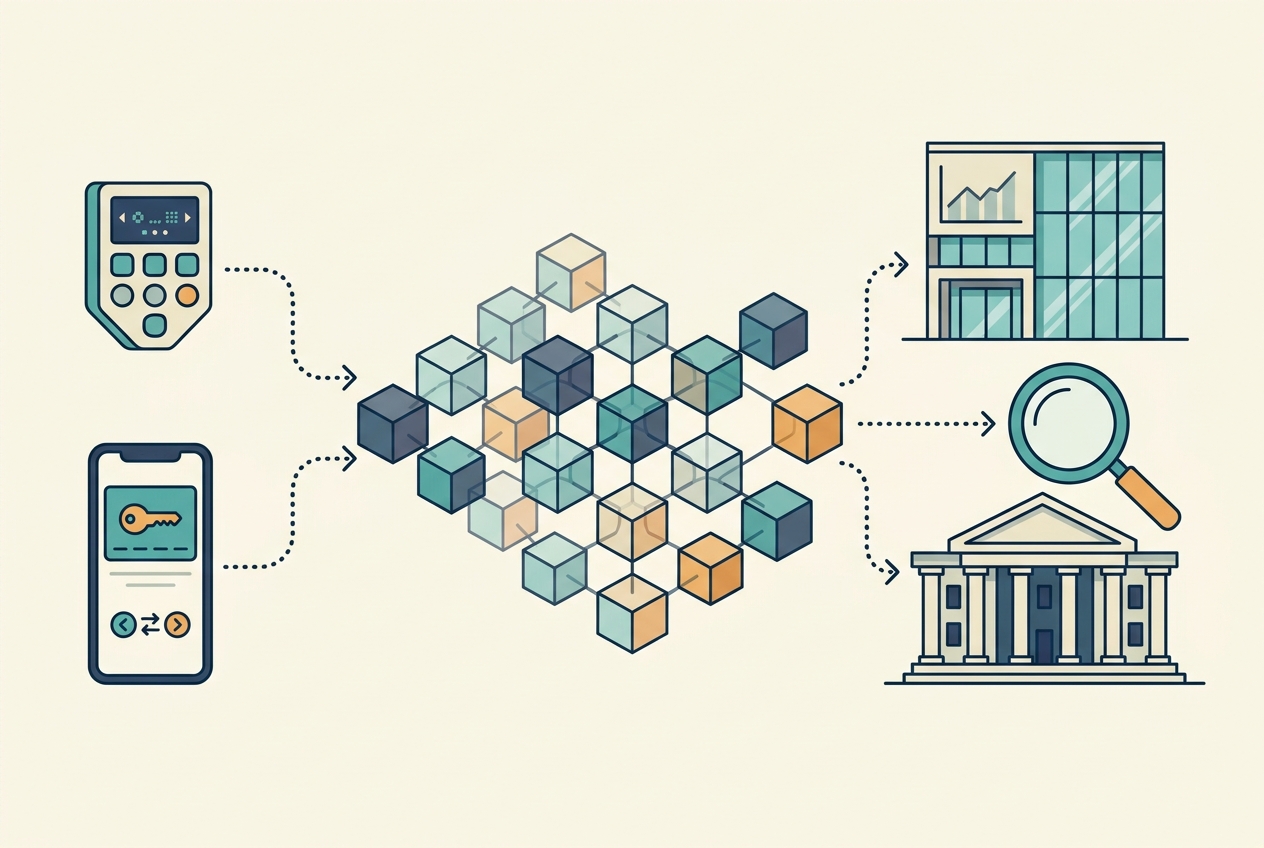
Every transaction you sign with an S1, S1 Pro, X1, or the SafePal app is broadcast to a public blockchain and recorded permanently. Bitcoin, Ethereum, BNB Chain, Solana, Tron, and virtually every network SafePal supports are transparent public ledgers. The IRS contracts with blockchain analytics firms such as Chainalysis to cluster addresses, follow funds across chains and bridges, and connect on-chain activity to real identities. Your SafePal addresses are pseudonymous, not anonymous.
The On-Ramps and Off-Ramps Report
Buying crypto with a card inside the SafePal app is not a SafePal transaction under the hood. It routes to KYC on-ramp providers such as MoonPay and Simplex, which verify your identity, keep records, and can report under their own regulatory obligations. Selling to fiat through the app’s off-ramp works the same way in reverse. And the moment you withdraw from Coinbase, Kraken, or Binance.US to your SafePal address, the exchange records exactly which address received your coins, linking it to your KYC identity. Starting with the 2025 tax year, centralized exchanges also issue Form 1099-DA for disposals on their platforms. When an exchange tells the IRS you withdrew coins to self-custody, the IRS reasonably expects your future filings to account for them.
Does Binance Report Your SafePal Wallet?
No, and this myth deserves its own paragraph. SafePal was incubated by Binance Labs, and SFP launched on Binance Launchpad, but that is an investment and ecosystem relationship, not a data pipe. Binance cannot see inside your self-custody wallet any more than SafePal can see inside your Binance account. What the Binance side can report is its own exchange activity, including withdrawals it sent to your SafePal address. The corporate backing changes nothing about who holds your keys: you do.
Can the IRS See Your SafePal Wallet?
Practically speaking, yes, once any address links to your identity. Three mechanisms do the linking:
- Exchange withdrawal records. Every KYC exchange logs the destination address of every withdrawal. One withdrawal to your SafePal wallet ties that address to your name permanently.
- On-ramp purchases. MoonPay and Simplex purchases inside the SafePal app deliver coins to your address under a KYC’d identity.
- Blockchain analytics. Clustering heuristics connect your addresses to each other. If one address in a cluster is identified, the cluster is identified, across chains and through bridges.
The IRS has also used John Doe summonses to compel US exchanges to hand over customer records in bulk. The realistic model for 2026: assume every SafePal address you have funded from a KYC source is visible, and file accordingly. Privacy from the public is real; privacy from a subpoena is not.
Do You Pay Taxes on SafePal?
Not for owning a device, and not for holding crypto in the app. There is no tax on the hardware, no tax on storage, and no tax on unrealized gains while coins sit in cold storage. An S1 Pro holding appreciating Bitcoin for five years generates zero tax until you dispose of it.
You pay taxes when taxable events happen. The IRS treats crypto as property under Notice 2014-21, which means disposals trigger capital gains and earnings trigger ordinary income. Where the transaction happens (the SafePal app, the hardware wallet, the extension, or a connected DApp) changes nothing about whether it is taxable.
Capital Gains
When you sell, swap, or spend crypto, you realize a capital gain or loss: proceeds minus cost basis. Held one year or less, gains are short-term and taxed at ordinary rates up to 37%. Held more than a year, they are long-term and taxed at 0%, 15%, or 20%. Cold storage helps here: SafePal hardware holders who genuinely hold tend to qualify for long-term rates more often than active traders.
Ordinary Income
When you receive new crypto (SafePal Earn rewards, SFP staking rewards, airdrops, payment for work), it is ordinary income at fair market value on the day you gain control. That value becomes your cost basis going forward. Our crypto income guide covers the mechanics in depth.
SafePal Transactions That Are NOT Taxable
Knowing what is not taxable keeps you from overreporting and helps you spot software errors that inflate your bill.
Transferring Crypto to Your SafePal Wallet
Moving coins from an exchange or another wallet you own into SafePal is not taxable. You still own the same asset; only the location of the keys changed. This is the single most common SafePal transaction and the single most common source of confusion. Two record-keeping duties come with it: carry the original cost basis with the coins, and keep evidence that both sides of the transfer were yours.
Transferring Crypto Off SafePal
Same rule in reverse. Sending coins from SafePal back to your own exchange account, or to another self-custody wallet you control (a Ledger, a MetaMask hot wallet), is not a disposal.
Moving Between Your Own SafePal Surfaces
Shuffling funds between the SafePal app, an S1 or X1 paired to it, the browser extension, and sub-accounts on the same chains is all movement between wallets you own. None of it is taxable. Every hop still needs to be labeled as a self-transfer in your records, because tax software that sees only one side of a hop will invent a sale or a zero-basis deposit.
Buying Crypto Through the SafePal App
Purchasing crypto with US dollars through the app’s on-ramp partners (MoonPay, Simplex) is not taxable. The purchase sets your cost basis: price paid plus fees. Keep the receipt, because the provider’s KYC record and your basis need to match years later.
Holding and Receiving Gifts
HODLing on an air-gapped S1 is not taxable, no matter how much the coins appreciate. Receiving a crypto gift is generally not taxable at receipt (the giver may have gift tax considerations), though you inherit basis rules that matter later.
The Cold Storage Panic
You bought 10 ETH on Coinbase for $22,000 and later sent it to your SafePal S1 when the position was worth $35,000. Nothing is owed. The transfer is not a disposal. Your basis stays $22,000, and your holding period keeps running from the original purchase date.
For the complete map, see our taxable vs non-taxable events guide.
SafePal Transactions That ARE Taxable
Now the events that create real tax. Every one of these can happen inside the SafePal app without your coins ever touching an exchange account.
SafePal Swap Trades
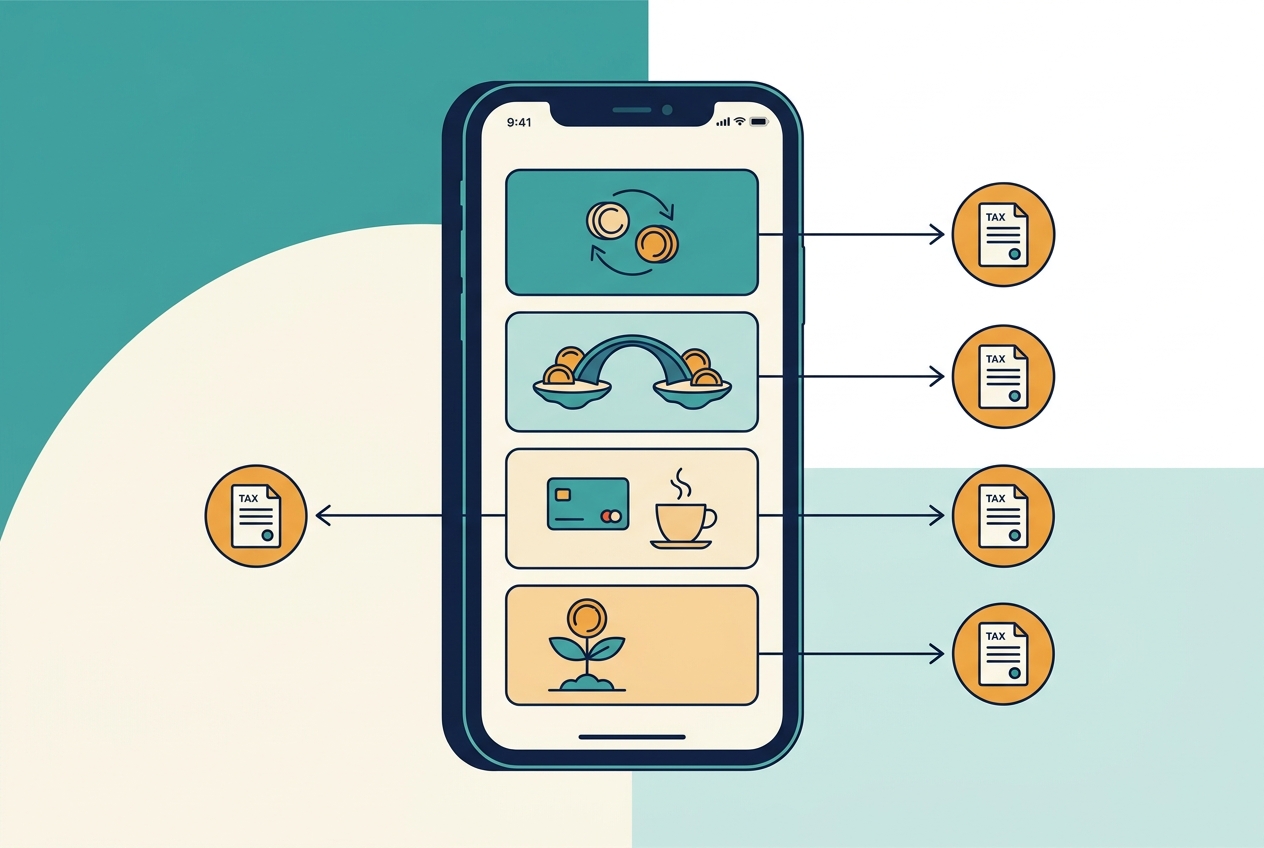
SafePal Swap aggregates liquidity from DEXs and CEX-style providers (including 1inch routing) to trade one crypto for another inside the app. Every swap is a taxable disposal of the coin you give up, even though no dollars appeared. The tax result is identical to selling on an exchange: you realize gain or loss on the outgoing asset at fair market value, and the incoming asset takes that value as its basis.
Cross-Chain Swaps and Bridge Conversions
SafePal’s cross-chain swap (LI.FI-powered bridging plus conversion) moves value between networks. When the asset changes in the process (BNB on BNB Chain into ETH on Ethereum, for example), that is a disposal of the outgoing asset. A pure same-asset bridge where you provably receive the identical asset on the destination chain is a gray area many CPAs treat conservatively; a bridge that converts is not gray at all. It is a swap, and it is taxable.
The In-App Swap Surprise
You hold 20 BNB in the SafePal app with a $4,800 total basis. Using SafePal Swap, you convert all of it to ETH when the BNB is worth $10,000. No exchange account, no bank, no fiat. You still disposed of BNB and owe capital gains tax on a $5,200 gain. The ETH takes a $10,000 basis, and the gain is short-term or long-term based on how long you held the BNB.
Selling to Fiat Through the App
Off-ramping crypto to dollars (or euros or pounds) through the app’s sell partners is a taxable disposal, with gain or loss equal to proceeds minus basis. The provider processed a KYC fiat payout, so the transaction is thoroughly documented on the fiat side.
Spending With the SafePal Mastercard
SafePal Bank’s crypto-linked Mastercard turns coins into coffee, and every swipe funded by a crypto conversion is a disposal of the crypto spent. Buy a $600 flight with ETH you acquired at a $350 equivalent basis, and you have a $250 taxable gain along with your boarding pass. Card programs generate dozens or hundreds of micro-disposals a year, and each one belongs on Form 8949.
NFT and DApp Activity Through the Built-In Browser
Selling an NFT, trading on a perp DEX, or swapping through PancakeSwap or Uniswap via the SafePal DApp browser or WalletConnect follows normal DeFi and NFT tax rules: disposals are taxable, rewards are income. More on this in the DeFi section below.
SafePal Earn and Staking Taxes
SafePal Earn is a yield aggregator inside the app: ETH and TRX staking, liquidity pools sourced from BNB Chain platforms like PancakeSwap, and SFP single-asset pools. Convenient, and taxable. (Earn availability shifts by region and some options are geo-restricted for US users; the tax rules below apply to whatever you actually receive.)
When Rewards Become Income
Under Rev. Rul. 2023-14, staking and yield rewards are ordinary income at fair market value when you gain dominion and control: when you can freely sell or transfer them. For most SafePal Earn products, that is when rewards land in your wallet or become claimable. Locked or unvested rewards may defer the income moment until they unlock.
Rewards Set Their Own Cost Basis
The value you report as income becomes the basis of the reward coins. Sell them later and you calculate a separate capital gain or loss from that basis. Skip the income step and your software assigns zero basis, which taxes the same value twice.
Common SafePal Earn Mistakes
- Assuming yield is tax-free because no form arrived from SafePal or the underlying pool.
- Reporting rewards only when sold instead of when received.
- Missing small frequent rewards across multiple pools and chains that add up over a year.
- Forgetting that entering and exiting a liquidity pool can itself involve disposals of the tokens you deposit, on top of the reward income.
SFP Token Taxes
SFP is SafePal’s own token, launched as Binance Launchpad project number 18 in February 2021 and backed by Binance Labs. It powers discounts, Earn pools, and ecosystem incentives, and it generates more tax events than most holders realize:
- SFP airdrops and ecosystem incentives are ordinary income at fair market value when received, like any airdrop.
- SFP staking rewards from single-asset Earn pools are ordinary income at receipt under Rev. Rul. 2023-14, and each reward batch sets its own basis.
- Spending or swapping SFP is a disposal. This includes the SafePal Gas Station feature that converts SFP into gas tokens so you can transact on a chain where you hold no native coin. Swapping $80 of SFP into BNB for gas is a disposal of that SFP, with gain or loss measured against its basis.
- Buying SFP (on an exchange or in-app) is not taxable; it just sets basis. Selling it obviously is.
The pattern to internalize: SFP is property like any other token. The fact that it is the wallet’s own utility token does not make its rewards free or its conversions invisible.
DeFi and WalletConnect Through SafePal
SafePal frequently acts as the secure signer behind bigger DeFi positions. Through the app’s DApp browser, the browser extension, or WalletConnect, users trade on Uniswap and PancakeSwap, provide liquidity, lend, run perp positions, and mint NFTs, sometimes with an S1 or X1 approving every signature. The hardware changes the security model, not the tax treatment:
- Token swaps on any DEX are disposals.
- Liquidity provision can trigger disposals on entry and exit, and pool rewards are income.
- Lending interest and incentive tokens are income at receipt.
- NFT sales are disposals of the NFT; buying an NFT with appreciated crypto is a disposal of the crypto.
If your SafePal keys also drive activity through other wallet interfaces, that history is part of the same tax return. Our MetaMask guide and Phantom guide cover those layers in detail; if you started on an exchange wallet, see the Coinbase Wallet guide.
The Per-Wallet Cost Basis Rule and Your SafePal Setup
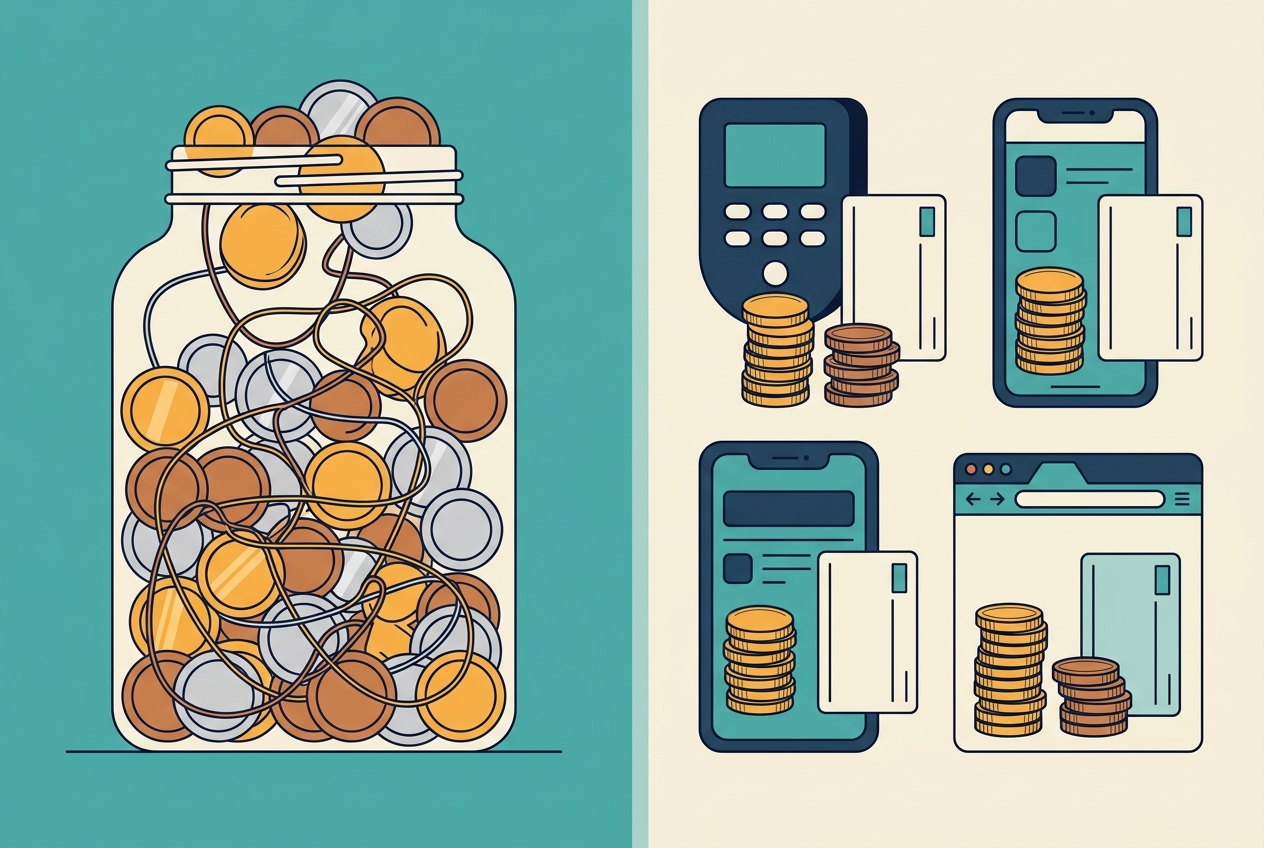
This is the most important 2026 development for SafePal holders, and no competing SafePal tax content covers it at all. Under Rev. Proc. 2024-28, effective January 1, 2025, the universal pooling method is dead. Cost basis must be tracked per wallet and per account.
Is Your SafePal One Wallet or Five?
Here is the question nobody else answers. A typical SafePal power user runs an S1 in a drawer, an X1 for travel, the SafePal app on their phone, the browser extension on their desktop, and sub-accounts across a dozen chains. For Rev. Proc. 2024-28 purposes, what matters is the addresses and accounts where your lots actually sit, not the brand on the box. Practical reading:
- Each address or account with its own on-chain history is its own basis universe. Your Bitcoin account on the S1, your Ethereum account in the app, and your BNB Chain sub-account each track their own lots.
- A hardware wallet paired to the app is still the hardware wallet’s addresses. Pairing an S1 to the SafePal app does not merge histories; the app is a window onto the device’s accounts. But a separate software wallet created inside the app has different addresses, and moving coins between the two is a wallet-to-wallet transfer that must carry specific lots.
- You cannot borrow basis across wallets. Selling from your app wallet while pointing at a high-cost lot still sitting on your S1, or on an exchange, no longer works.
- Transfers must carry specific lots. When you moved 2 BTC from Binance.US to your S1, specific tax lots (dates and prices) moved with them, and your records need to say which ones.
What To Do About It
If you made a safe harbor allocation under Rev. Proc. 2024-28, keep that documentation permanently. If you never formally allocated, reconstruct now: list every acquisition, match every transfer between exchanges and your SafePal surfaces, and assign lots to the wallet where the coins actually sit. Our per-wallet cost basis guide walks through the full process, and cost basis method choices (FIFO, HIFO via specific identification) now operate within each wallet rather than across your whole portfolio.
Zero-Basis Default
You sell 5 ETH for $19,000 from your SafePal app wallet. Your software cannot trace which lots arrived from which exchange or from your S1, and defaults the basis toward zero. Nearly the entire sale reads as gain.
Documented Transfer
Same sale, but your records show those 5 ETH were the lots bought on Kraken for $14,000 and transferred to SafePal with basis intact. Gain = $5,000, and the holding period carried over, so it qualifies as long-term.
SafePal and Form 1099-DA
SafePal will never send you a 1099-DA. But the form still shapes your filing, because the 1099-DA era creates a reconciliation gap around every self-custody wallet.
Centralized exchanges began issuing Form 1099-DA for the 2025 tax year, reporting gross proceeds (and eventually basis) for disposals on their platforms. Here is the catch for SafePal users: when the exchange reports the coins you bought and shows a withdrawal to self-custody, its reporting trail ends at your SafePal address. Everything after that (SafePal Swap trades, bridge conversions, Earn income, card spending, an eventual off-ramp) exists only in your records. The IRS can see the on-chain activity; it just does not receive a tidy broker form for it.
That asymmetry is where audits start. Your job is to make the two halves meet:
- Match every exchange withdrawal to a SafePal deposit with the basis attached.
- Report all self-custody disposals on Form 8949 even though no broker reported them.
- Reconcile any 1099-DA you receive against your own numbers before filing, since broker-reported basis on transferred-in coins is often missing or wrong. Our 1099-DA explainer covers how to correct it.
How to Get a SafePal Tax Report
SafePal does not generate tax documents, and unlike most wallets it has no native CSV export of your transaction history (SafePal’s support docs confirm this). The good news: you never needed the export. Your history lives on public blockchains, and tax software can read it directly. Here is the exact workflow.
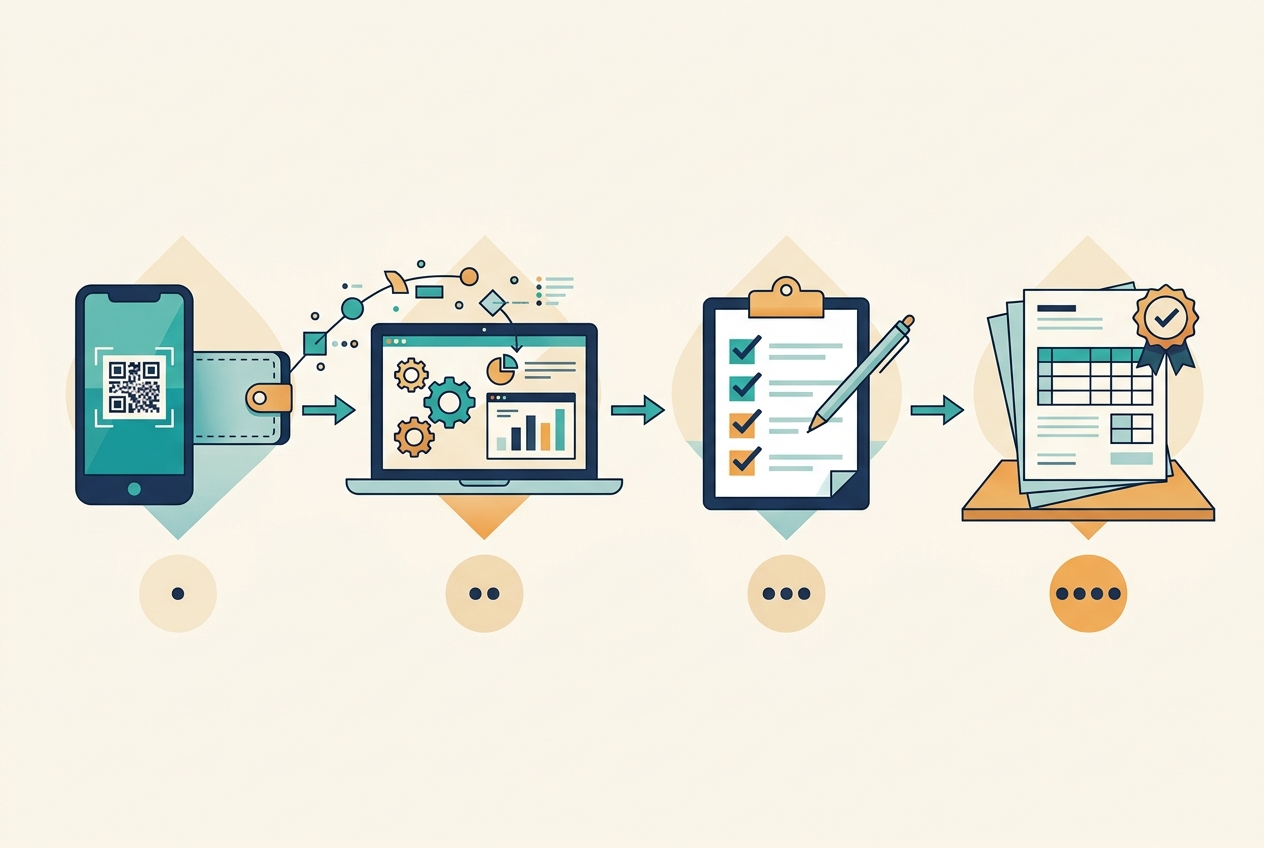
- Inventory every wallet surface and chain. List every device (S1, S1 Pro, X1), the app software wallet, the browser extension, and every chain and sub-account with history: Bitcoin, Ethereum, BNB Chain, Solana, Tron, all of them. Include wallets you emptied. Missing one address breaks the whole reconciliation.
- Use the official Kryptos integration, or import addresses directly. SafePal’s official tax partner is Kryptos: from the tax software side you connect SafePal and scan a QR code with the SafePal app to sync your wallets per network. Alternatively (and what we usually recommend for US filers), import your public addresses for each chain into Koinly, CoinLedger, or CoinTracker, which read the blockchains directly. For Bitcoin and other UTXO chains, use the extended public key if offered so all derived addresses are captured. This is view-only data; never enter your recovery phrase anywhere.
- Fall back to block explorer CSVs for stubborn chains. If a chain will not sync, download the address history CSV from that chain’s block explorer (Etherscan, BscScan, and their peers) and upload it manually. This is the last resort, not the first move.
- Connect every exchange you ever used. Coinbase, Kraken, Binance.US, closed accounts included. Basis for coins in your SafePal wallet almost always originates at an exchange, so the software needs both sides to link transfers.
- Reconcile transfers and fix flags. Confirm exchange withdrawals match SafePal deposits and are marked as self-transfers, not sells or zero-basis buys. Do the same for hops between your S1, the app, and the extension. Resolve every missing basis warning. Verify Earn and SFP rewards booked as income with correct dates.
- Generate and review your forms. Produce Form 8949, Schedule D, and an income summary for Schedule 1. Your SafePal tax report is only as accurate as this review, so spot-check the biggest disposals by hand before filing.
Best SafePal Tax Software
Kryptos is the official SafePal integration with the smoothest QR sync. For US filers with multi-exchange history, the established platforms all handle SafePal via per-chain address import: Koinly (excellent multi-chain coverage, see our Koinly review), CoinTracker (strong exchange linking, see our CoinTracker review), and CoinLedger (clean Form 8949 output). The Koinly vs CoinTracker comparison helps you choose. Whichever you pick, the import is the easy part; the review is where accuracy happens, and a professional cleanup pays for itself on messy multi-chain histories.
Which Tax Forms Do SafePal Users File?
SafePal tax forms are the same forms every US crypto investor files. SafePal just leaves you to fill them without help:
- Form 8949: every taxable disposal (SafePal Swap trades, bridge conversions, sells, card spending, NFT sales) with dates, proceeds, basis, and gain or loss.
- Schedule D: the roll-up of short-term and long-term totals from Form 8949.
- Schedule 1: Earn rewards, SFP rewards, airdrops, and other crypto income for hobby investors.
- Form 1040 digital asset question: answer truthfully. Receiving, selling, swapping, or earning crypto means “yes.”
- 1099-DA: not from SafePal, but reconcile any you receive from exchanges against your own records.
Our Form 8949 and Schedule D walkthrough shows the line-by-line mechanics.
Common SafePal Tax Mistakes
Most SafePal taxes go wrong in one of six ways. These errors account for the overstated bills and audit exposure we see in SafePal histories.
Missing Chains and Sub-Accounts
SafePal supports a huge number of networks, and sub-accounts multiply the address count. Every chain you ever touched, including the one you used twice in 2023, belongs in the reconciliation. One missing sub-account creates unexplained deposits everywhere it sent funds.
Treating SafePal Swap as Non-Taxable
Because the swap never leaves the app, users mentally file it under “moving my own money.” It is a disposal every single time, including SFP-to-gas conversions through Gas Station.
Treating Self-Transfers as Sales
Software that sees only one side of an exchange-to-SafePal transfer, or an app-to-S1 hop, labels it a sell on one side and a zero-basis buy on the other, inventing gains twice. Review every transfer pair manually.
Forgetting Earn and SFP Income
Yield rewards feel like dust and are not. They are income at receipt and basis for later, and skipping them creates cascading zero-basis errors when the reward coins are eventually sold.
Losing Basis From Closed Exchange Accounts
The exchange where you bought coins in 2021 is closed, and the basis went with it. Download history from every account while you still can, and archive the files permanently, because SafePal itself gives you nothing to fall back on.
Falling for Fake “SafePal IRS Support” Scams
Search results for SafePal tax questions include parasite pages advertising SafePal IRS support phone numbers. SafePal has no phone support and no IRS department. These pages exist to harvest recovery phrases and payments from worried taxpayers. SafePal is a legitimate self-custody wallet; the phone numbers are not.
SafePal histories fail audits for one reason: the coins arrived with no story. Give every coin its story, from purchase to disposal, and the numbers defend themselves.
Audit Readiness for SafePal Holders
Cold storage holders often assume low audit risk, and long holding periods do help. But the 1099-DA reconciliation gap makes self-custody a natural audit target when reported withdrawals never reappear on a return. A defensible SafePal audit file includes:
- A wallet register: every device, app wallet, extension wallet, chain, sub-account, and address.
- Transfer documentation: exchange withdrawal records matched to SafePal deposits, and hops between your own surfaces labeled.
- Basis records per wallet: lots, dates, prices, and your Rev. Proc. 2024-28 allocation.
- Income logs: each Earn and SFP reward with date and fair market value source.
- Reconciled software reports: archived each year, flags resolved, with any 1099-DA cross-checked.
If the IRS ever sends a notice (see our guide to IRS crypto letters), that file turns a stressful inquiry into paperwork.
Your SafePal Tax Checklist
- List every wallet surface: S1, S1 Pro, X1, app wallets, extension wallets, and all sub-accounts per chain.
- Sync via Kryptos QR or import all public addresses into crypto tax software (public data only, never your seed phrase).
- Pull block explorer CSVs for any chain your software cannot sync, since SafePal has no native export.
- Connect every exchange you have ever used, including closed accounts.
- Mark self-transfers correctly so nothing reads as a sale or zero-basis deposit.
- Verify every SafePal Swap, bridge conversion, and card purchase appears as a disposal with correct proceeds and basis.
- Book Earn and SFP rewards as income at fair market value on each receipt date.
- Apply per-wallet cost basis consistently under Rev. Proc. 2024-28.
- Resolve all missing basis flags before generating forms.
- Generate Form 8949 and Schedule D, put income on Schedule 1, answer the 1040 question.
- Reconcile any exchange 1099-DA against your records.
- Archive everything for your audit file.
Bottom Line: What to Do Next
SafePal gives you inexpensive, genuinely air-gapped self-custody and exactly zero help with your taxes: no forms, no 1099s, not even a CSV. The IRS sees the chains, receives the exchange forms, and expects your return to tell the whole story anyway. In 2026, with per-wallet basis rules live and 1099-DA reporting in force, SafePal taxes are entirely a records problem, and the holders who win are the ones who solve it early.
Your action plan:
- Inventory every SafePal wallet, chain, and address today, while you remember them.
- Sync everything into tax software via Kryptos or address imports, alongside your exchange history.
- Fix transfers, basis flags, and Earn income before they compound.
- File complete forms and archive the audit trail.
If your SafePal history spans years, multiple chains, Earn products, SFP rewards, or DeFi through the DApp browser, get a professional in your corner. A 15-minute call with a crypto tax specialist can save you thousands and a lot of stress. Reach out to our team for a SafePal tax review and we will handle the reconciliation, the forms, and the audit trail.
Related Reading
- Ledger Tax Guide
- MetaMask Tax Guide
- Phantom Wallet Tax Guide
- Per-Wallet Cost Basis Under Rev. Proc. 2024-28
- Crypto Income Taxes: Staking, Mining & Airdrops
- Form 1099-DA Explained
Frequently Asked Questions
Does SafePal report to the IRS?
No. SafePal is a self-custody wallet company, not a broker or exchange, so it does not report your wallet activity to the IRS and does not issue 1099 forms. However, every transaction you sign is recorded on a public blockchain, the KYC on-ramp providers inside the app keep records, and the exchanges you move funds through do report. You are still legally required to report all taxable activity.
Does SafePal send tax documents or 1099 forms?
No. SafePal sends no tax documents, no 1099s, and no gain and loss statements. It also has no native CSV export of your transaction history. To build tax records you connect the SafePal app to tax software (Kryptos is the official integration) or import your public addresses per chain into platforms like Koinly, CoinLedger, or CoinTracker.
Do you pay taxes on SafePal?
You do not pay taxes for owning a SafePal device or holding crypto in the app. You pay taxes when taxable events happen: selling for dollars, swapping one coin for another through SafePal Swap, spending crypto, bridging with a conversion, or earning rewards through SafePal Earn. Those events are taxable whether they happen in the app, on the hardware wallet, or through a connected DApp.
Is transferring crypto to SafePal taxable?
No. Moving crypto from an exchange like Coinbase or Binance.US to your own SafePal wallet is not a taxable event, because you still own the same asset. The original cost basis carries with the coins. The transfer is visible on-chain and in the exchange's records, so document it as a self-transfer with the date, amount, and both addresses.
Are SafePal Swap trades taxable?
Yes. SafePal Swap aggregates DEX and CEX liquidity to trade one crypto for another, and every swap is a taxable disposal of the coin you give up. You realize a capital gain or loss based on fair market value at the moment of the swap, even though no dollars are involved. Cross-chain swaps that convert one asset into another are disposals too.
Are SafePal Earn rewards taxable?
Yes. Rewards from SafePal Earn, including ETH and TRX staking, liquidity pools sourced from platforms like PancakeSwap, and SFP single-asset pools, are ordinary income at fair market value when you gain dominion and control over them under Rev. Rul. 2023-14. That value becomes the cost basis of the reward coins for any later sale.
How do I get a SafePal tax report?
SafePal does not generate one, and the app has no CSV export. The official route is the Kryptos integration: scan a QR code from the SafePal app to sync your wallets. The alternative is importing your public addresses for every chain into crypto tax software such as Koinly, CoinLedger, or CoinTracker, which reads the blockchains directly and produces Form 8949.
Can the IRS see my SafePal wallet?
If your addresses can be linked to your identity, yes. Blockchains are public and permanent, and the moment you withdraw from a KYC exchange to your SafePal address, that address connects to your name in the exchange's records. The IRS uses blockchain analytics firms to trace wallet activity across chains, and it can compel exchange records with John Doe summonses.
Does SafePal have a CSV export for transactions?
No. As of 2026 the SafePal app does not offer a native CSV export of transaction history, which SafePal's own support documentation confirms. The workarounds are the official Kryptos QR sync, public address imports into tax software, or block explorer CSV downloads per chain as a last resort.
Does Binance report my SafePal wallet to the IRS?
No. SafePal was incubated by Binance Labs and SFP launched on Binance Launchpad, but Binance has no visibility into or reporting duty for your self-custody SafePal wallet. What Binance or Binance.US can report is activity on their own exchanges, including withdrawals sent to your SafePal address, which links that address to your identity.
Is SafePal legit and safe?
SafePal is a legitimate self-custody wallet company founded in 2018, backed by Binance Labs, with the S1, S1 Pro, and X1 hardware wallets and a widely used app. Be careful with search results offering a SafePal IRS support phone number: SafePal has no phone support and no IRS department. Those pages are scams designed to steal recovery phrases.
Do I need to report crypto gains under $3,000?
Yes. There is no minimum threshold for reporting capital gains. Every taxable disposal belongs on Form 8949 no matter how small, and you must answer the digital asset question on Form 1040 truthfully. The $3,000 figure people remember is the annual cap on net capital losses that can offset ordinary income.
What happens if I don't report my SafePal activity?
Unreported crypto activity can trigger IRS notices, back taxes, interest, and accuracy or fraud penalties. Exchanges now file Form 1099-DA, blockchain records never expire, and a withdrawal to self-custody that never reappears on a return is an easy mismatch for the IRS to spot. Full, accurate reporting is the only safe position.