

CoinTracker is the crypto tax software most Coinbase users end up in, whether they picked it deliberately or clicked through from the Coinbase tax page. This guide covers the entire lifecycle: what CoinTracker is, what it costs in 2026, how to set it up correctly, how to connect every exchange and wallet, what it does well and where it breaks, and how to go from raw transactions to a filed return. If you follow it start to finish, you will avoid the mistakes that produce inflated gains and IRS mismatch letters.
What Is CoinTracker?
CoinTracker is a crypto portfolio tracking and tax software platform at cointracker.io. It connects to your exchanges, wallets, and blockchains, pulls in your full transaction history, calculates capital gains and income, and generates the tax forms you need to file in the US. Founded in 2017 by ex-Google engineers Jon Lerner and Chandan Lodha, it has raised more than $100M from investors including Accel, Y Combinator, Coinbase Ventures, and Intuit Ventures, and its homepage claims more than 3 million users.

The pitch is simple: instead of manually reconstructing hundreds or thousands of trades across platforms, you connect your accounts once and CoinTracker keeps a running, tax-ready ledger. For a portfolio that lives on major US exchanges, that pitch mostly holds up. We rated it 4.1 out of 5 in our full CoinTracker review, and the caveats in that rating are exactly what this guide teaches you to manage.
CoinTracker vs CoinTracking: Two Different Companies
Get this straight before you buy anything, because people mix them up constantly. CoinTracker is the US company at cointracker.io covered in this guide. CoinTracking (with the extra “ing”) is a separate German platform at cointracking.info that has been around since 2013, with a different interface, different pricing, and a much more manual, spreadsheet-like workflow. Reviews, Reddit threads, and even support articles for one frequently get attributed to the other. If you are researching the German tool, read our CoinTracking review instead. Everything below is about CoinTracker, the Coinbase partner.
Who CoinTracker Is For
CoinTracker fits best if your activity looks like this: you trade on major US exchanges (Coinbase especially), you hold some coins in self-custody wallets, you file US taxes, and you want your crypto numbers flowing into TurboTax or H&R Block with minimal friction. The interface is one of the cleanest in the category, and the Coinbase integration is the deepest of any tax tool.
Who Should Look Elsewhere
If you live outside the US, trade heavily across many chains, or run deep DeFi strategies (liquidity pools, lending loops, restaking), CoinTracker can still work but you will spend more time correcting labels. Competitors with broader chain coverage may fit better, and we compare them later in this guide. And if your history is a multi-year mess across dead exchanges and forgotten wallets, no software fixes that alone. That is reconciliation work, which we cover at the end.
How CoinTracker Works With Coinbase
CoinTracker is Coinbase’s official tax partner, and that relationship shapes the whole product. Coinbase links its users to CoinTracker from its own tax pages, Coinbase Ventures is an investor, and CoinTracker’s homepage lists Coinbase first among its exclusive partners. Ahead of the Form 1099-DA rollout, Coinbase and CoinTracker also built reconciliation tools directly into the Coinbase app to help users deal with missing cost basis on the new forms.
What this means for you in practice:
-
The Coinbase connection is CoinTracker’s best integration. Trades, converts, staking rewards, and Coinbase Wallet activity import cleanly, and sync issues are rarer than with other exchanges.
-
Coinbase users often get CoinTracker perks. Coinbase One membership has included a free CoinTracker Base plan (up to 100 transactions), and Coinbase periodically offers plan discounts. Check the current offer inside your Coinbase account before paying full price.
-
A CoinTracker account created through Coinbase still needs your other accounts. This is the trap. The partnership makes it feel like connecting Coinbase is the whole job. It is not. Every wallet and exchange you have ever touched has to be added, or your Coinbase disposals get calculated against incomplete basis.
The Coinbase partnership gets you into CoinTracker in two clicks. It does not get your other seven accounts connected, and those are where the errors live.
CoinTracker Pricing In 2026
CoinTracker prices its tax plans by how many transactions you had in the tax year. Portfolio tracking is free forever; you pay when you want to download tax forms. Here is the current lineup.
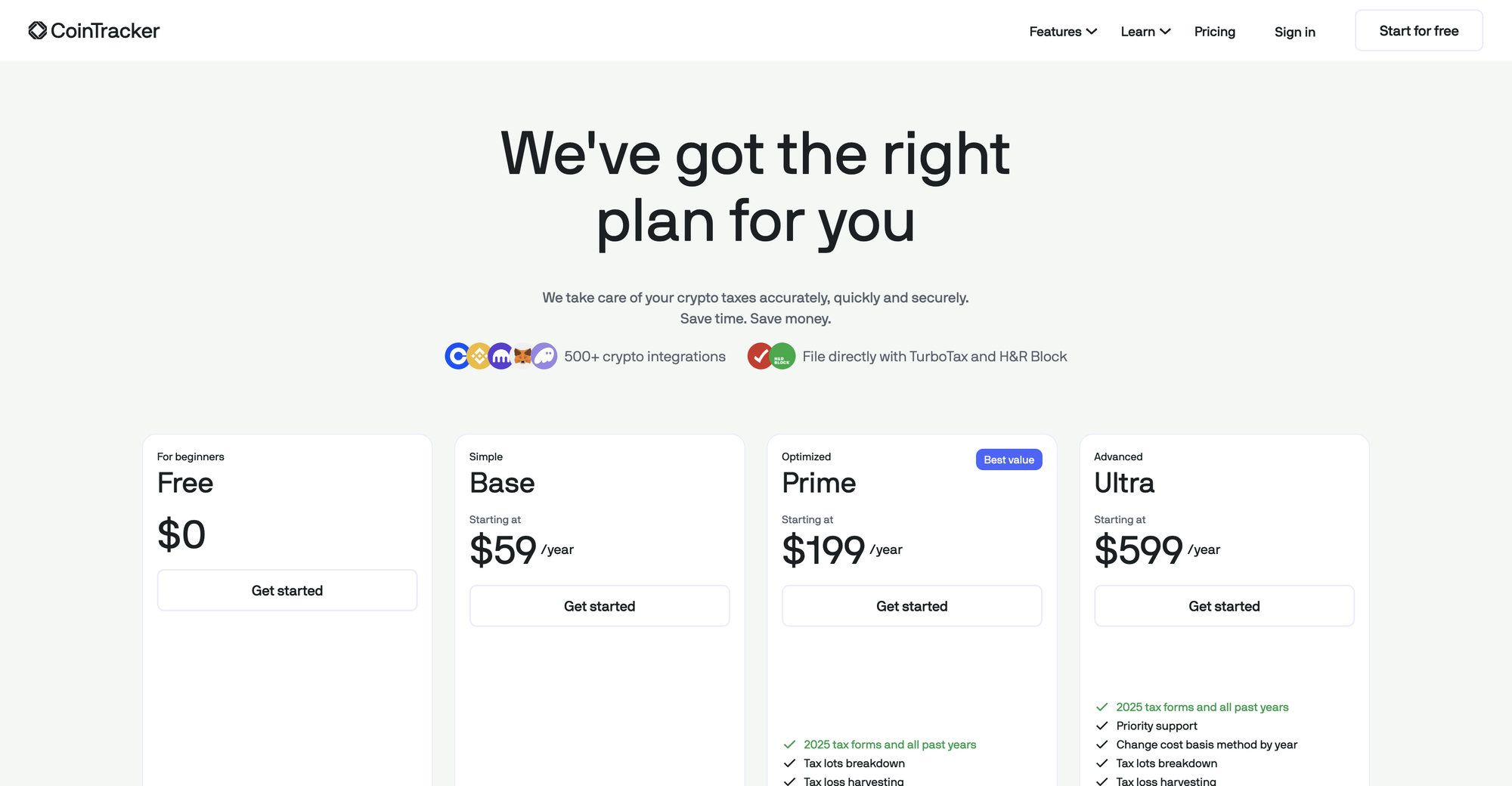
| Plan | Transaction limit | Price (per tax year) | What you get |
|---|---|---|---|
| Free | Tracking only | $0 | Portfolio tracking and a tax summary. No form downloads. |
| Base | 100 (Base+ 250) | $59 ($99 Base+) | Current and past year forms, TurboTax and H&R Block export, live support |
| Prime | 1,000 (Prime+ 2,500) | $199 ($299 Prime+) | Everything in Base plus tax-lot breakdown, tax-loss harvesting tools, priority support |
| Ultra | 10,000 (Ultra+ 250,000) | $599 ($1,999 Ultra+) | Everything in Prime plus the ability to change cost basis method by year |
| Full Service | Up to roughly 300,000 | From $3,499 | Dedicated account manager and up to about 15 hours of hands-on reconciliation |
Pricing as of 2026. CoinTracker shows “starting at” prices because each tier steps up with volume.
A few things the pricing page does not make obvious:
Transactions add up faster than you think. Every trade, transfer, staking reward, and airdrop counts. A single DeFi session can generate dozens of line items. Check your actual count inside CoinTracker before picking a tier, because upgrading mid-checkout is how a $59 plan becomes a $199 one.
The Free plan shows you a tax summary but holds the forms hostage. That is standard across the industry. You can use the free tier all year to watch your portfolio and only pay in filing season.
Full Service is not a filing service. It is a reconciliation concierge with an hour cap. Nobody at CoinTracker files your return or signs it. If you are weighing that tier against hiring a human, read the breakdown in our CoinTracker review and the comparison in our CoinTracker tax filing service guide before spending $3,499.
How To Set Up Your CoinTracker Account
Setup takes five minutes. Setting it up correctly takes fifteen, and the difference is a handful of settings most people skip.
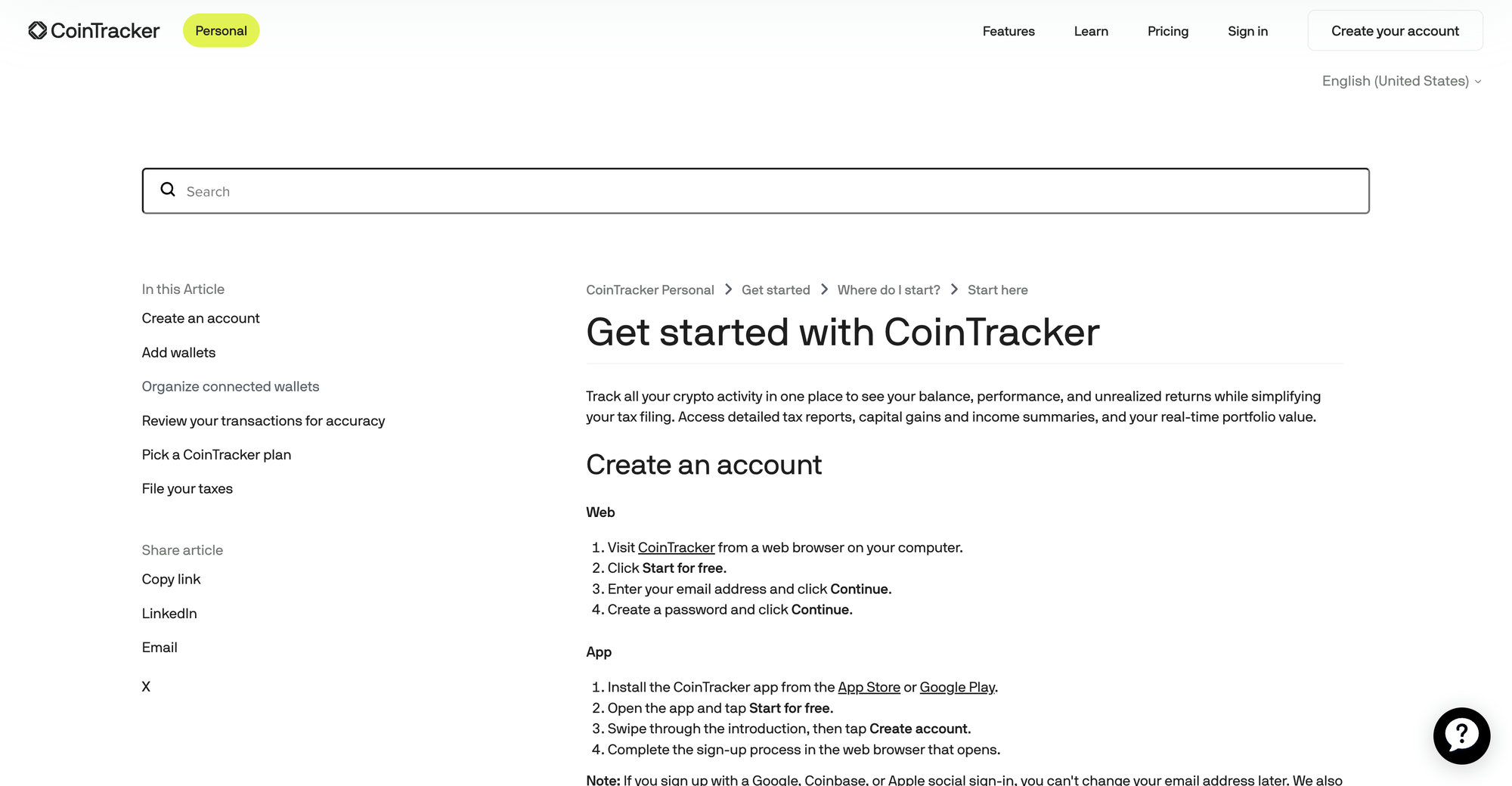
Creating the account:
- Go to cointracker.io and click “Start for free” (or install the mobile app and tap the same).
- Sign up with an email address and password, or use Google, Coinbase, or Apple sign-in.
- Confirm your country and base currency (US and USD for most readers). This drives which tax rules and forms apply.
One small gotcha from CoinTracker’s own docs: if you sign up with Google, Coinbase, or Apple social sign-in, you cannot change your email address later. If you might switch email providers someday, sign up with email and password instead.
Before you connect anything, open Settings and check three things:
Cost basis method. FIFO is the default. Whether to keep it is a real decision we cover in the cost basis section below. Decide before you generate reports, not after.
Per-wallet tracking. For 2025 and later, the IRS requires cost basis tracked per wallet and account, not pooled across everything you own. Confirm your account reflects per-wallet tracking for those years. Accounts that started years ago under the old universal method can show numbers that shift during the transition, which people mistake for bugs.
Tax year and country settings. Sounds obvious, but a wrong country setting produces reports built on the wrong rules, and it happens.
Connecting Exchanges And Wallets
This is the step that decides whether CoinTracker gives you accurate numbers or expensive fiction. The rule: connect every exchange and every wallet you have ever used, including accounts you closed and wallets holding $12 of dust. CoinTracker supports 630 integrations as of 2026, so nearly everything you have touched can be added.
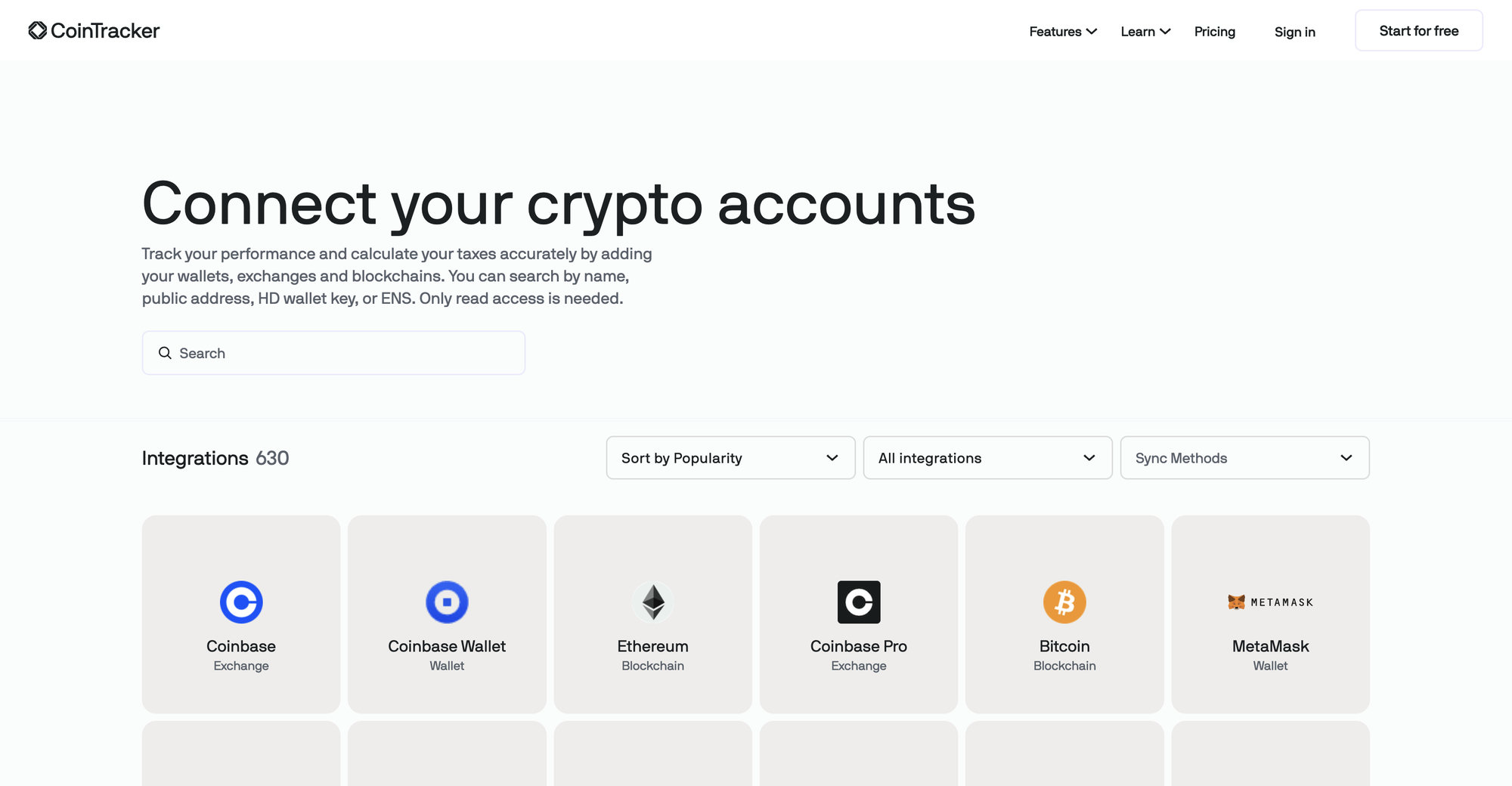
There are three ways to get data in, and each has its place.
API Connections (Exchanges)
For centralized exchanges like Coinbase, Kraken, Gemini, and Binance.US, you connect with an API key. Coinbase uses a one-click OAuth flow: click connect, approve read access, done. Other exchanges make you create an API key in their security settings and paste it into CoinTracker.
API connections are the best option because they stay synced. New trades appear automatically, so your portfolio and your tax picture stay current all year instead of being rebuilt every April.
Public Addresses (Wallets And Chains)
For self-custody wallets like MetaMask, Phantom, Ledger, or Trezor, you do not connect the wallet software at all. You add the public wallet address, and CoinTracker reads the blockchain history directly. For Bitcoin wallets, add the xpub key so all derived addresses are captured, not just one. You can also search by ENS name.
You never enter a private key or seed phrase. If any site claiming to be a tax tool asks for a seed phrase, it is a phishing attempt, full stop.
CSV Imports
For dead exchanges, unsupported platforms, or accounts where the API history is incomplete, you upload a CSV export. CoinTracker accepts native exports from major exchanges plus a generic template for everything else. CSV is the fallback, not the default: files get column mismatches, date format issues, and duplicate rows when the same activity also arrives via API. If a CSV import goes sideways, our CoinTracker missing transactions fix walks through the repair.
How CoinTracker Handles DeFi, NFTs, And Staking
CoinTracker covers on-chain activity, but this is the part of the product where “supported” and “correct out of the box” are different things. Know the gaps going in.
DeFi
CoinTracker reads DeFi activity from your wallet addresses: swaps, liquidity deposits and withdrawals, lending, and claims. Simple swaps on major chains are usually labeled correctly. Complexity is where labeling drifts. Liquidity pool entries and exits, wrapped tokens, bridging, and reward claims sometimes come in as generic “receive” or “send” events, which miscounts them as income, as disposals, or as nothing at all.
The fix is review, not faith. After sync, filter your transactions by wallet and walk through the DeFi events, correcting labels where CoinTracker guessed wrong. Every label you fix changes your gain calculation, so this review has direct dollar consequences.
NFTs
CoinTracker tracks NFT purchases, sales, and mints on supported chains, and NFT taxes work like any other crypto disposal: selling an NFT is a capital gain or loss, and minting or royalty income is ordinary income. Coverage is solid for major marketplaces on Ethereum and weaker on smaller chains, so spot-check that your NFT activity actually imported and that mint costs carried in as basis.
Staking And Rewards
Staking rewards are ordinary income at fair market value when you gain control of them, and CoinTracker records reward events from both exchange staking (like Coinbase) and on-chain staking. Each reward’s value at receipt becomes its cost basis for a later sale. The volume is the pain point: daily reward drips generate hundreds of small income events per year, which both inflates your transaction count for pricing and gives you more lines to verify.
Known Limitations, Honestly
Where CoinTracker most often needs human correction: complex multi-step DeFi (leveraged loops, restaking derivatives), cross-chain bridges that break the link between the sending and receiving side, low-liquidity tokens with unreliable price data, and any chain outside its supported list. None of these are reasons to avoid the tool. They are reasons to review its output before filing, and to budget real time for that review if your on-chain footprint is big.
Transfer Matching: The Make Or Break Feature
Transfer matching is the single most important thing CoinTracker does, and the source of most errors when it fails. Here is the concept in one line: moving crypto between your own accounts is not a sale, and the cost basis must travel with the coins.
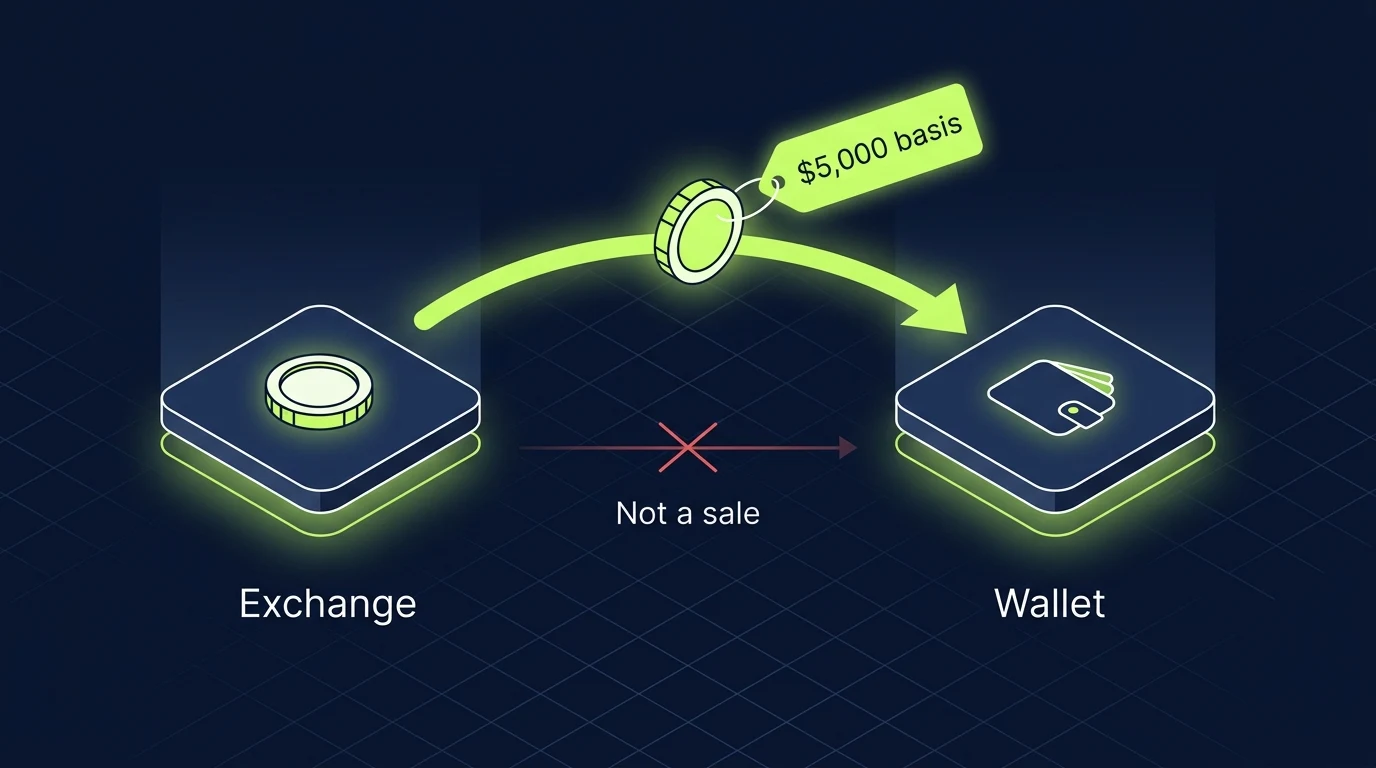
When both sides of a move are connected, CoinTracker pairs the withdrawal from one account with the deposit into another and marks it as a transfer. Basis flows through, nothing is taxed, everyone is happy.
When one side is missing, the logic collapses. A withdrawal with no matching deposit can look like you disposed of the coins. A deposit with no matching withdrawal looks like coins appearing from nowhere, so CoinTracker has no purchase price and assigns $0 basis. Then you sell, and the entire sale price is treated as gain.
Kraken account never connected
You bought 1 BTC on Kraken for $27,000, moved it to Coinbase, and later sold for $30,000. Only Coinbase is connected, so CoinTracker sees a deposit with no history, assigns $0 basis, and reports the full $30,000 as gain.
Both accounts connected
With Kraken connected, CoinTracker pairs the withdrawal and deposit as a transfer. The $27,000 basis travels with the coin, and the sale reports the real $3,000 gain.
After every sync, open the transfers view and confirm your big moves matched. Unmatched transfers cluster around CSV imports, bridges, and exchanges with spotty withdrawal records, and each one you link manually pulls phantom gains off your return. If your numbers look inflated and you cannot see why, this is the first place to look, and our CoinTracker cost basis fix guide covers the repair step by step.
Cost Basis Settings In CoinTracker
Your cost basis method decides which purchase lot is “sold” each time you dispose of crypto, and it can change your tax bill by thousands of dollars on identical trades. CoinTracker supports FIFO plus Specific Identification approaches like HIFO and LIFO for US users, so this is a setting worth understanding rather than defaulting through.
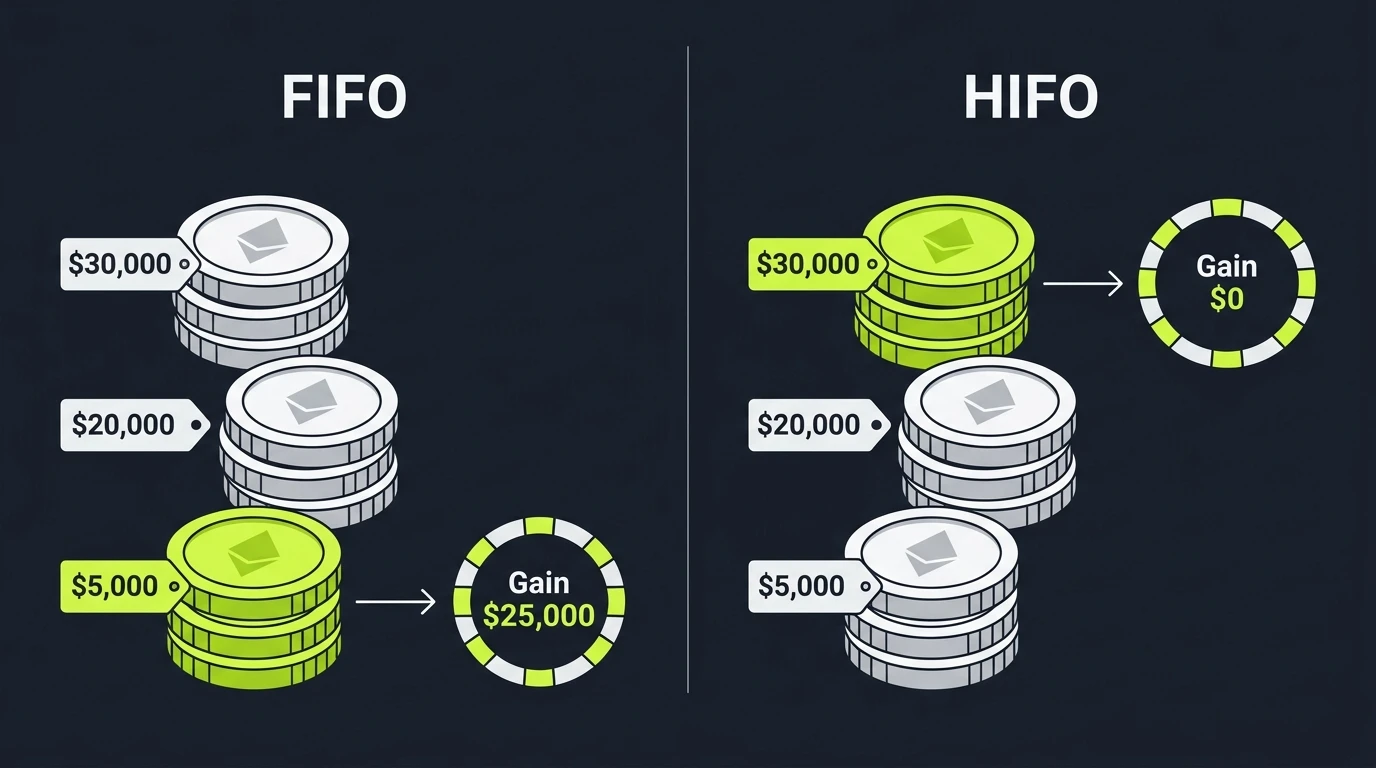
Here is the difference with real numbers. Say you bought 1 ETH at $5,000, another at $20,000, and a third at $30,000, and you now sell one for $30,000:
- FIFO (first in, first out) sells the oldest lot, the $5,000 one, for a $25,000 gain.
- HIFO (highest in, first out, a form of Specific Identification) sells the $30,000 lot for a $0 gain.
Same sale, same wallet, a $25,000 swing in reported gain. FIFO is not wrong, and it often wins long-term rates on old lots. HIFO minimizes gains now but burns your high-basis lots first. The right choice depends on your holding periods and plans, and our FIFO vs HIFO vs Specific ID guide works through when each makes sense.
Two rules constrain your choice in 2026:
Specific Identification has a timing requirement. For transactions from January 1, 2025 onward, lots must be identified at or before the time of sale. You cannot retroactively cherry-pick lots at tax time the way people once did. CoinTracker’s settings apply your chosen method consistently, which is how you stay on the right side of this.
Per-wallet tracking is mandatory. Under Revenue Procedure 2024-28, from January 1, 2025 you track basis per wallet and per account instead of one universal pool. The transition included a one-time safe harbor to allocate your existing basis across wallets, locked in with your 2025 return. If your CoinTracker account predates 2025, this transition is the most common source of “my numbers changed and I do not know why”. Our per-wallet cost basis guide explains the rule in full.
Reviewing And Fixing CoinTracker Errors
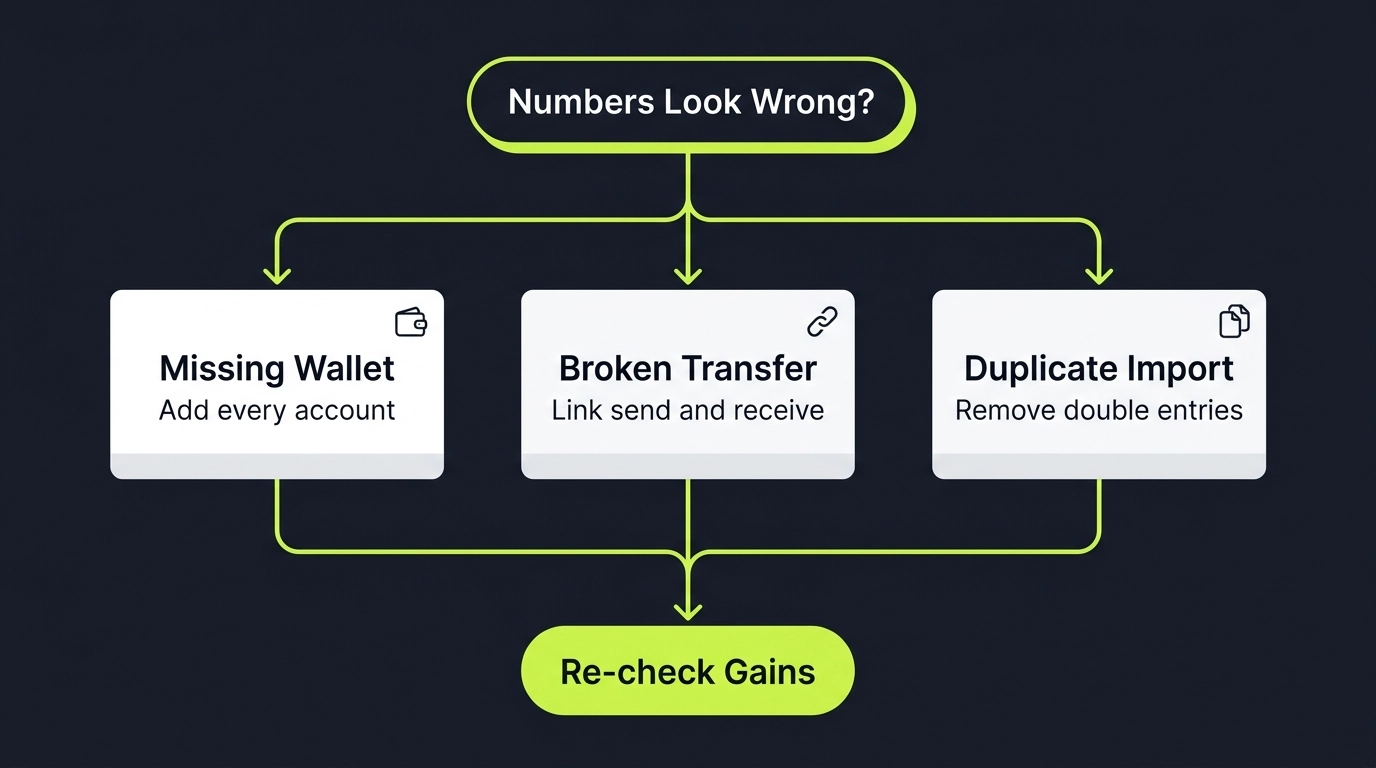
Every CoinTracker account with real history has errors after the first sync. That is not a knock on CoinTracker, it is the nature of importing years of messy data from dozens of sources. The difference between an accurate return and an inflated one is whether you fix them, so treat this section as the actual work of using the tool.
Sync Failures
Symptom: an exchange or wallet shows stale balances, a sync error, or simply stops updating. Usual causes: an expired or revoked API key, an exchange that changed its API, or a rate limit. Usual fix: delete and re-create the API key with read-only permissions, then force a re-sync. Our CoinTracker sync fix guide covers each exchange’s quirks, and the broader CoinTracker not working guide handles app-level problems like login loops and pages that will not load.
Missing Transactions
Symptom: balances in CoinTracker do not match reality, or a coin you own shows as zero. Cause: a source that never got connected, an API that only returns recent history, or a CSV that skipped rows. Fix: identify the gap by comparing CoinTracker’s balance per account against the real account, then backfill with a CSV covering the missing window. The full walkthrough is in our CoinTracker missing transactions guide.
Wrong Cost Basis
Symptom: gains that look way too high, coins showing $0 basis, or the dreaded warning flags on disposals. Cause: unmatched transfers, missing purchase history, or the per-wallet transition. Fix: work the transfers view first, then backfill missing sources, then manually set basis on anything CoinTracker genuinely cannot know (like coins bought on a dead exchange). Step-by-step in our CoinTracker cost basis fix guide.
Duplicates
Symptom: transaction counts and proceeds that look doubled. Cause: the same activity imported twice, usually an API connection plus a CSV of the same account, or an address added under two wallets. Fix: remove the redundant source entirely rather than deleting individual rows, then re-sync. Duplicates silently inflate both your plan tier and your reported proceeds, so they cost money twice.
Generating Your CoinTracker Tax Reports
Once your data is clean, report generation is the easy part. With a paid plan, CoinTracker produces everything a US filer needs.
What you get:
- Form 8949, the line-by-line list of every disposal with dates, proceeds, basis, and gain or loss. This is the core output.
- Schedule D totals, the short-term and long-term summary that flows onto your 1040.
- Capital gains report, a readable version of the same data for your own review.
- Income report, covering staking rewards, airdrops, interest, and other ordinary income with the value at receipt.
- Direct exports for TurboTax and H&R Block, plus CSV and PDF downloads for accountants and other filing tools.
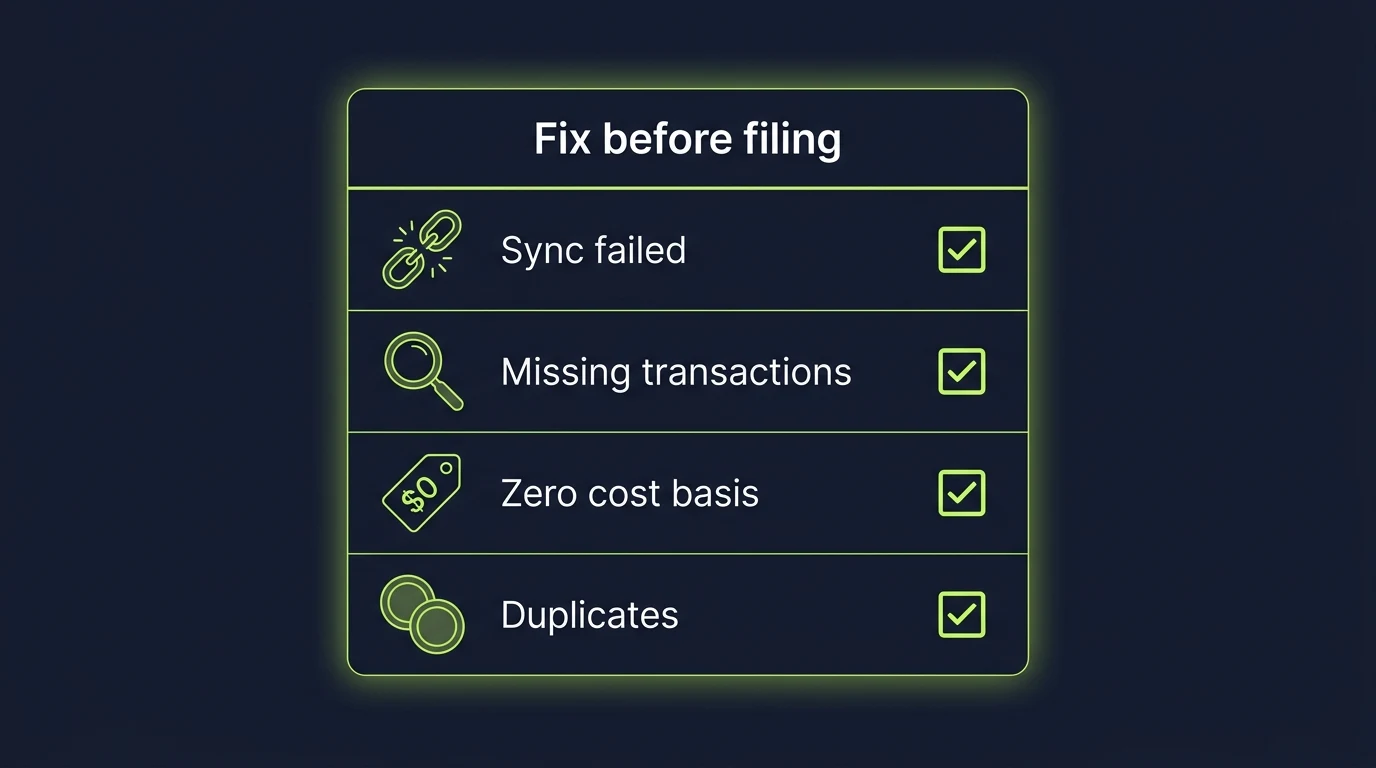
Before you hit generate, run the pre-flight check: zero sync errors, transfers matched, no unexplained $0 basis disposals, no duplicates, and a total transaction count that roughly matches your mental model of the year. Then generate the capital gains report and read it before exporting anything. If a number surprises you, chase it down now. A surprising number on a CoinTracker report is a data problem about 90 percent of the time, and it is far cheaper to fix before it lands on a filed return.
Reports cover past years too, which matters if you are catching up on prior-year filings or amending. Every paid tier includes current and past tax year forms.
Filing Your Taxes With CoinTracker
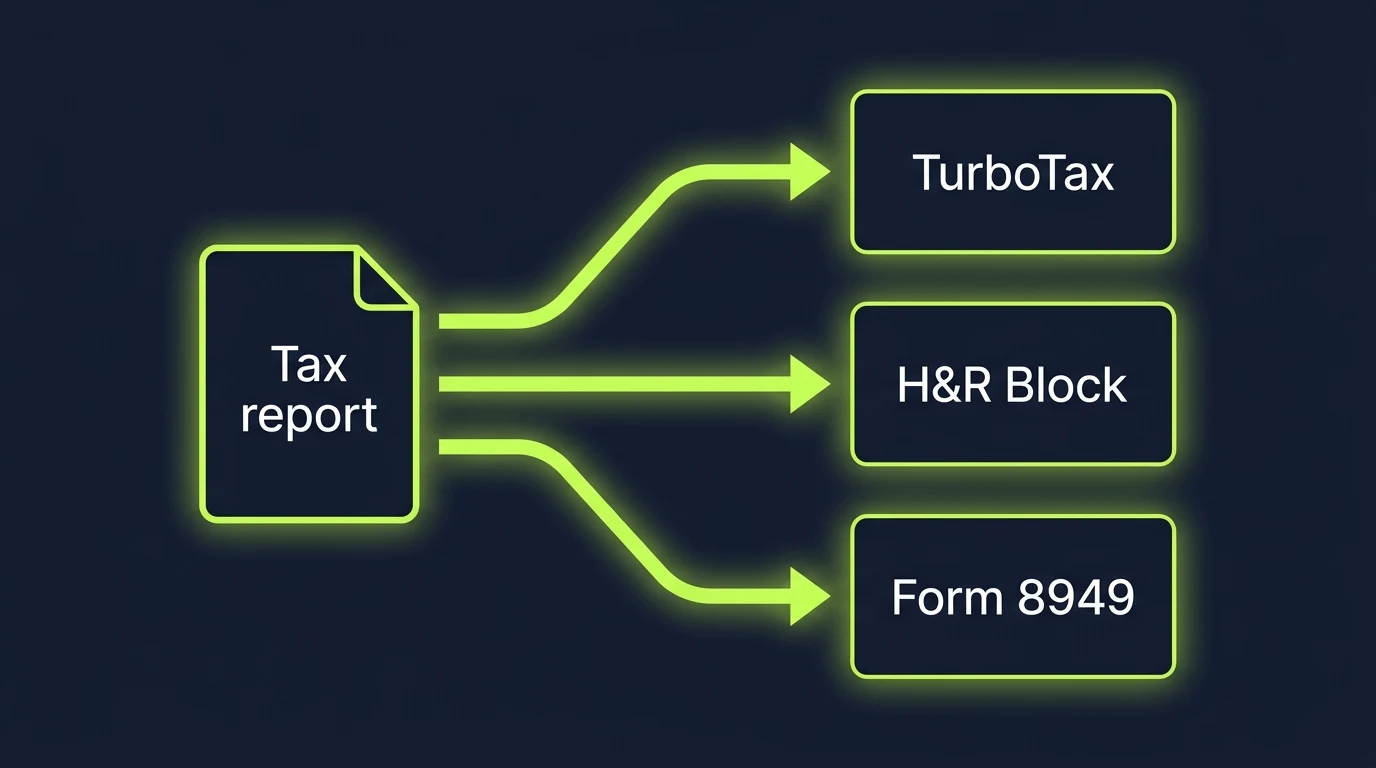
CoinTracker gets you to the finish line three different ways. Pick based on how you already file.
TurboTax
CoinTracker is TurboTax’s official crypto partner (Intuit Ventures is an investor). In TurboTax Online, choose CoinTracker as your crypto source in the investment income section and authorize the connection; your gains flow in directly. For TurboTax Desktop, download the TXF file from CoinTracker and import it. Full walkthrough in our TurboTax crypto guide.
H&R Block
H&R Block is CoinTracker’s other named filing partner. Export your Form 8949 data from CoinTracker and import it into H&R Block’s crypto section, or hand the PDF to your Block preparer.
Filing Yourself Or With A Preparer
Download the Form 8949 PDF and Schedule D totals and file them with your return, or send them to your accountant. If you self-file by mail or with other software, our guide to filing crypto taxes with Form 8949 and Schedule D covers where each number goes. Income from the income report goes on Schedule 1 (or Schedule C if you are operating as a business).
The 1099-DA Wrinkle
Starting with the 2025 tax year, exchanges issue Form 1099-DA reporting your gross proceeds to the IRS. For 2025, those forms generally report proceeds without cost basis (basis reporting phases in for covered assets acquired from 2026). The IRS matches those proceeds against your return, so your CoinTracker-generated Form 8949 needs to tie to the proceeds your exchanges reported while showing your real basis. That reconciliation is exactly why complete data matters: a return that ties to the 1099-DA with documented basis is boring to the IRS, and boring is the goal.
CoinTracker Vs The Alternatives
CoinTracker is a top-two tool in this category, not the only one. The quick version:
| CoinTracker | Koinly | CoinLedger | |
|---|---|---|---|
| Best for | Coinbase users, US filers | Multi-chain, international, DeFi-heavy | Simple US portfolios |
| Integrations | 630 | 800+ | Good |
| Entry tax plan | $59 | $49 | $49 |
| Filing paths | TurboTax, H&R Block direct | Broad report export | TurboTax |
| Standout | Coinbase partnership, clean UX | Coverage depth | Simplicity |
If you are choosing between the two market leaders, our Koinly vs CoinTracker comparison goes feature by feature, and our hands-on Koinly vs CoinTracker accuracy test tests them on the thing that actually matters. For the third option, see CoinLedger vs CoinTracker, and for the full field, start with our best crypto tax software comparison.
One honest note: switching tools rarely fixes bad data. If your CoinTracker numbers are wrong because of missing wallets and unmatched transfers, importing the same incomplete history into Koinly reproduces the same wrong numbers with a different interface.
When To Bring In A Professional
CoinTracker plus a careful self-review is enough for most portfolios on major exchanges. Bring in a human when the situation outgrows the software:
- Your 1099-DA conflicts with your records and you cannot make the numbers tie out.
- Multi-year mess: unfiled or misfiled prior years, dead exchanges, lost records that need reconstruction.
- Heavy DeFi or high volume where reviewing thousands of auto-labels is not realistic.
- The per-wallet safe harbor allocation, which is a one-time permanent decision worth expert judgment.
- You fixed everything this guide covers and the numbers still will not reconcile.
Our guide to when to bring in a CoinTracker expert lists the specific warning signs, and if your data spans tools, our Koinly and CoinTracker cleanup guide covers cross-platform rescue work.
Where Count On Sheep Fits
CoinTracker calculates. It does not chase down your dead exchange records, decide your safe harbor allocation, verify that 4,000 DeFi labels are right, or stand behind the numbers when the IRS asks. That layer between raw software output and a defensible return is what Count On Sheep does.
We provide done-for-you digital asset reconciliation for CoinTracker users:
- We connect and reconcile your complete history across every exchange, wallet, and chain, inside the tools you already use.
- We match transfers and reconstruct missing cost basis so nothing files at $0.
- We reconcile your Form 8949 to the proceeds on your 1099-DA so the IRS sees a consistent picture.
- We hand you (or your preparer) clean, documented, CPA-ready numbers.
If you have read this far and your reaction is “I do not have twenty hours for this,” that is exactly the situation we exist for.
CoinTracker Guide FAQ
The FAQ below covers the questions people actually search about CoinTracker. For anything specific to your history, talk to a professional who can look at your actual data.
Related Reading
- CoinTracker Review 2026: Is It Legit?
- CoinTracker Cost Basis Wrong? How to Fix It
- CoinTracker Missing Transactions: The Fix
- CoinTracker Not Working? Every Fix
- CoinTracker Sync Not Working: How to Fix It
- When to Bring In a CoinTracker Expert
- CoinTracker Tax Filing Service: What You Actually Get
- Koinly vs CoinTracker comparison for 2026
- Koinly vs CoinTracker accuracy test
- CoinLedger vs CoinTracker (2026)
- Best Crypto Tax Software Compared
- Form 1099-DA Explained (2026)
- Per-Wallet Crypto Cost Basis and Rev. Proc. 2024-28
- FIFO vs HIFO vs Specific ID for Crypto Taxes
Official Resources
- IRS: Digital Assets
- IRS: About Form 8949
- IRS: About Form 1099-DA
- IRS Revenue Procedure 2024-28 (per-wallet basis)
Frequently Asked Questions
How does CoinTracker work?
CoinTracker connects to your exchanges and wallets through read-only APIs, public addresses, and CSV imports, then pulls in your transaction history. It matches transfers between your own accounts, applies your cost basis method to every disposal, and calculates capital gains and income. At tax time it generates Form 8949, Schedule D data, and income reports you can file with TurboTax, H&R Block, or hand to a preparer.
How much does it cost to use CoinTracker?
Portfolio tracking is free. Tax plans are priced by your transaction count for the year: Base starts at $59 for up to 100 transactions, Prime starts at $199 for up to 1,000, and Ultra starts at $599 for up to 10,000. Full Service, a hands-on reconciliation tier, starts at $3,499. You need a paid plan to download tax forms.
Is it safe to connect Coinbase to CoinTracker?
Yes. CoinTracker is an official Coinbase tax partner and connects with read-only access, which means it can see your transaction history but cannot trade or withdraw funds. The same read-only rule applies to every exchange you connect. Never grant trade or withdrawal permissions to any tax software.
Does CoinTracker give you a 1099?
No. CoinTracker is not a broker, so it does not issue 1099 forms. Forms like the 1099-DA come from exchanges such as Coinbase or Kraken. CoinTracker's job is the opposite side of that equation: it builds the complete gain and loss picture, including cost basis, so you can reconcile what your exchanges reported against what you actually owe.
Can I import CoinTracker into TurboTax?
Yes. CoinTracker is TurboTax's crypto partner, and paid plans export directly into TurboTax Online with a few clicks. You can also download a TXF file for TurboTax Desktop or a Form 8949 CSV or PDF for H&R Block and other filing tools. The export only works well if your CoinTracker data is clean first.
Does CoinTracker report to the IRS?
No. CoinTracker does not send anything to the IRS. It is a calculation tool that works for you, not a broker with reporting obligations. Your exchanges report proceeds to the IRS on forms like the 1099-DA, and you report your gains on your return. CoinTracker sits in the middle and produces the numbers you file.
How do I connect my wallet to CoinTracker?
For self-custody wallets like MetaMask, Phantom, or a Ledger, you add the public wallet address (or xpub key for Bitcoin) and CoinTracker reads the on-chain history automatically. You never enter a private key or seed phrase. For exchanges, you connect with a read-only API key or upload a CSV export.
Is CoinTracker legit?
Yes. CoinTracker is a legitimate US company founded in 2017, backed by more than $100M in funding from investors including Coinbase Ventures and Intuit Ventures, and it is the official tax partner of Coinbase and TurboTax. The real question is not legitimacy, it is whether your specific data is complete enough for the numbers to be accurate.