
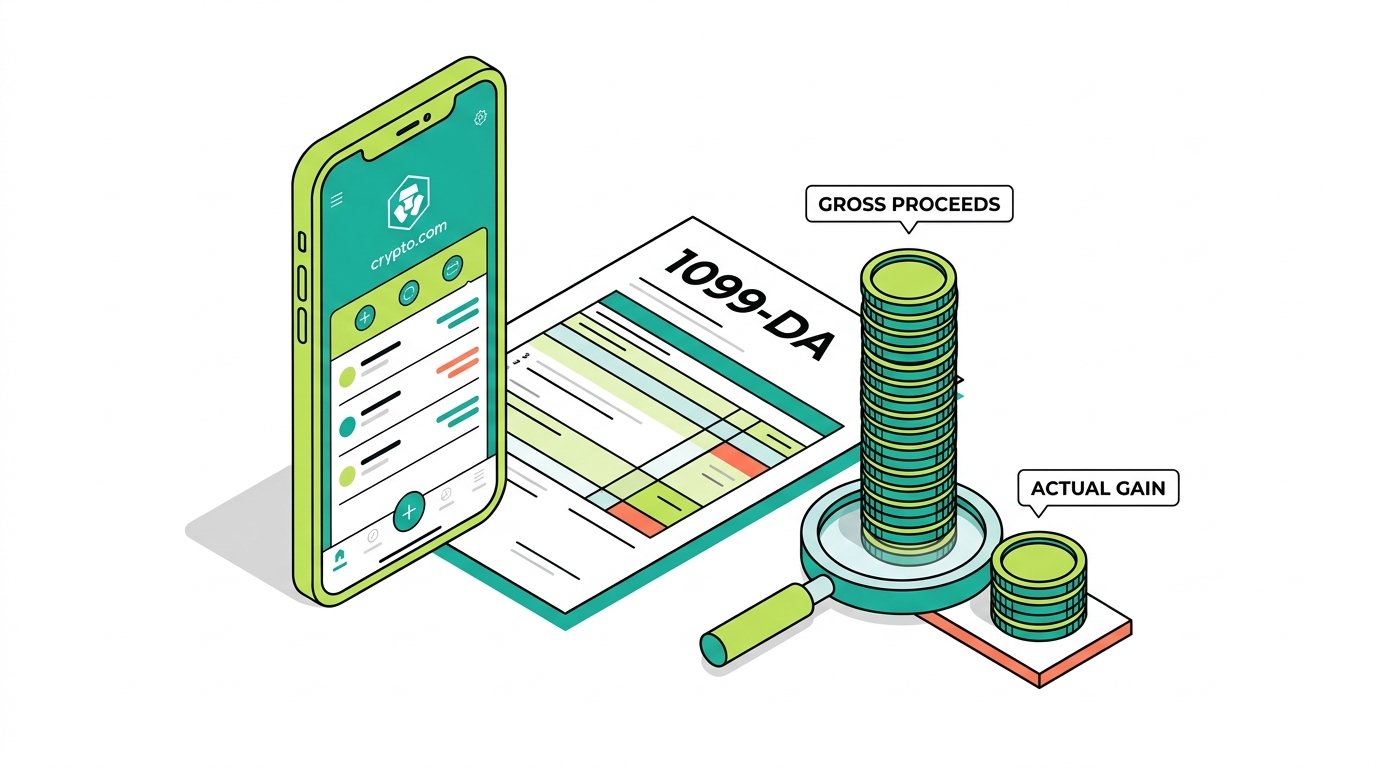
Crypto.com reports certain transactions. It does not know your complete crypto history. That gap is where almost every Crypto.com tax problem begins. Beginning with 2025 transactions (reported in 2026), Crypto.com users are receiving Form 1099-DA, and many are opening it to find large gross proceeds with little or no cost basis. A user who actually made a modest profit can see tens of thousands of dollars in reported proceeds and panic, assuming that is what they owe tax on. It is not.
This is the definitive Crypto.com tax guide for 2026, written to be the most complete resource on Crypto.com taxes anywhere. Crypto.com is unusually broad: it is not one product but several, including the Crypto.com App, the Crypto.com Exchange, the self-custody Crypto.com DeFi Wallet, the Crypto.com Visa card, Earn, staking, and the Cronos chain. That breadth makes Crypto.com crypto taxes more involved than a simple buy-and-sell app or a single self-custody wallet like MetaMask or Phantom. Most existing guides on Crypto.com tax reporting stop at exporting a CSV or connecting to tax software. This guide goes much further, because Crypto.com taxes in 2026 involve far more than spot trades.
On a Crypto.com account that basis is routinely incomplete: scattered across other platforms, wallets, the DeFi Wallet, and Cronos, or absent altogether on assets you transferred in.
This guide covers the full landscape of Crypto.com taxes:
- How the IRS treats your activity, and what Crypto.com reports versus what it cannot know
- The 1099-DA in depth, plus the App versus Exchange versus DeFi Wallet distinction
- Visa card rewards, Earn and staking income, Cronos and DeFi Wallet activity, and NFTs
- Cost basis and missing basis, and what changed when the Crypto.com Tax tool was deprecated
- How to download your documents and report everything on the right IRS forms
- The best tax software, the most common mistakes, audit preparation, and when professional reconciliation becomes necessary
What Is Crypto.com?
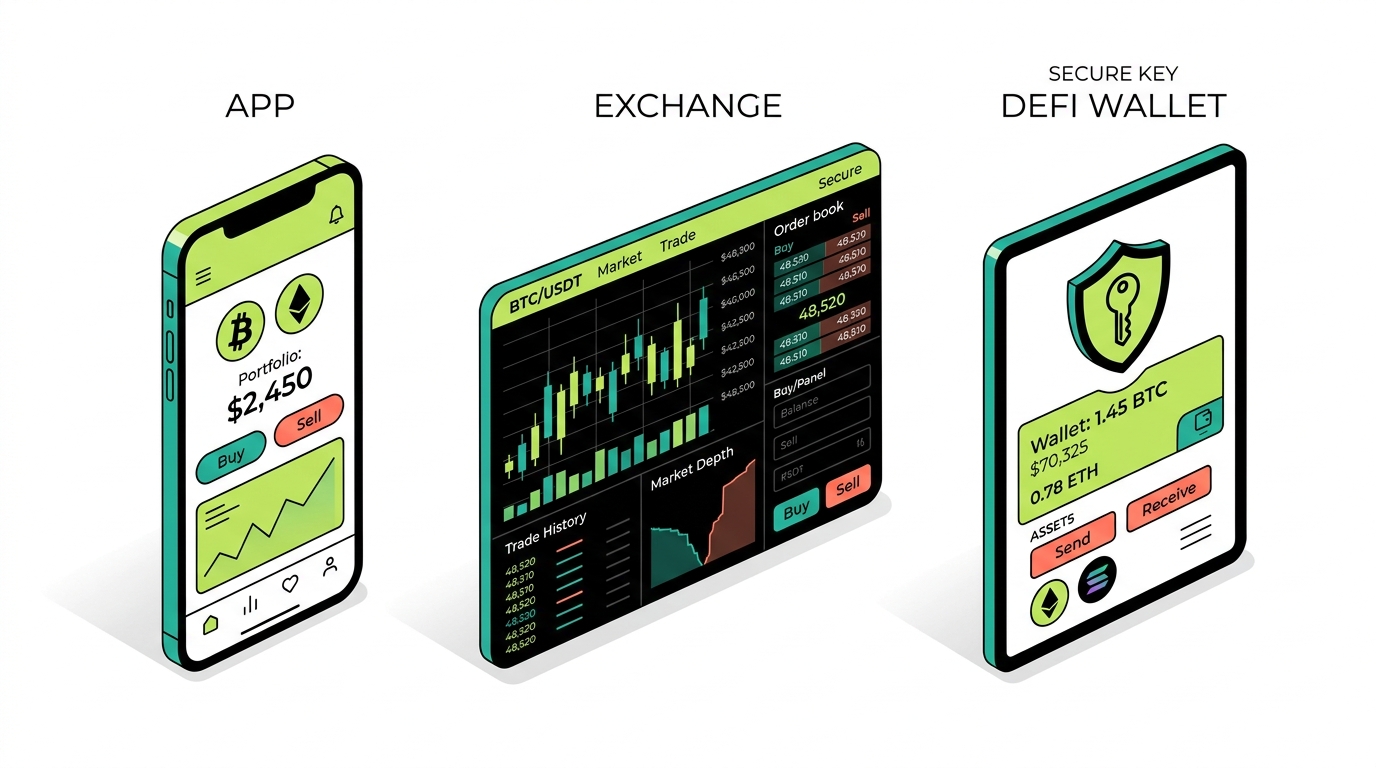
Crypto.com is one of the most widely used crypto platforms in the world, but most users do not realize it is really a bundle of distinct products under one brand. That structure is the first thing to understand, because each product creates and reports tax activity differently. A single user might buy crypto in the App, trade actively on the Exchange, swap tokens on Cronos through the DeFi Wallet, spend with the Visa card, and earn yield through Earn, all under the same login. To the user it feels like one account. To the tax system it is several different sources of records, some of which Crypto.com reports and some of which it never sees. Untangling which is which is the foundation of getting your Crypto.com taxes right.
Crypto.com App
The Crypto.com App is the retail front door. It is where most people buy and sell crypto, hold balances, manage the Visa card, and access Earn. Activity here is centralized, which means Crypto.com has records of your buys, sells, conversions, and rewards, and it is the activity most likely to appear on a tax form like the 1099-DA.
Crypto.com Exchange
The Crypto.com Exchange is the more advanced trading venue, aimed at active traders who want order books, deeper liquidity, and more sophisticated order types. It generates richer transaction data than the App, and contract or derivatives trading on the Exchange can carry its own reporting, potentially including a Form 1099-B.
Crypto.com DeFi Wallet
The Crypto.com DeFi Wallet is a separate, self-custody wallet. This is the part that trips up the most taxpayers. Unlike the App and Exchange, the DeFi Wallet puts you in control of the private keys, and its on-chain activity, swaps, staking, DeFi, and NFTs, often happens entirely outside Crypto.com’s centralized reporting. If you used the DeFi Wallet, a meaningful slice of your taxable activity may never appear on any form Crypto.com sends you.
Crypto.com Visa Card
The Crypto.com Visa card lets users spend crypto and earn rewards, frequently paid in CRO. Card rewards are one of the murkiest areas in crypto tax, because the treatment depends on whether a reward looks like a non-taxable purchase rebate or taxable income. Either way, the CRO you receive has a basis and a future sale to account for.
Crypto.com Earn and Rewards
Crypto.com Earn lets users deposit assets to receive yield, paid as rewards. Those rewards, along with staking, referral, and promotional rewards, are generally ordinary income when received. This is recurring income that many users overlook entirely.
Cronos Ecosystem
Cronos is the blockchain associated with Crypto.com, and CRO is its native token. Users who move into the DeFi Wallet often interact with Cronos DeFi: swaps, liquidity pools, yield farming, bridging, and NFTs. Cronos activity is on-chain and self-custodial, which makes it both taxable and almost entirely absent from centralized reporting.
Do You Owe Taxes on Crypto.com?
Buy crypto, hold it, do nothing else, and you probably owe nothing so far. What creates a tax bill is an event, not ownership itself. Knowing which actions count as taxable events is the groundwork the rest of this guide builds on.
IRS Treatment of Cryptocurrency
Under IRS Notice 2014-21, cryptocurrency is property for tax purposes, not currency. Almost everything about Crypto.com taxes flows from that classification. When you dispose of property you have a capital gain or loss; when you receive property as a reward you have ordinary income. Hold those two ideas in mind and every Crypto.com scenario, from a spot sale to a card reward to a Cronos swap, resolves to one or the other.
Capital Gains
Dispose of crypto for more than you paid and the difference is a capital gain. The rate depends on how long you held it. A holding period of a year or less makes the gain short-term, taxed at your ordinary income rate. More than a year makes it long-term, taxed at the preferential 0, 15, or 20 percent brackets most taxpayers fall into. Because the clock runs per lot, a long-term holder unloading a large Crypto.com position can see the long-term rate turn a steep bill into a manageable one.
Ordinary Income
Some Crypto.com activity is taxed as ordinary income at the moment you receive it, valued at fair market value:
- Staking rewards on CRO and supported assets.
- Earn rewards from Flexible and Locked products.
- Certain card rewards, depending on their character.
- Promotional and referral rewards.
This income is taxed at your marginal rate, which for most investors sits above the long-term capital gains rate. The key timing rule: a reward becomes income the instant you can control it, valued in dollars at that moment. The capital gains system only comes into play later, when you sell those reward coins and account for any price change since you received them.
Taxable Events
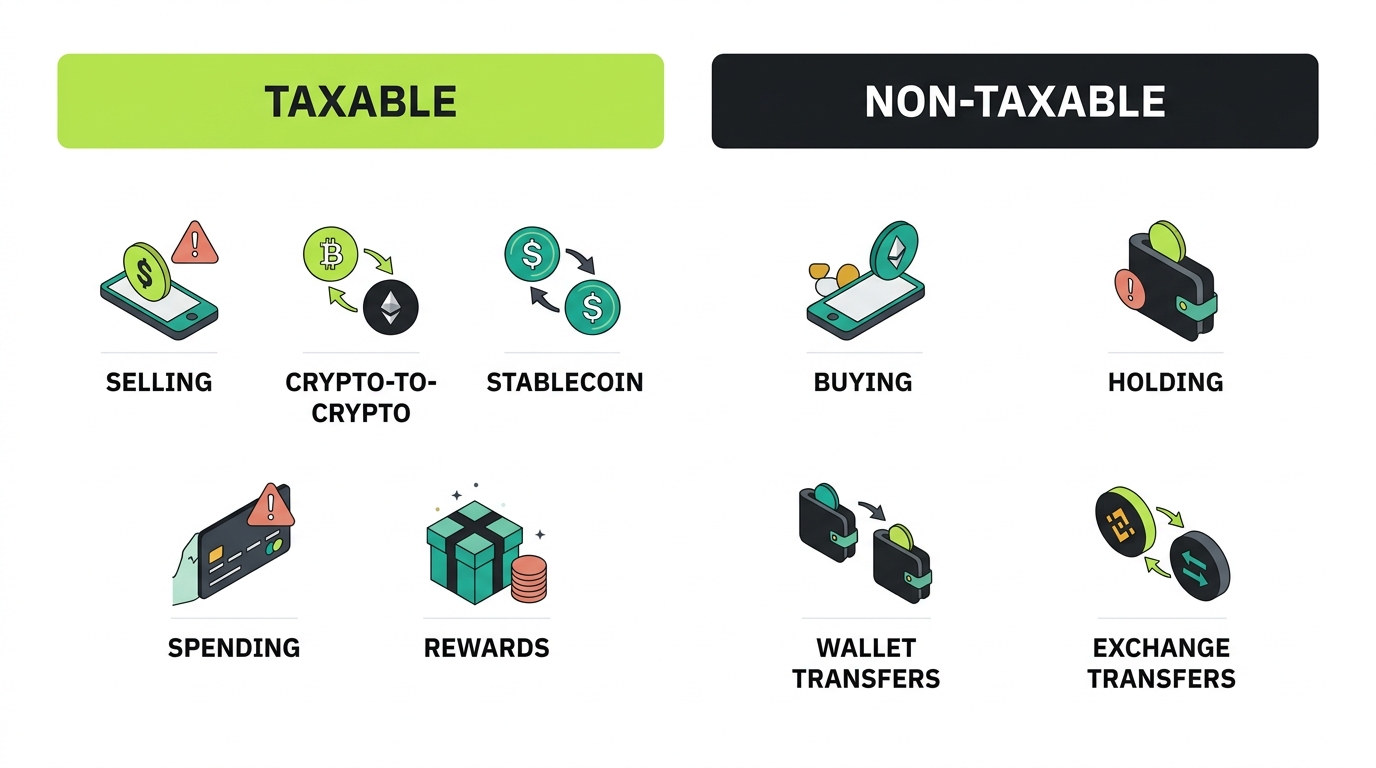
On Crypto.com the events that most often trigger tax are selling crypto for dollars, swapping one crypto for another, converting to a stablecoin, spending crypto, collecting rewards, and selling NFTs. At each of these points the IRS expects a number from you, whether it is a gain, a loss, or income.
Non-Taxable Events
Not everything is taxable. Buying crypto with dollars, holding it, transferring between your own wallets and accounts, and moving assets into the DeFi Wallet are generally not taxable. These actions can still affect your records, because basis has to follow the asset, but they do not by themselves create a tax bill.
Does Crypto.com Report to the IRS?
Yes. As a centralized broker, Crypto.com carries IRS reporting duties, and those duties are widening under the digital asset rules that take hold for the 2025 tax year. Information about your centralized activity flows to the IRS, tied to you through KYC.
What Crypto.com May Report
Crypto.com may report your reportable digital asset sales and dispositions, certain reward income, and contract trading. The specific forms include the new Form 1099-DA for digital asset proceeds, Form 1099-MISC for some reward income, and Form 1099-B for contract activity. What it reports centers on what happens on its centralized platform.
Form 1099-DA
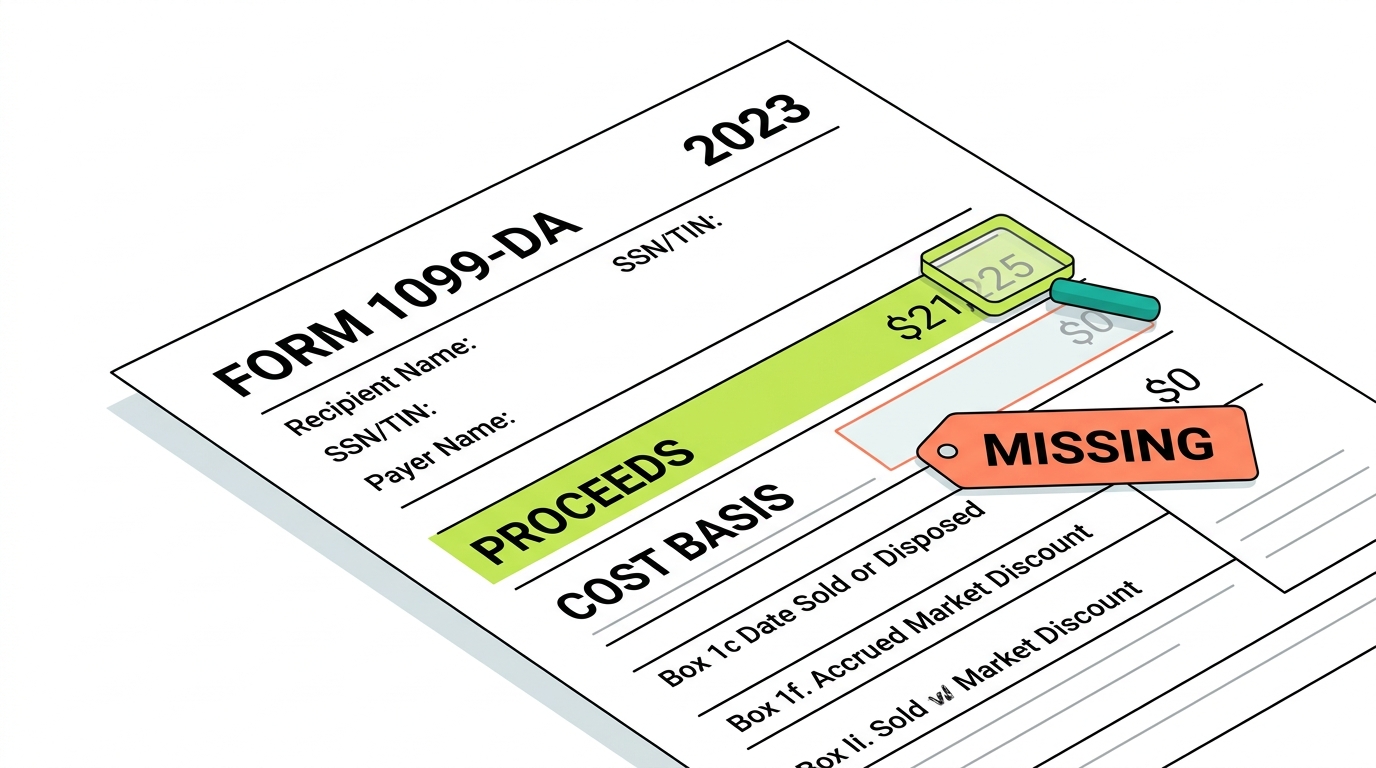
Form 1099-DA reports the gross proceeds from your reportable sales and dispositions on Crypto.com. If you sold or exchanged digital assets during the tax year, you should expect to receive one beginning with 2025 transactions. The one thing to internalize about this form: the figure it carries is proceeds, never gain.
Form 1099-B for Contracts
Crypto.com has indicated it may issue Form 1099-B to US persons who traded contracts during the tax year. Contract and derivatives trading is reported separately from the spot dispositions that flow onto a 1099-DA. If you traded contracts, watch for a 1099-B and reconcile it alongside your other forms, because its figures will not be on your 1099-DA.
What Crypto.com Does Not Know
This is the heart of the matter. Crypto.com can only report what it can see, and there is a great deal it cannot:
- External purchase history, when you bought crypto somewhere else and transferred it in.
- Self-custody wallet basis, including activity in the Crypto.com DeFi Wallet.
- Other exchange activity on Coinbase, Kraken, Binance, and beyond.
- Full DeFi and Cronos activity, including swaps, liquidity pools, and bridging.
Each of these blind spots is a place where your reported proceeds and your true taxable gain can diverge, sometimes dramatically.
Crypto.com may report transactions. It does not know your complete crypto history.
Understanding the Crypto.com 1099-DA
This is the section that matters most for the largest number of users, so it is worth slowing down. The 1099-DA is new, it is widely misunderstood, and on Crypto.com it frequently looks far scarier than the reality behind it. The pattern repeats in inbox after inbox each filing season: a user who never thought of themselves as an active trader opens a form showing a number with five or six digits and assumes the IRS believes they made that much money. They did not, and the IRS does not believe that either. Understanding why is the most valuable thing this guide can give you.
What Is Form 1099-DA?
Form 1099-DA, titled “Digital Asset Proceeds From Broker Transactions,” is the IRS form brokers use to report your digital asset dispositions. Crypto.com’s own US tax guidance explains that the 1099-DA summarizes certain digital asset sales or exchanges and that brokers must report gross proceeds for transactions beginning January 1, 2025. You receive a copy and so does the IRS.
Why Your Proceeds May Look Too High
Your Crypto.com 1099-DA shows 90,000 dollars in gross proceeds, and your stomach drops. But across those sales your cost basis was 78,000 dollars. Your real taxable gain is 12,000 dollars, not 90,000. Proceeds is the loud headline number the IRS receives; the gain underneath it is what you are actually taxed on. Every sale, every crypto-to-crypto trade, and every conversion adds its full proceeds to the total, so even modest accounts that trade frequently can post a proceeds figure that dwarfs the actual profit.
Proceeds vs Taxable Gains
Say it plainly: gross proceeds are the total dollars you received from all dispositions, before subtracting anything. Gain is proceeds minus cost basis. The 1099-DA reports proceeds. Your return reports gain. The whole job of a Crypto.com tax return is bridging from one to the other with accurate basis, and a 1099-DA that looks enormous is not malfunctioning. It is behaving precisely as intended.
Why Cost Basis May Be Missing
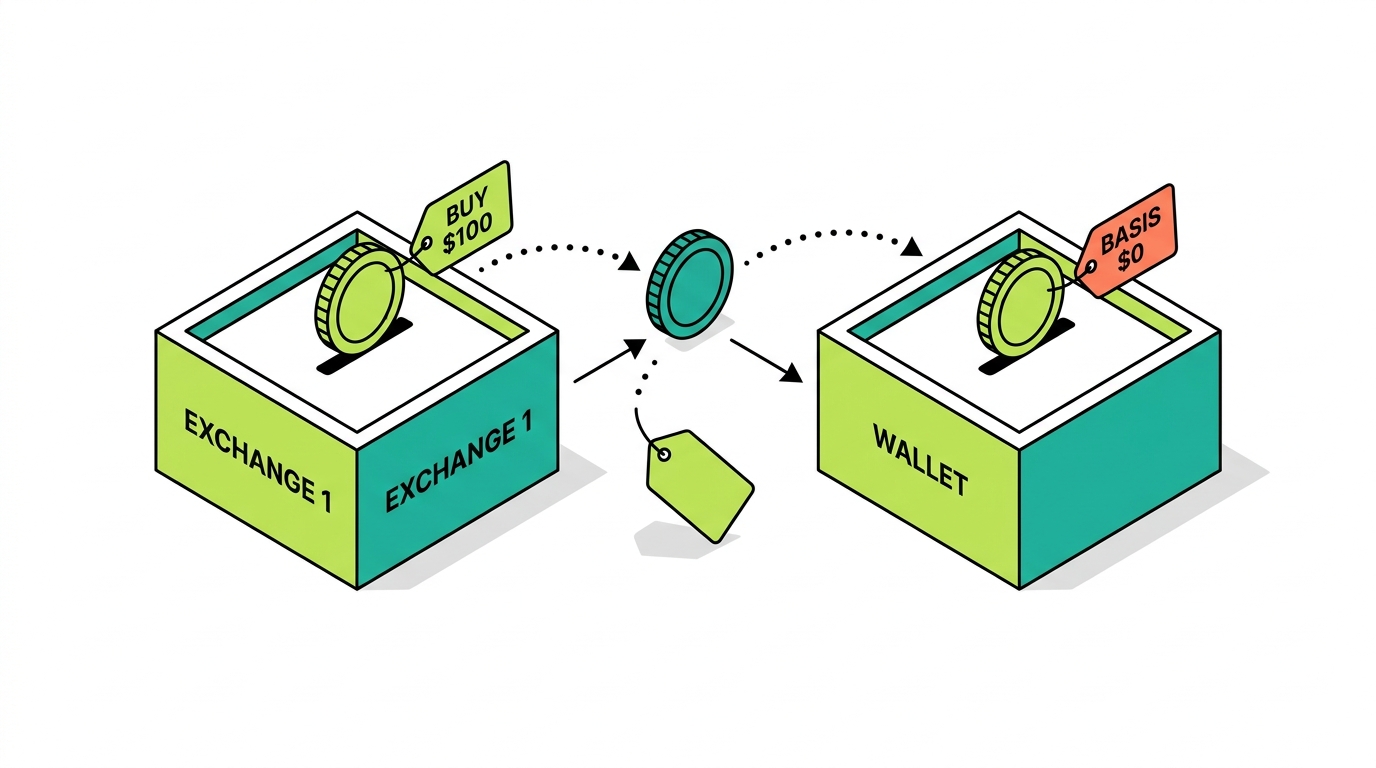
For the 2025 tax year, brokers generally report gross proceeds while cost basis reporting is still phasing in. On top of that, Crypto.com simply cannot know the basis of crypto you acquired elsewhere and moved in. If you bought BTC on Coinbase, sent it to a Ledger, then deposited it to Crypto.com and sold, Crypto.com sees only the sale, not your original purchase. The original acquisition cost is yours to provide.
Covered vs Non-Covered Assets
A covered asset is one the broker is required to track basis for, generally tied to when reporting rules took effect and whether the asset was acquired on the platform. A non-covered asset is one where basis is not broker-reported, often because it was transferred in. For non-covered assets, supplying the correct basis is entirely your responsibility, and on Crypto.com a large share of meaningful positions are non-covered.
Assets Transferred into Crypto.com
Crypto sent into Crypto.com from another exchange or a wallet shows up with no purchase history behind it. The deposit lands; the backstory behind it never arrives. This is the single most common reason a Crypto.com 1099-DA overstates a gain, and it is entirely fixable with reconciliation. Picture the common journey: you bought ETH on one exchange two years ago, parked it in a hardware wallet, then moved it to Crypto.com last year and sold. Crypto.com knows the sale price down to the cent and knows nothing about the purchase. Left alone, the system treats your entire sale price as gain. Supplying that original purchase record is the difference between a fair tax bill and a wildly inflated one.
How to Reconcile a Crypto.com 1099-DA
Reconciling means matching the proceeds Crypto.com reports to your own cost basis for each disposal, accounting for transferred-in assets, capturing App, Exchange, DeFi Wallet, Earn, and card activity, removing duplication, and producing a Form 8949 that shows real gains and losses. Done right, your return ties to the 1099-DA proceeds total while reflecting your true basis.
Common 1099-DA Mistakes
The classic errors are treating proceeds as if they were gain, defaulting missing basis to zero, ignoring transferred-in assets, and forgetting DeFi Wallet and Cronos activity the form never covered. Each one pushes your reported gain in the wrong direction, usually too high.
Crypto.com Tax Tool: What Changed?
A major shift caught many users off guard, and it changes how you have to approach your Crypto.com taxes entirely.
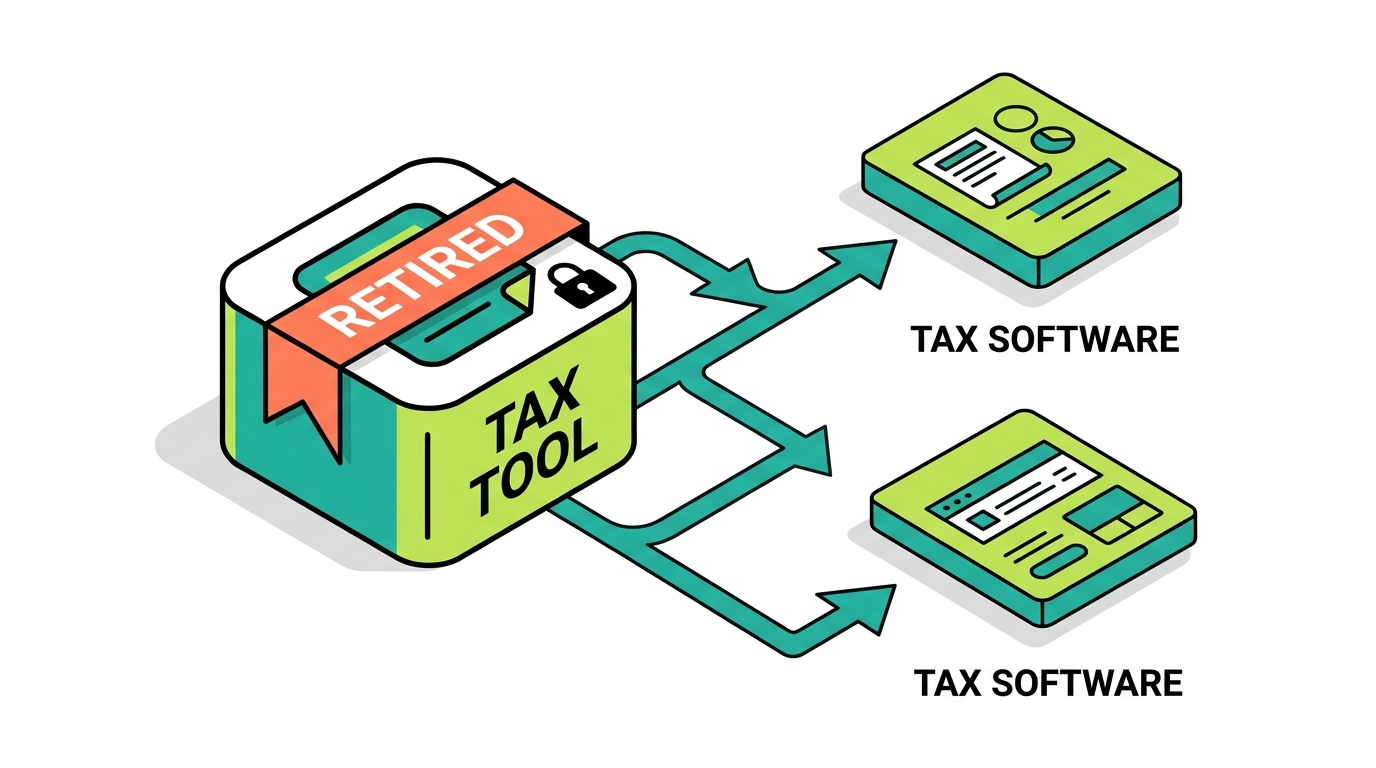
Was Crypto.com Tax Discontinued?
Yes. The free Crypto.com Tax product was deprecated as of June 25, 2024. The built-in tool that once generated tax reports for users is no longer available, which means you can no longer rely on Crypto.com itself to produce your numbers. For years, the in-app tax tool gave users a false sense that their crypto taxes were a solved problem, that the platform would simply hand them a clean report at filing time. Its retirement removed that safety net, and many users did not notice until they sat down to file and found no report waiting.
Why Crypto.com Now Uses Tax Partners
Rather than maintain its own tax engine, Crypto.com now directs users toward third-party tax partners. This is a common industry pattern, but it shifts the burden: instead of a one-click in-platform report, you now export data and process it through outside software or a professional.
Koinly and TokenTax Partnership
Crypto.com has pointed users toward partner solutions such as Koinly and TokenTax to import Crypto.com data and generate reports. These tools can ingest your transaction history through CSV or API and categorize activity, which helps, but they inherit the same blind spots: missing basis, transferred-in assets, and self-custody DeFi Wallet activity.
What Users Should Do Now
The practical path is straightforward: export your complete Crypto.com history from the App and Exchange, gather your DeFi Wallet addresses and Cronos records, collect any 1099 forms, and run it all through reconciliation, whether in software or with a specialist. The era of trusting a single in-app tax button is over.
When Software Alone Is Not Enough
Software is a starting point, not a finish line. When cost basis is missing, when assets were transferred in, or when you have DeFi Wallet, Cronos, NFT, and card-reward activity, software often produces a draft full of gaps and zero-basis lines. Closing those gaps is reconciliation work, and in complex cases it is what separates a guessed return from a defensible one.
Crypto.com Transactions That Are Taxable
These are the actions that create a gain, a loss, or income. Most users do several of them in a year without realizing each is a taxable event.
Selling Crypto
Selling crypto for US dollars is a disposal, and therefore a taxable event. The number you report is proceeds minus your basis.
Crypto-to-Crypto Trades
Swapping one crypto for another, say BTC into ETH, counts as disposing of the coin you handed over, despite no dollars being involved. Selling for cash obviously feels taxable; a coin-for-coin trade feels different only because nothing ever landed in your bank account. It is still a taxable disposal.
Stablecoin Trades
Converting crypto into a stablecoin like USDT or USDC is a disposal of the crypto you converted. Stablecoins are property to the IRS, so moving into them realizes a gain or loss just like any other trade.
Spending Crypto
Spending crypto, including through the Crypto.com Visa card, is a disposal of the crypto you spent. You realize a gain or loss equal to the difference between the value at the time you spend it and your cost basis in that crypto.
Converting Assets
The one-tap convert feature is convenient, but each conversion is a disposal of the asset you gave up. Convenience does not change the tax treatment.
Receiving Rewards
Receiving rewards, whether from Earn, staking, the card, referrals, or promotions, is ordinary income at fair market value when you gain control. That value also becomes your basis in the reward asset for the eventual sale.
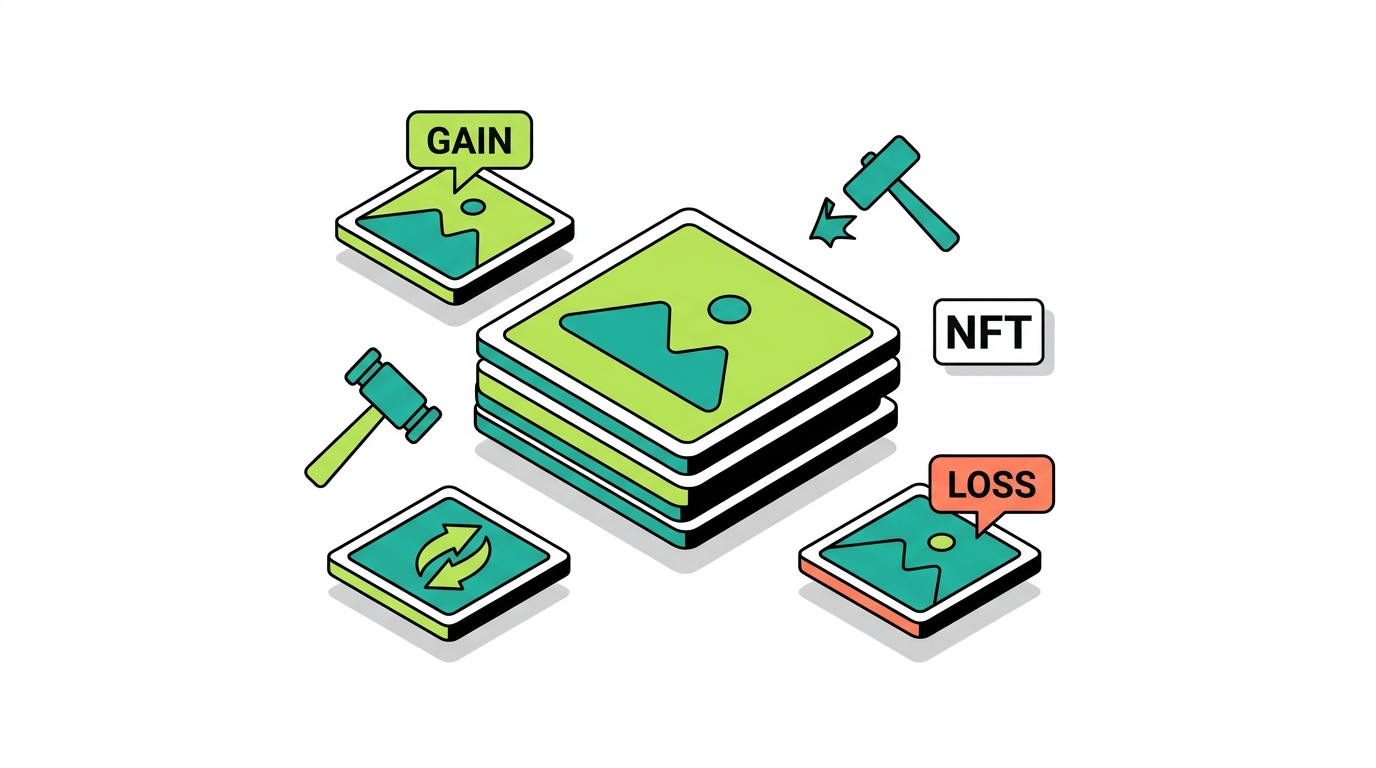
Selling NFTs
Selling or trading an NFT is a taxable disposal with a capital gain or loss, and minting or creator activity can generate ordinary income. NFT activity on Cronos through the DeFi Wallet is usually not reported by Crypto.com, so it has to be reconstructed from on-chain records.
Crypto.com Transactions That Are Usually Not Taxable
Just as important is knowing what is not a taxable event, so you do not overreport.
Buying Crypto with Fiat
Buying crypto with US dollars is not taxable. It simply establishes your cost basis for later.
Holding Crypto
Holding crypto, no matter how much it appreciates on paper, is not a taxable event. Tax applies when you dispose of it, not while you hold.
Transfers Between Your Own Wallets
Moving crypto between wallets and accounts you control is a transfer, not a sale, so it is not taxable. Basis must follow the asset, but no gain is realized.
Transfers Between Exchanges
Sending crypto from Coinbase, Kraken, or Binance into Crypto.com, all accounts you control, is not taxable. The only risk is basis: if the purchase history does not travel with the asset, a later sale can look like it has zero basis.
Moving Assets to DeFi Wallet
Transferring crypto from the Crypto.com App to your own Crypto.com DeFi Wallet is a transfer between things you own, not a disposal. It is not taxable, but it does start an on-chain trail you must track.
Internal Account Movements
Moving balances between Crypto.com products you control is not a taxable event on its own. As always, the discipline is keeping basis attached as the asset moves.
Crypto.com Visa Card Rewards Taxes
This is one of the biggest content gaps in every other guide, and one of the most common sources of confusion for Crypto.com users.
How Crypto.com Card Rewards Work
The Crypto.com Visa card pays rewards, frequently in CRO, on your spending. Different card tiers historically offered different reward rates, and rewards have also come through promotions and staking-linked perks. The result is a steady trickle of CRO into your account.
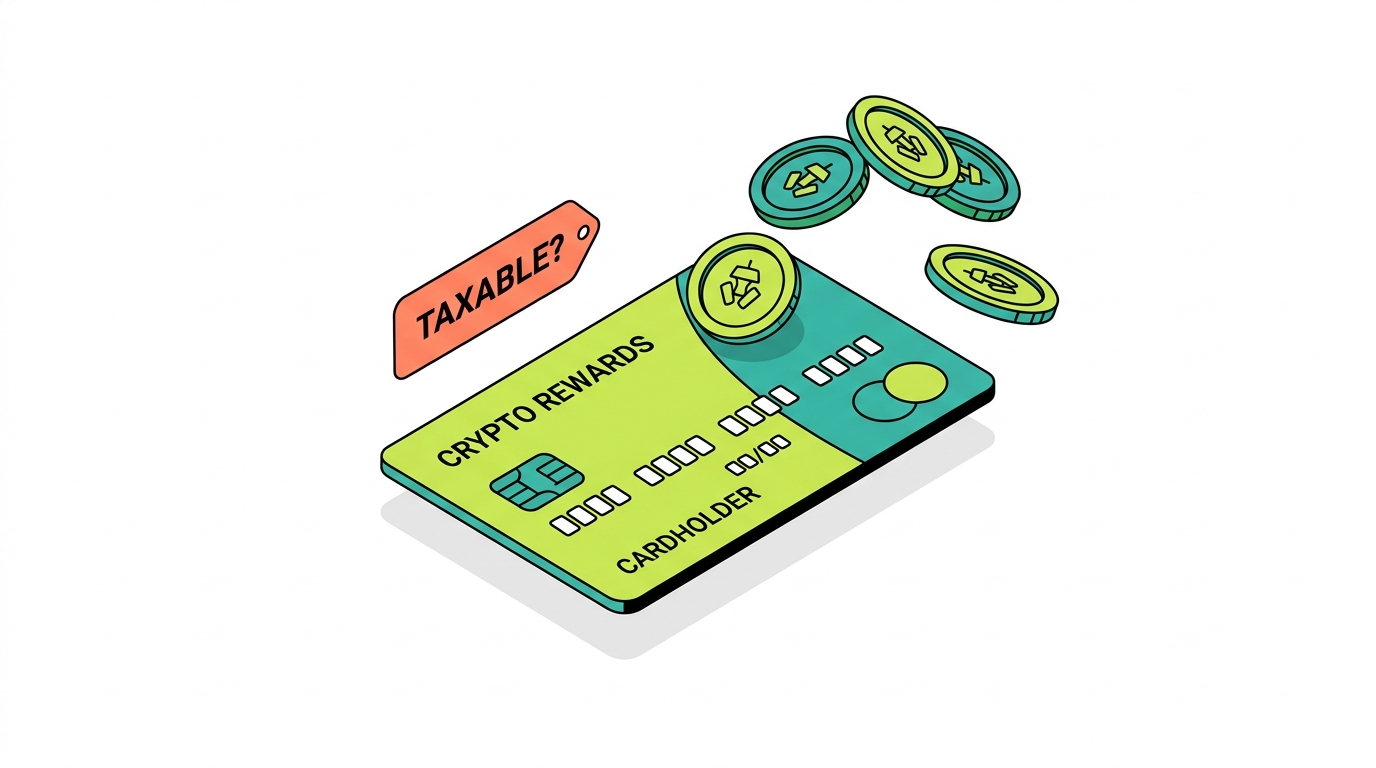
Are CRO Card Rewards Taxable?
It depends on character. A reward that functions as a rebate on your own purchase is often treated as a non-taxable purchase rebate, much like credit card cashback. A reward that functions as income, such as a staking-linked or promotional bonus, can be taxable as ordinary income at fair market value when received. The line is fact-specific.
Cashback vs Income Treatment
The practical question is whether a given reward reduces the cost of something you bought (rebate) or is a payment to you for something else (income). Reddit threads and tax-software forums show users genuinely unsure how to classify Crypto.com card cashback and Earn interest, which is exactly why a professional read on your specific rewards matters.
Rebates and Promotional Rewards
Pure rebates generally are not income but do reduce the basis of the purchased item. Promotional rewards and bonuses that are not tied to a specific purchase are more likely to be income. Mixing these together without distinction is a common mistake.
Selling CRO Rewards Later
Whatever the income treatment on receipt, when you later sell or trade the CRO you received, that sale is a taxable disposal. Your basis is the value you recognized as income, or your acquisition cost, and the gain or loss is measured from there.
Common Card Reward Reporting Mistakes
The usual errors are ignoring card rewards entirely, lumping all rewards into one bucket without distinguishing rebates from income, and failing to track the basis of reward CRO for the eventual sale.
How to Track Card Rewards for Taxes
Export your card reward history, note the date and fair market value of each reward, classify it with professional input, and carry the basis forward. Good records here prevent both overreporting income and underreporting the later sale.
Crypto.com Earn Taxes
Earn is a major source of recurring, easily overlooked income.
What Is Crypto.com Earn?
Crypto.com Earn lets you deposit supported assets to receive yield, paid out as rewards over time. It comes in flexible and locked forms, with locked products generally offering higher rates in exchange for committing your assets.
Flexible Earn
Flexible Earn lets you withdraw at any time and pays a lower rate. The rewards you receive are ordinary income at fair market value when you gain control of them.
Locked Earn
Locked Earn commits assets for a set term at a higher rate. The same income rule applies: rewards are ordinary income at fair market value when received, regardless of the lock.
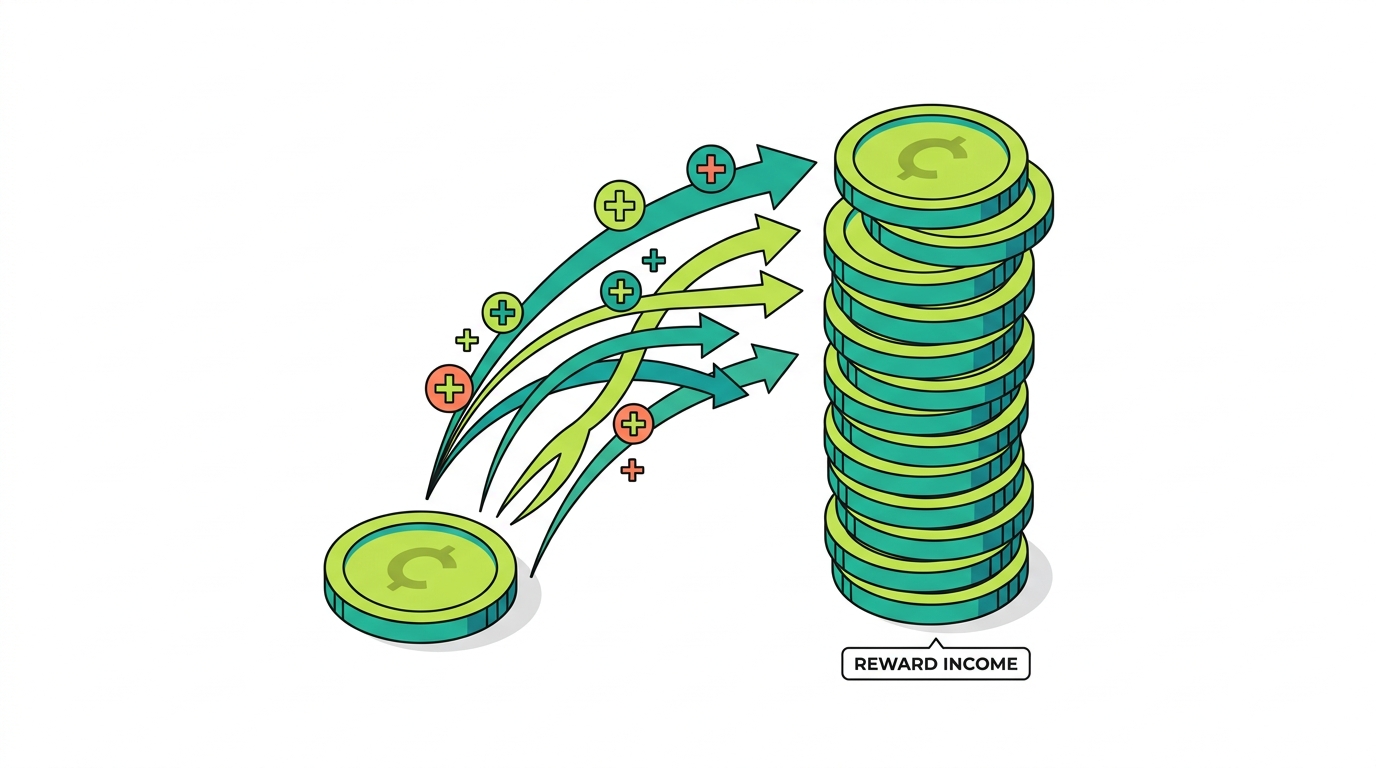
Reward Income
Every Earn payout is income on receipt, valued in dollars at that moment. This is true whether you reinvest the rewards or let them sit, and it accrues across the year.
Cost Basis of Earn Rewards
The fair market value you recognize as income becomes your cost basis in those reward assets. Track it, because it determines your gain or loss when you eventually sell.
Selling Earn Rewards Later
When you sell reward assets, you report a capital gain or loss for the change in value since you received them. Forgetting the income step leaves you with a zero basis and an overstated gain later.
Common Earn Tax Mistakes
The frequent errors are not reporting Earn income at all, using the wrong date or value for the income, and failing to set the basis so the later sale is calculated correctly.
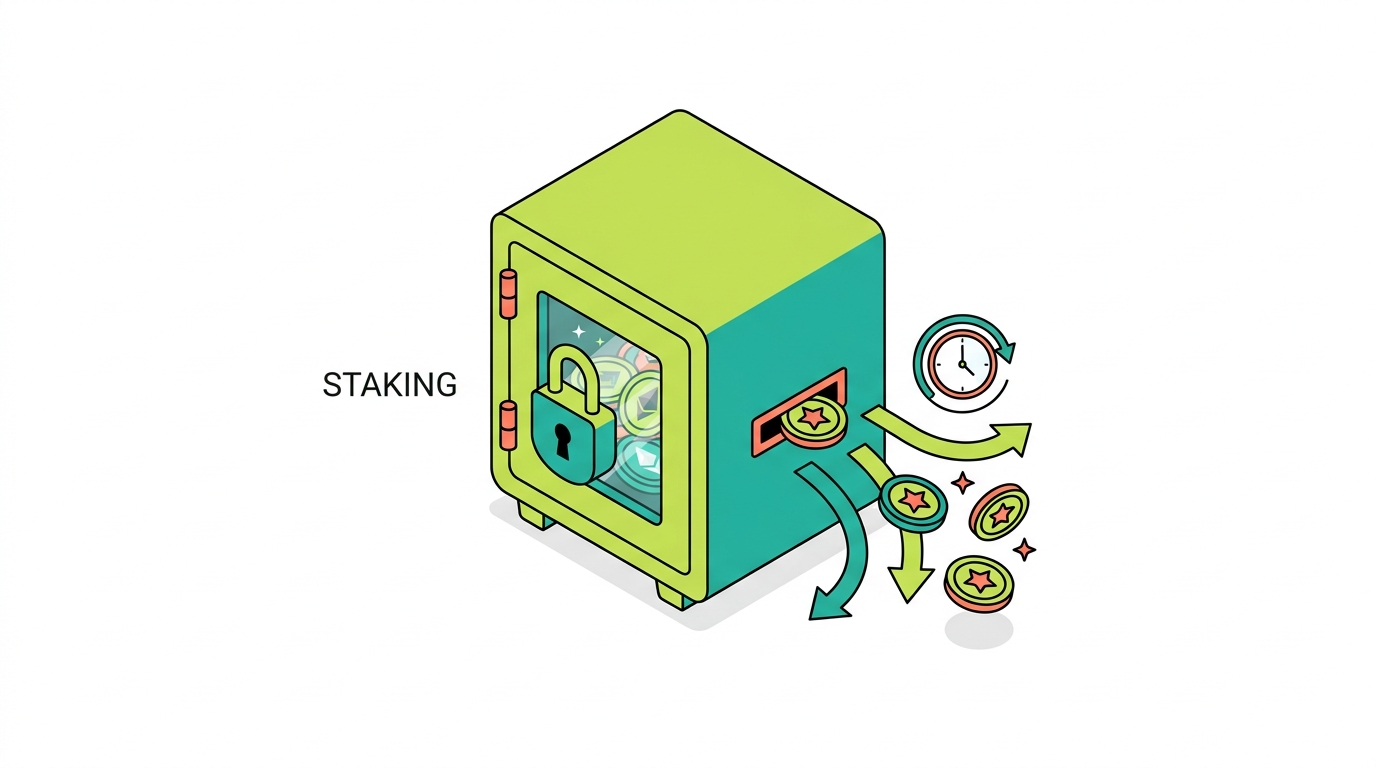
Crypto.com Staking Taxes
Staking rewards work like Earn for tax purposes, but the mechanics vary by where you stake.
CRO Staking
Staking CRO, whether for card benefits, Earn boosts, or network rewards, produces reward income at fair market value when you gain control of the rewards.
DeFi Wallet Staking
Staking through the Crypto.com DeFi Wallet is self-custodial and on-chain. The income rule is the same, but the reporting is on you, since Crypto.com does not capture DeFi Wallet activity centrally.
Validator Rewards
Rewards from validating or delegating on Cronos and other chains are ordinary income at fair market value on receipt, just like other staking rewards.
Reward Income Recognition
Across all of these, the rule is consistent: income when you can control the reward, valued in dollars at that moment, taxed at your ordinary rate.
Cost Basis Tracking
The value recognized as income becomes the basis of the reward coins. This is the step that ties staking income to the eventual capital gains calculation.
Selling Staking Rewards
Selling staked-reward coins later is a capital gain or loss against that basis. Holding period starts when you received the reward.
Crypto.com DeFi Wallet Taxes
This is the section that gives a guide the best chance to outrank the competition, because almost no ranking article covers it honestly.
Crypto.com App vs DeFi Wallet
The App is custodial; Crypto.com holds the keys and keeps the records. The DeFi Wallet is self-custody; you hold the keys, and the on-chain activity is yours to track. This difference is the whole reason DeFi Wallet activity so often goes unreported. Many users assume that because both carry the Crypto.com name, both are covered by whatever forms Crypto.com sends. They are not. The shared brand hides a fundamental split in who is responsible for the records, and that split is exactly where audit risk and overstated or understated gains tend to hide.
Self-Custody Tax Responsibility
Because the DeFi Wallet is self-custodial, Crypto.com does not issue a 1099 for what happens inside it. Every swap, reward, and NFT trade is still taxable; the responsibility for tracking and reporting simply falls entirely on you.
Wallet Address Imports
Reconciling DeFi Wallet activity starts with your wallet addresses. Importing them into tax software, or handing them to a reconciliation specialist, is how on-chain history gets reconstructed into reportable events.
Swaps
Every token swap in the DeFi Wallet is a taxable disposal of the token you gave up, with a capital gain or loss. High swap counts are common, and each one matters.
Liquidity Pools
Entering and exiting liquidity pools, and receiving LP rewards, can create disposals and income. The treatment of some DeFi mechanics is unsettled, which is exactly where careful, documented positions matter.
Yield Farming
Yield farming rewards are ordinary income at fair market value when received, and the underlying token movements can be disposals. These stack up quickly across a farming season.
Wrapped Assets
Wrapping and unwrapping tokens can raise disposal questions depending on how the mechanics work. A conservative approach documents each wrap and its rationale.
Bridging
Bridging assets between chains, including to and from Cronos, can involve disposals depending on the bridge mechanics. Keep records of every bridge transaction and the assets involved.
NFTs
Buying, selling, minting, and earning NFTs through the DeFi Wallet are all reportable events. They almost never appear on centralized reporting, so on-chain records are essential.
Gas Fees
Paying gas in a token is a disposal of that token, with a small gain or loss. Across many transactions, gas-fee disposals and their basis effects add up and deserve tracking.
Missing DeFi Wallet Data
The biggest risk is simply omitting DeFi Wallet activity because no form prompted you. Per-wallet tracking and on-chain reconstruction are the fix, and they are essential for an accurate Crypto.com return.

Cronos Taxes
Cronos is the part of the Crypto.com world that competitors consistently ignore, and it is also where some of the most active users generate the most untracked taxable activity. If you ventured beyond the App into on-chain Crypto.com, this section is for you.
What Is Cronos?
Cronos is the blockchain associated with Crypto.com, with CRO as its native token. It hosts a DeFi ecosystem of swaps, lending, yield, bridges, and NFTs, much of it accessed through the Crypto.com DeFi Wallet.
CRO Transactions
Buying, selling, swapping, and spending CRO all follow standard property rules. CRO received as a reward is income; CRO disposed of is a capital gain or loss.
Cronos DeFi
Swaps, liquidity provision, lending, and yield farming on Cronos are taxable just like DeFi anywhere else: disposals on swaps, income on rewards. Volume on Cronos can be high, which makes reconstruction important.
Cronos NFTs
NFTs minted, bought, and sold on Cronos are reportable disposals and, for creators, potential income. These live entirely on-chain.
Bridging to Cronos
Bridging assets to and from Cronos can create disposals depending on mechanics. Record each bridge transaction so basis is preserved across chains.
Liquidity Pools on Cronos
Providing and withdrawing liquidity on Cronos, and receiving LP and farming rewards, can generate both disposals and ordinary income. Document each position.
Common Cronos Tax Problems
The recurring problems are omitting Cronos activity entirely, losing basis as assets bridge in and out, and failing to value rewards correctly. On-chain records and reconciliation solve all three.

Crypto.com NFT Taxes
NFTs deserve their own treatment because the tax events differ depending on what role you played: buyer, seller, creator, or recipient. The same NFT can produce a capital gain for one person and ordinary income for another, so it is worth being precise.
Buying NFTs
Buying an NFT with crypto is a disposal of the crypto you spent, and it sets the NFT’s cost basis at what you paid.
Selling NFTs
Selling an NFT is a taxable disposal with a capital gain or loss measured by proceeds minus basis. Holding period determines short or long-term treatment.
Minting NFTs
Minting can involve gas-fee disposals and, for creators, can generate income when the minted NFT is sold or when mint proceeds are received.
Creator Income
Income from creating and selling NFTs, including royalties, is generally ordinary income, separate from the capital gains on resales.
NFT Airdrops
NFTs received via airdrop can be ordinary income at fair market value when you gain control, with that value becoming basis for a later sale.
Worthless NFTs
An NFT that becomes worthless raises difficult questions about whether and when a loss can be claimed. These positions should be documented and discussed with a professional.
Scam NFTs
Unsolicited or scam NFTs that appear in a wallet generally should not be treated as income, and interacting with them can be risky. Keep records and do not assume they create a tax event.
Crypto.com Transfers and Missing Cost Basis
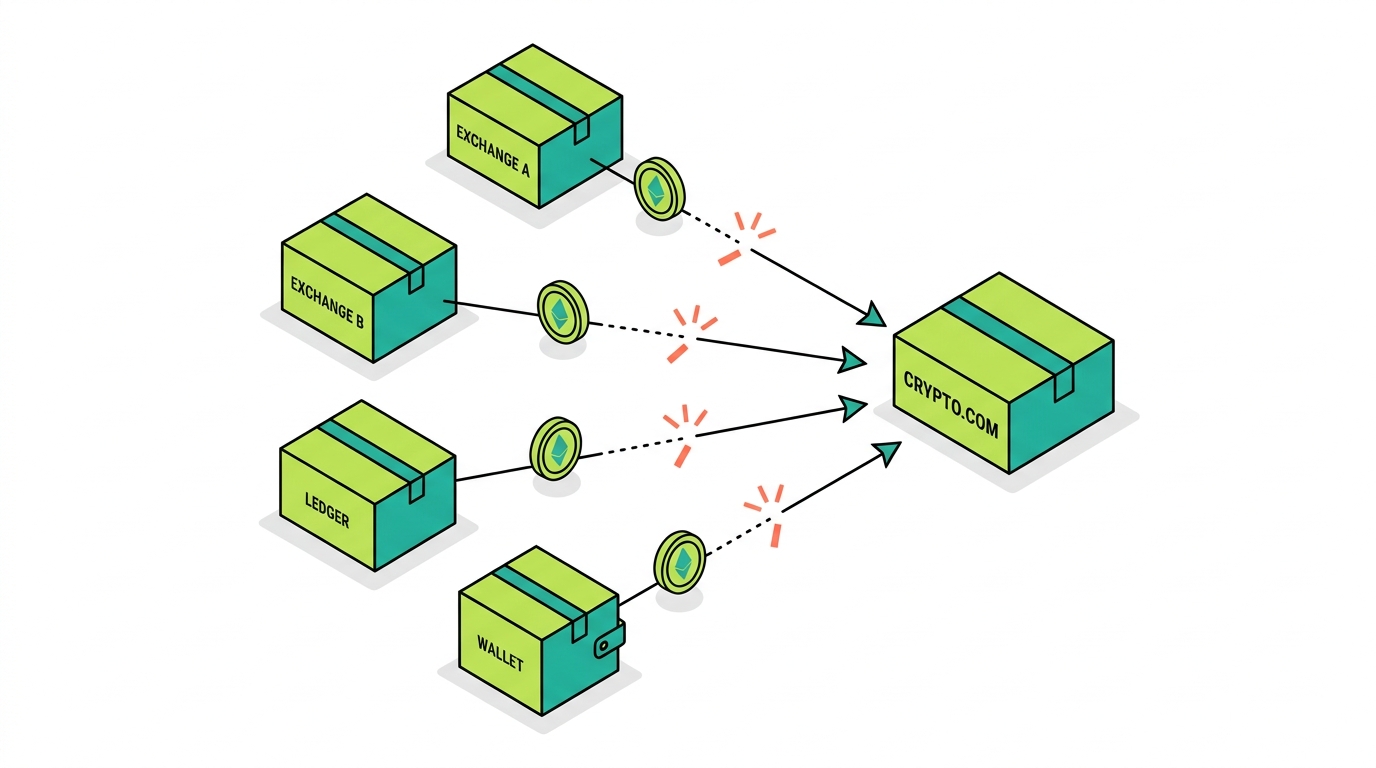
This is the highest-stakes part of the guide, because it is where the biggest dollars are won or lost. Transfers themselves are not taxable, but they are the single most common way cost basis gets stranded, and stranded basis is what turns a reasonable gain into an inflated one on paper. Every arrow below represents a place where your purchase history can fall off the asset if you are not deliberate about preserving it.
Coinbase to Crypto.com
Buy on Coinbase, transfer to Crypto.com, sell on Crypto.com, and the basis lives on Coinbase while the disposal lives on Crypto.com. Only by combining both do you get an accurate gain.
Kraken to Crypto.com
The same pattern applies from Kraken: the original purchase record stays on Kraken, and without it the Crypto.com sale can look like pure proceeds with no basis.
Binance to Crypto.com
Assets moved from Binance.US into Crypto.com arrive without their purchase history. Reconstructing that history is what prevents an overstated gain.
Ledger to Crypto.com
Crypto sent in from a Ledger hardware wallet shows up on Crypto.com with no purchase history behind it. The original acquisition cost is yours to provide.
MetaMask to Crypto.com
Assets moved from MetaMask, often after DeFi activity, arrive with basis that Crypto.com cannot see. The full journey has to be reconstructed for the later sale to be accurate.
DeFi Wallet to Crypto.com
Moving assets from your Crypto.com DeFi Wallet back into the App is not taxable, but the on-chain basis must travel with the asset or the eventual sale will misreport.
How Cost Basis Gets Lost
Basis goes missing when assets jump platforms without their purchase records in tow, when those records were never kept at all, or when a tax tool imports only the Crypto.com side of the picture. Crypto.com sees the deposit land; the backstory behind it never arrives.
How to Reconstruct Cost Basis
Reconstruction means pulling every source, exchanges, wallets, the DeFi Wallet, and Cronos, into one timeline, matching transfers so basis follows each asset, and documenting the original acquisition cost. For large positions, nothing pays off more than rebuilding and documenting basis before filing.
How to Calculate Crypto.com Cost Basis
With the why established, here is the how.
What Is Cost Basis?
Cost basis is what you paid to acquire an asset, including fees. Your gain or loss on disposal is proceeds minus basis, so basis is the single most important number to get right.
FIFO
FIFO (First In, First Out) assumes the first coins you bought are the first you sell. It is the common default and is simple to apply, though it is not always the most tax-efficient.
Specific Identification
Specific Identification lets you choose which lots you are selling, which can reduce your tax if you have the records to support it. It requires detailed, contemporaneous documentation of each lot.
Wallet-Level Tracking
Tracking basis per account and per wallet, consistent with Rev. Proc. 2024-28, matters more under 1099-DA reporting. Crypto.com, other exchanges, and the DeFi Wallet each need their own clean ledger.
Multi-Exchange Tracking
Because crypto moves between platforms, accurate basis requires tracking across every exchange and wallet at once, matching transfers so nothing is double counted or zeroed out.
Missing Cost Basis Scenarios
The classic scenario is a transferred-in asset that, lacking records, gets a zero basis and an inflated gain. The fix is reconstruction, not acceptance of the zero.
Why Cost Basis Matters More Under 1099-DA
Now that the IRS receives a proceeds figure directly, the gap between reported proceeds and real gain is exactly what your basis records have to close. Under 1099-DA, sloppy basis is no longer invisible, it is the thing most likely to overstate your tax.
How to Download Crypto.com Tax Documents
You cannot reconcile what you have not exported. Gather everything.
Crypto.com App Transaction History
Export your full App transaction history, including buys, sells, conversions, rewards, and card activity. The complete record, not a summary, is what reconciliation needs.
Crypto.com Exchange Reports
Export your Exchange trade history and any contract activity reports. Exchange data is richer and separate from App data, so pull both.
Crypto.com DeFi Wallet Records
Collect your DeFi Wallet addresses and on-chain history. This is the data Crypto.com does not report, so it has to come from you and the chain explorers.
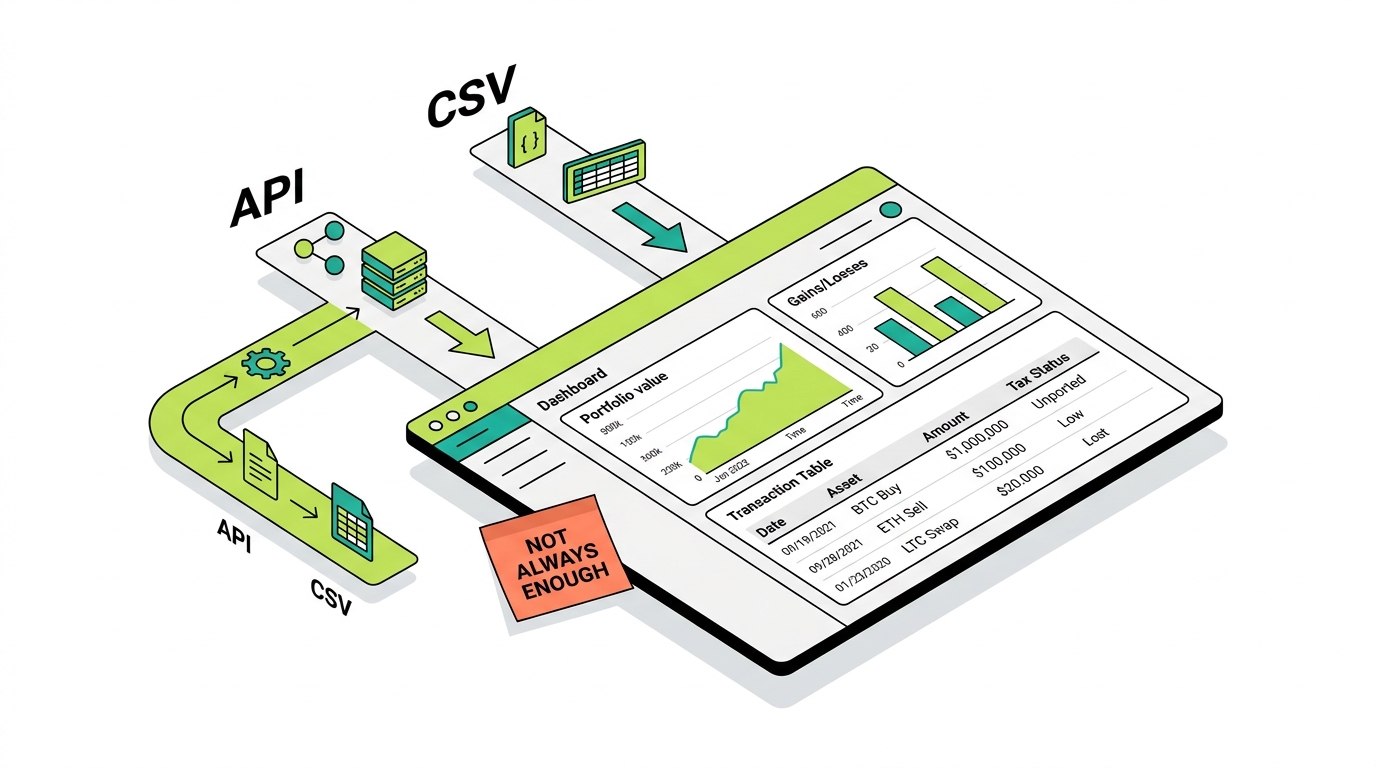
CSV Exports
CSV exports are the backbone of most tax-software imports. Export the full year, even if you think you only traded for part of it.
API Connections
API connections can sync your data automatically into tax software. They are convenient but still inherit the basis and DeFi blind spots, so verify the results.
1099 Downloads
Download any 1099-DA, 1099-MISC, and 1099-B issued to you. These are the figures the IRS already has, so your return must reconcile to them.
Use our step-by-step Crypto.com tax documents guide to find each form and export the App, Exchange, and Onchain records that belong beside it.
How to Report Crypto.com Taxes
Once reconciled, the activity flows onto specific IRS forms.
Form 8949
Report each taxable disposal on Form 8949 with the acquisition and sale dates, proceeds, cost basis, and resulting gain or loss. This is where the proceeds-to-gain bridge actually happens.
Schedule D
Schedule D summarizes your totals from Form 8949, separating short-term from long-term, and carries the net result to your return.
Schedule 1
Ordinary income from rewards, Earn, staking, and certain card rewards is generally reported on Schedule 1, unless it rises to a trade or business reported on Schedule C.
1099-DA Reconciliation
Your Form 8949 should tie to the proceeds total on your 1099-DA while reflecting your true basis. That reconciliation is what keeps IRS matching satisfied.
Reporting Rewards
Report reward income at fair market value on the date of receipt, then track the basis for the eventual sale of those reward assets.
Reporting DeFi Wallet Activity
Report DeFi Wallet swaps, income, and NFT activity from your on-chain records, since none of it arrives on a Crypto.com form.
Reporting NFT Activity
Report NFT disposals on Form 8949 and creator or royalty income as ordinary income, using on-chain records to establish dates and values.
Best Crypto.com Tax Software
Software is a tool, not a verdict. Here is how the common options fit Crypto.com, now that the native tax tool is gone.
Koinly
Koinly is a widely used option that Crypto.com has pointed users toward, with broad exchange and wallet support and solid reconciliation features for importing Crypto.com data.
TokenTax
TokenTax is another Crypto.com partner, known for handling complex situations and offering hands-on support alongside its software.
CoinLedger
CoinLedger is known for a straightforward import-and-export flow that generates a Form 8949 you can hand to your preparer or import into consumer tax software.
CoinTracker
CoinTracker offers broad exchange and wallet support with strong reconciliation, including handling of self-custody wallet activity.
ZenLedger
ZenLedger covers a wide range of exchanges and wallets and is often used by users with DeFi and higher-volume activity.
CoinTracking
CoinTracking is a long-standing tool with deep reporting options, favored by power users who want granular control over lots and methods.
When Tax Software Is Not Enough
Every one of these tools shares the same limits: they cannot invent basis you never recorded, they struggle with transferred-in assets, and they often miss the nuance of DeFi Wallet, Cronos, NFT, and card-reward activity. When your return depends on closing those gaps, reconciliation by a professional is what produces a defensible result.
Common Crypto.com Tax Mistakes
Most Crypto.com tax problems trace back to a short list of avoidable errors.
Trusting 1099-DA Alone
The form shows gross proceeds, not gains, and it often lacks basis for transferred-in assets. Filing straight from it overstates your tax.
Assuming Proceeds Equal Gains
Proceeds is the sum of what you sold for; gain is what is left after basis. Confusing the two is the single biggest source of panic and error.
Missing Cost Basis
Letting transferred-in assets default to zero basis inflates gains, sometimes massively on large positions.
Ignoring DeFi Wallet Activity
Self-custody swaps, rewards, and NFTs are taxable even though no form reports them. Omitting them is both common and risky.
Ignoring Card Rewards
Card rewards are easy to forget and easy to misclassify. Both the income question and the basis of reward CRO need attention.
Misclassifying Earn Rewards
Earn rewards are ordinary income on receipt; treating them as non-taxable or skipping the basis step causes errors later.
Missing Cronos Transactions
Cronos DeFi activity lives off centralized reporting and is one of the most commonly omitted pieces of a Crypto.com return.
Duplicate Imports
Importing the same activity from multiple sources can double count transactions. Deduplication is part of clean reconciliation.
Ignoring Transfers
Failing to match transfers between accounts breaks the basis trail and produces zero-basis sales.
Not Reconciling Other Exchanges
Crypto.com is rarely the whole picture. Leaving other exchanges and wallets unreconciled guarantees an incomplete return.
How to Prepare for a Crypto.com Tax Audit
Audit readiness is where Count On Sheep differentiates, because almost no ranking article covers it.
Exchange Records
Keep your full Crypto.com App and Exchange transaction exports, the foundation of your records.
App Records
Retain card activity, conversions, and reward histories from the App, including dates and values.
DeFi Wallet Records
Keep your DeFi Wallet addresses and on-chain transaction history, since this is the activity no form covers.
Card Reward Records
Document each card reward, its date, value, and classification, along with the basis of reward CRO.
Earn and Staking Records
Keep Earn and staking reward reports with dates and fair market values for income and basis.
Cost Basis Documentation
Retain records that establish the original acquisition cost of every asset, especially those transferred in.
Transfer Documentation
Keep records of every transfer in and out, with the basis that traveled with each asset.
1099-DA Reconciliation
Keep your reconciliation showing how your Form 8949 ties to the 1099-DA proceeds total. This is your first line of defense in a matching inquiry.

Audit Documentation Checklist
When Crypto.com Tax Software Is Not Enough
Some situations simply exceed what software can do on its own.
Missing Cost Basis
When basis was never recorded or did not follow a transfer, software cannot recover it. Reconstruction is required.
Multiple Exchanges
Activity spread across several exchanges needs cross-platform reconciliation that matches every transfer correctly.
DeFi Wallet Activity
Self-custody DeFi Wallet history has to be pulled from the chain and interpreted, which software handles unevenly.
Cronos DeFi
High-volume Cronos DeFi activity, with swaps, pools, and bridges, often needs manual review to get right.
High Transaction Volume
Large transaction counts magnify small errors, and at scale a clean reconciliation becomes essential.
Earn and Staking Rewards
Reward income with correct dates, values, and basis is easy to mishandle in bulk and benefits from careful treatment.
Card Rewards
The income-versus-rebate question and the basis of reward CRO often need professional judgment.
What Is Digital Asset Reconciliation (DAR)?
Digital Asset Reconciliation is the process of connecting every source, exchanges, wallets, the DeFi Wallet, and Cronos, matching transfers so basis follows each asset, and producing a complete, defensible record of gains, losses, and income. It is the work that closes the gap between reported proceeds and real taxable income.
Why DAR Matters for Crypto.com Users
Because Crypto.com is several products at once and most users also use other platforms, the full picture rarely lives in any single account or form. DAR is what assembles that picture, and for complex Crypto.com users it is the difference between a return built on guesses and one built on evidence.

The transferred-in BTC that looked like pure profit
A user bought 1 BTC on Coinbase for 30,000 dollars, moved it to a Ledger, then deposited it to Crypto.com and sold it for 60,000 dollars. The Crypto.com 1099-DA reports 60,000 dollars in proceeds with no basis. Filed as-is, that looks like a 60,000 dollar gain. Reconciled with the Coinbase purchase record, the real gain is 30,000 dollars. Reconstructing the basis cut the reported gain in half.
Count On Sheep operates as that reconciliation layer beneath the filing itself. We do not file your taxes and we are not a substitute for your CPA. What we do is make sure the figures your CPA puts on the return are accurate in the first place. For Crypto.com users with DeFi Wallet, Cronos, Earn, card, or NFT activity, multiple platforms, or large transferred-in positions, that reconciliation is usually the difference between a return built on guesses and one built on evidence.
Related Reading
- Crypto.com Tax Documents: Forms and CSV Guide
- Coinbase Tax Guide (2026)
- Kraken Tax Guide (2026)
- Gemini Tax Guide (2026)
- Binance.US Tax Guide (2026)
- MetaMask Tax Guide (2026)
- Phantom Wallet Tax Guide (2026)
- How Is Crypto Taxed in the US (2026)
- Form 1099-DA Explained (2026)
- How to File Crypto Taxes with Form 8949 and Schedule D
- Per-Wallet Crypto Cost Basis and Rev. Proc. 2024-28
- Crypto Income Tax: Staking, Mining and Airdrops (2026)
- FIFO vs HIFO vs Specific ID for Crypto Taxes
- Crypto Tax Loss Harvesting and the Wash Sale Rule (2026)
- NFT and DeFi Taxes: Liquidity Pools, Staking and Lending
Official IRS Resources
For the primary source rules behind this guide, see the IRS directly:
- IRS: Digital Assets
- IRS Notice 2014-21 (crypto treated as property)
- IRS: About Form 8949
- IRS: About Schedule D (Form 1040)
- IRS: About Form 1099-DA
Crypto.com Tax FAQ
The questions below cover the most common Crypto.com tax situations. For your specific circumstances, talk to a professional who can review your complete history.
Frequently Asked Questions
Does Crypto.com report to the IRS?
Yes. Crypto.com is a centralized exchange and a broker for tax purposes, so it reports certain digital asset activity to the IRS. Beginning with 2025 transactions (reported in 2026), Crypto.com may issue Form 1099-DA for reportable digital asset sales and dispositions, and it may issue Form 1099-MISC for certain reward income and Form 1099-B for contract trading. Your identity is tied to your account through KYC, so the IRS receives reporting linked to you.
Does Crypto.com issue Form 1099-DA?
If you had reportable digital asset sales or dispositions on Crypto.com, you should expect a Form 1099-DA beginning with the 2025 tax year. The form reports gross proceeds from your dispositions. Always download and reconcile it against your own records, because the proceeds figure is not your taxable gain.
Why is my Crypto.com 1099-DA so high?
Because the 1099-DA reports gross proceeds, not gain. Every sale and crypto-to-crypto trade adds its full proceeds to the total, so an active account can show tens or hundreds of thousands in proceeds while the actual taxable gain is a small fraction of that. The proceeds number is the sum of what you sold for, before subtracting what you paid.
Why is my Crypto.com cost basis missing?
For the 2025 tax year, brokers like Crypto.com generally report gross proceeds while cost basis reporting is still phasing in, and Crypto.com cannot know the basis for crypto you bought somewhere else and transferred in. If you moved assets from another exchange, a hardware wallet, or the Crypto.com DeFi Wallet before selling, Crypto.com often has no record of your original purchase price, so basis shows as missing or zero.
Does Crypto.com still have a tax tool?
No. The free Crypto.com Tax product was deprecated as of June 25, 2024. Crypto.com now directs users toward third-party tax partners such as Koinly and TokenTax to generate tax reports. This is a major change: you can no longer rely on a built-in Crypto.com tax tool, so you need to export your data and reconcile it yourself or with a professional.
What happened to Crypto.com Tax?
Crypto.com discontinued its free Crypto.com Tax tool effective June 25, 2024, and began routing users to partner solutions like Koinly and TokenTax. If you previously used Crypto.com Tax, you now need to export your transaction history and use third-party software or a reconciliation service to produce your tax reports.
How do I get my Crypto.com tax documents?
Use the Crypto.com App and Exchange to export your full transaction history as CSV or via API, and download any issued tax forms such as a 1099-DA, 1099-MISC, or 1099-B. For DeFi Wallet activity, you will also need your wallet addresses and on-chain records from Cronos and any other chains. Download everything, including raw transaction history, because summaries alone are not enough to build a reconciled return.
What is the difference between the Crypto.com App, Exchange, and DeFi Wallet?
They are three distinct products. The Crypto.com App is the retail platform for buying, selling, the Visa card, and Earn. The Crypto.com Exchange is the more advanced trading venue. The Crypto.com DeFi Wallet is a separate self-custody wallet for on-chain activity on Cronos and other chains. Each has different records and different tax reporting, and the DeFi Wallet is often not captured by centralized reporting at all.
Are Crypto.com Visa card rewards taxable?
It depends on how they are characterized. Cashback that functions as a rebate on your own spending is often treated as a non-taxable purchase rebate, while CRO rewards, staking-based card rewards, and promotional bonuses can be taxable as ordinary income at fair market value when received. The treatment is fact-specific, so confirm your situation with a tax professional. Either way, when you later sell the CRO you received, that sale is a taxable disposal.
Are CRO rewards taxable?
CRO rewards earned as staking rewards, Earn payouts, promotional bonuses, or referral rewards are generally taxable as ordinary income at their fair market value when you gain control of them. Pure cashback rebates on card spending may be treated differently. When you later sell or trade the CRO, you also report a separate capital gain or loss based on the change in value since you received it.
Are Crypto.com Earn rewards taxable?
Yes. Rewards from Crypto.com Earn (Flexible and Locked products) are taxable as ordinary income at their fair market value when you gain control of them. That value becomes your cost basis in the reward assets, so when you later sell them you report a separate capital gain or loss for the difference.
Are Crypto.com staking rewards taxable?
Yes. CRO staking, validator rewards, and DeFi Wallet staking rewards are taxable as ordinary income at fair market value when you gain control of them. Crypto.com may report some reward income on Form 1099-MISC, but whether or not a form is issued, the income is taxable and that value becomes your cost basis when you later sell the reward assets.
Are Crypto.com DeFi Wallet transactions taxable?
Yes, the same rules apply. Swaps in the DeFi Wallet are taxable disposals, paying gas in a token is a disposal of that token, and earning yield or rewards is ordinary income. Because the DeFi Wallet is self-custody, Crypto.com does not report this activity for you, so you must track and reconcile it yourself using your wallet addresses and on-chain records.
Are Cronos transactions taxable?
Yes. Activity on the Cronos chain, including CRO transactions, swaps, liquidity pools, yield farming, bridging, and NFTs, follows the same property rules as any crypto. Swaps and sales are taxable disposals, and rewards are ordinary income. Cronos activity usually lives outside centralized reporting, so it is one of the most commonly missed parts of a Crypto.com tax picture.
Are transfers from the Crypto.com App to the DeFi Wallet taxable?
No. Moving crypto between products you control, such as from the Crypto.com App to your own Crypto.com DeFi Wallet, is a transfer, not a disposal, so it is not taxable. The risk is purely about basis: if the purchase history does not follow the asset, a later sale can appear to have no cost basis and overstate your gain.
Are transfers from Coinbase to Crypto.com taxable?
No. Moving crypto from Coinbase to Crypto.com, both accounts you control, is a transfer, not a sale, so it is not taxable. But Crypto.com sees only the deposit, not what you paid on Coinbase, so when you later sell on Crypto.com you must supply the original cost basis yourself to avoid a zero-basis, overstated gain.
Are stablecoin trades on Crypto.com taxable?
Yes. Converting crypto into a stablecoin like USDT or USDC is a disposal of the crypto you converted, so it is a taxable event with a gain or loss measured against your basis. Stablecoins are still property to the IRS, and moving into them does not make the underlying sale tax free.
How do I report Crypto.com NFTs?
NFT activity follows property rules. Buying an NFT sets your basis, selling or trading it is a taxable disposal with a capital gain or loss, and minting or creator income can be ordinary income. NFTs bought and sold on Cronos or other chains through the DeFi Wallet are usually not reported by Crypto.com, so you reconstruct them from on-chain records and report them on Form 8949.
Can the IRS see my Crypto.com account?
Yes. Crypto.com is KYC verified to your identity and reports certain activity to the IRS, and the IRS runs matching programs that compare reported proceeds to what you file. If your return does not reconcile with the proceeds on your 1099-DA, that mismatch can trigger a notice. Treat all Crypto.com activity as visible and reportable.
What if my Crypto.com 1099-DA is wrong?
First understand that a high proceeds number is usually not an error, it is gross proceeds by design. If there is a genuine factual error, contact Crypto.com support to review it. In most cases the fix is not correcting the form but reconciling it: pairing the reported proceeds with your true cost basis so your Form 8949 shows the real gain or loss rather than the raw proceeds.
What happens if I do not report Crypto.com taxes?
Failing to report can lead to back taxes, penalties, and interest, and because Crypto.com reports your proceeds to the IRS, an unreported or under-reported return is more likely to be flagged through matching. If you are behind, the safest path is to reconcile your complete history and file accurately, ideally with professional help, rather than ignoring a 1099-DA the IRS already has.
What records should I keep for a Crypto.com audit?
Keep your full Crypto.com App and Exchange transaction history, every 1099-DA, 1099-MISC, and 1099-B, Earn and staking reward reports, card reward records, your DeFi Wallet addresses and Cronos transaction history, NFT records, records of transfers in and out with the basis that traveled with each asset, and original purchase records for assets bought elsewhere. These records are your defense in an audit.
When should I hire a crypto tax professional for Crypto.com?
Consider professional help when you have missing cost basis, activity across multiple exchanges and wallets, DeFi Wallet and Cronos activity, card and Earn rewards, NFTs, or a large portfolio. At that point, software alone often cannot produce a clean, defensible return, and a reconciliation specialist who connects every source and traces basis across transfers becomes worth far more than the fee.
Do I owe taxes on Crypto.com if I only bought crypto?
No. Buying crypto with US dollars on Crypto.com is not a taxable event, it just sets your cost basis. You owe tax only when you trigger a taxable event such as selling, trading one crypto for another, spending crypto, or earning rewards. Simply buying and holding is not taxed.
Are crypto-to-crypto trades on Crypto.com taxable?
Yes. Trading one cryptocurrency for another on Crypto.com is a taxable disposal of the crypto you gave up, even though no US dollars are involved. You calculate a capital gain or loss based on the fair market value at the time of the trade minus your cost basis. These trades are among the most commonly overlooked taxable events on exchanges.
Is converting crypto on Crypto.com taxable?
Yes. Converting one asset into another, including converting crypto to a stablecoin, is a disposal of the asset you gave up, so it is a taxable event with a gain or loss measured against your basis. The convenient one-tap convert feature does not change the underlying tax treatment.
What is the difference between gross proceeds and gains on Crypto.com?
Gross proceeds are the total dollar amount you received from all your sales and dispositions, before subtracting anything. Gains are proceeds minus your cost basis. The 1099-DA reports gross proceeds, which can look alarmingly large, while your actual taxable gain is only the profit portion. Confusing the two is the single biggest source of Crypto.com tax panic.
What are covered and non-covered assets on a 1099-DA?
Covered assets are those for which the broker is required to track and eventually report cost basis, generally tied to when reporting rules took effect and whether the asset was acquired on the platform. Non-covered assets are those where basis is not broker-reported, often because they were transferred in from elsewhere. For non-covered assets, supplying the correct basis is entirely your responsibility.
How do I reconcile my Crypto.com 1099-DA?
Match the proceeds Crypto.com reports to your own cost basis records for each disposal, account for assets transferred in from other platforms and wallets, capture App, Exchange, DeFi Wallet, Earn, and card reward activity correctly, remove any duplication, and produce a Form 8949 that shows real gains and losses. The goal is a return that ties to the 1099-DA proceeds total while reflecting your true basis.
Is Crypto.com my entire crypto tax picture?
Almost never. Most Crypto.com users also use other exchanges, self-custody wallets, the DeFi Wallet, and Cronos DeFi, and crypto moves between all of them. A typical journey is buy on one exchange, send to Crypto.com, move to the DeFi Wallet, use Cronos DeFi, return, and sell. Crypto.com reports only the part that happened on its centralized platform. Crypto.com may report transactions, it does not know your complete crypto history.
Does Crypto.com work with TurboTax?
Not as a finished return. Since the Crypto.com Tax tool was deprecated, the usual path is to export your Crypto.com history or connect it to crypto tax software like Koinly, TokenTax, CoinLedger, or CoinTracker, which generates a Form 8949 you can then import into TurboTax or give to your preparer. The reconciliation work still has to happen, especially for transferred-in assets and DeFi Wallet activity.
Does Crypto.com issue a 1099-B?
Crypto.com has indicated it may issue Form 1099-B to US persons who traded contracts during the tax year. Contract and derivatives trading has its own reporting, separate from the spot dispositions reported on a 1099-DA. If you traded contracts, watch for a 1099-B and reconcile it alongside your other forms.
How are Crypto.com card rewards reported?
It depends on their character. Rewards treated as taxable income are reported as ordinary income, generally on Schedule 1, at fair market value when received. Rewards that function as non-taxable purchase rebates are not reported as income but do affect the basis of what you bought. Because the line is fact-specific, confirm classification with a professional, and always track the CRO you receive for the eventual sale.
How do I calculate gains on Crypto.com?
For each disposal, take the proceeds you received and subtract your cost basis, which is what you paid for that asset including fees. The result is your capital gain or loss. Hold longer than a year and the gain is long-term, taxed at lower rates. The hard part is establishing accurate basis across all the exchanges, wallets, and DeFi protocols you used, not the subtraction itself.
How do I reconcile Crypto.com with my DeFi Wallet?
Import both your centralized Crypto.com history and your DeFi Wallet on-chain activity into one tax tool, then match the transfers and trace what happened in between. Crypto that moved from the App to the DeFi Wallet, through Cronos DeFi, and back needs its full journey reconstructed so the eventual sale reflects true basis. Wallet addresses and on-chain records are essential for this.
What is the biggest Crypto.com tax mistake?
Trusting the 1099-DA alone. The form shows gross proceeds, not gains, and it often lacks basis for transferred-in assets. Filing straight from the proceeds number, or ignoring the form because it looks wrong, both lead to errors. The second biggest mistake is forgetting DeFi Wallet, Cronos, card, and Earn activity that centralized reporting never captured. The fix is reconciliation across every account.
Do I need Koinly or TokenTax for Crypto.com taxes?
Since Crypto.com deprecated its own tax tool, many users do turn to partners like Koinly or TokenTax to import and categorize their data. Software helps, but it is not always enough on its own, especially when cost basis is missing, assets were transferred in, or you have DeFi Wallet, Cronos, NFT, and card-reward activity. In complex cases, reconciliation by a professional is what produces a defensible return.
Are Cronos NFTs taxable on Crypto.com?
Yes. NFTs minted, bought, sold, or traded on Cronos through the Crypto.com DeFi Wallet follow standard property rules: selling or trading is a taxable disposal with a capital gain or loss, and creator or royalty income is ordinary income. Because this activity is on-chain and self-custodial, Crypto.com does not report it, so you reconstruct it from your wallet addresses and Cronos explorer records and report it on Form 8949.
How do I report Crypto.com contract or 1099-B activity?
If you traded contracts on Crypto.com and received a Form 1099-B, that activity is reported separately from the spot dispositions on your 1099-DA. Reconcile the 1099-B figures against your own records, report the resulting gains and losses on the appropriate forms, and make sure you are not double counting any activity that also appears elsewhere. Because contract reporting differs from spot reporting, it is worth confirming the treatment with a professional.
Can Count On Sheep help with Crypto.com taxes?
Yes. Count On Sheep provides CPA-ready Digital Asset Reconciliation for Crypto.com users: connecting the App, Exchange, and DeFi Wallet to your other exchanges, wallets, and DeFi activity, matching transfers so basis follows each asset, handling Earn, staking, card rewards, Cronos, and NFTs, reconciling against your 1099-DA, 1099-MISC, and any 1099-B, and producing a defensible Form 8949 and income report. We are a reconciliation service that works alongside your tax preparer.